WiFi HaLow Solution
Verification Status: This solution has been verified through actual deployment ✅
Applicable Devices: NE101 WiFi HaLow version + Morse Micro HaLowLink gateway
1. Solution Overview
WiFi HaLow Protocol Introduction
WiFi HaLow (IEEE 802.11ah) is a low-power, long-range wireless communication protocol operating in the Sub-1 GHz band (868 MHz / 915 MHz). Compared to traditional 2.4 GHz / 5 GHz WiFi, WiFi HaLow offers significant advantages in transmission range and wall-penetration capability, making it ideal for outdoor monitoring, agricultural IoT, industrial automation, and other long-range data collection scenarios.
| Feature | WiFi HaLow | Traditional WiFi (2.4 GHz) |
|---|---|---|
| Frequency Band | Sub-1 GHz (868/915 MHz) | 2.4 GHz / 5 GHz |
| Transmission Range | Up to 1 km+ | Typically 50-100 m |
| Wall Penetration | Strong | Average |
| Power Consumption | Low | Relatively High |
| Use Cases | Long-range, low-power IoT | Short-range, high-speed |
Morse Micro × CamThink
Morse Micro is a global leader in WiFi HaLow chip technology, headquartered in Sydney, Australia, specializing in the development and promotion of IEEE 802.11ah protocol chips. Its HaLowLink1 / HaLowLink2 series gateway products provide a plug-and-play network bridging solution for WiFi HaLow devices, seamlessly integrating HaLow networks into standard Ethernet / WiFi networks. CamThink and Morse Micro maintain close collaboration in the WiFi HaLow IoT space. The NE101 smart camera, equipped with a WiFi HaLow module, combined with the Morse Micro HaLowLink gateway, delivers a complete end-to-end solution for long-range, low-power image capture and upload.
Solution Architecture
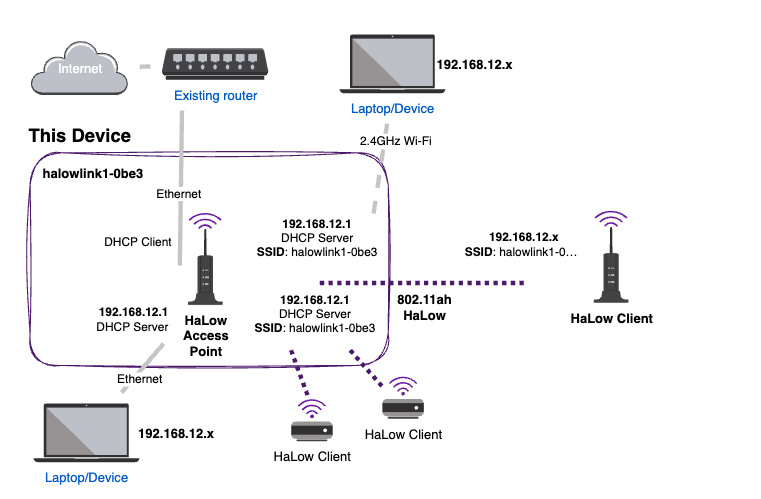
Data Flow:
NE101 (Image Capture) → WiFi HaLow → HaLowLink Gateway → Ethernet/WiFi → MQTT Broker → Backend Platform
| Stage | Description |
|---|---|
| Image Capture | NE101 captures images on schedule or trigger, generating JPEG files |
| HaLow Transmission | Sends data to HaLowLink gateway via Sub-1 GHz wireless link |
| Network Bridging | HaLowLink bridges HaLow data to Ethernet/WiFi network |
| MQTT Upload | NE101 publishes Base64-encoded image data to MQTT Broker |
| Platform Reception | Backend platform subscribes to MQTT Topic, receives and displays images |
2. Bill of Materials (BOM)
Required Devices
| Item | Model/Specification | Qty | Purpose | Notes |
|---|---|---|---|---|
| Smart Camera | NE101 WiFi HaLow Version | 1 | Image capture and transmission | Requires FGH100M module |
| HaLow Gateway | Morse Micro HaLowLink1 or HaLowLink2 | 1 | HaLow network bridging | Power and connect to Ethernet |
| MQTT Server | Backend server (e.g., AI Tool Stack, NeoMind, EMQX, Mosquitto) | 1 | Receive image data | Must be network-accessible from gateway |
3. HaLowLink Gateway Configuration
3.1 Gateway Network Setup
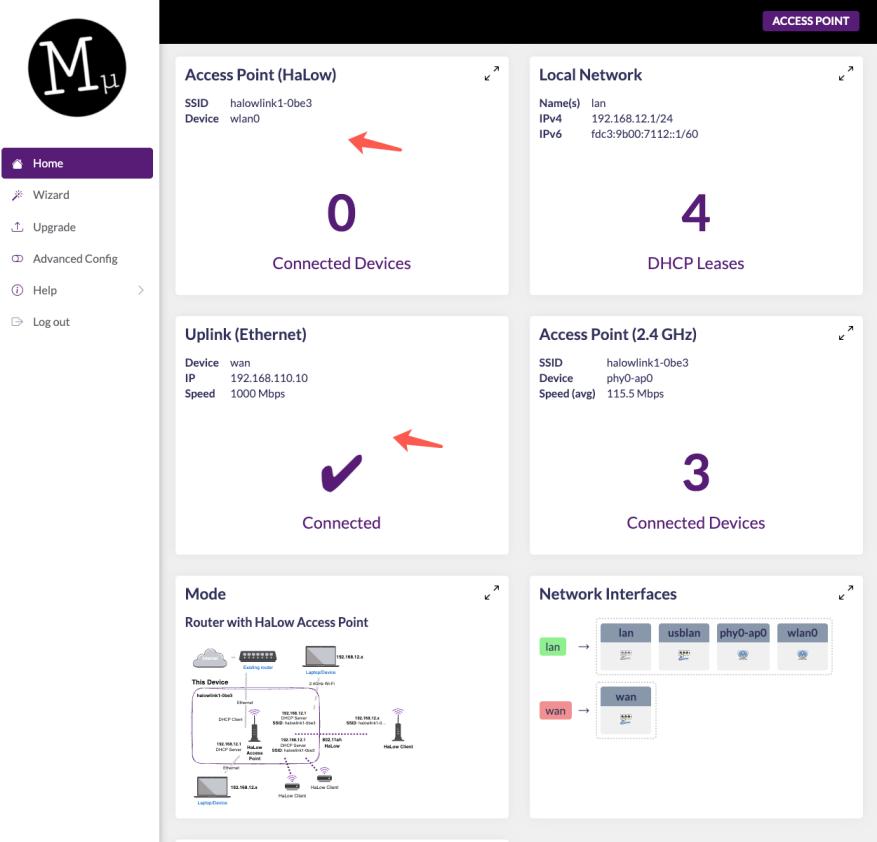
Connect the HaLowLink gateway to your LAN via Ethernet cable. After powering on, access the gateway management page in a browser and verify the network connection status. For login details, refer to the HaLowLink User Guide.
3.2 Check WiFi HaLow Frequency Configuration
Navigate to Network → Wireless in the gateway management page and check the WiFi HaLow frequency settings. Select the appropriate band based on your region:
- Europe: 868 MHz
- North America: 915 MHz
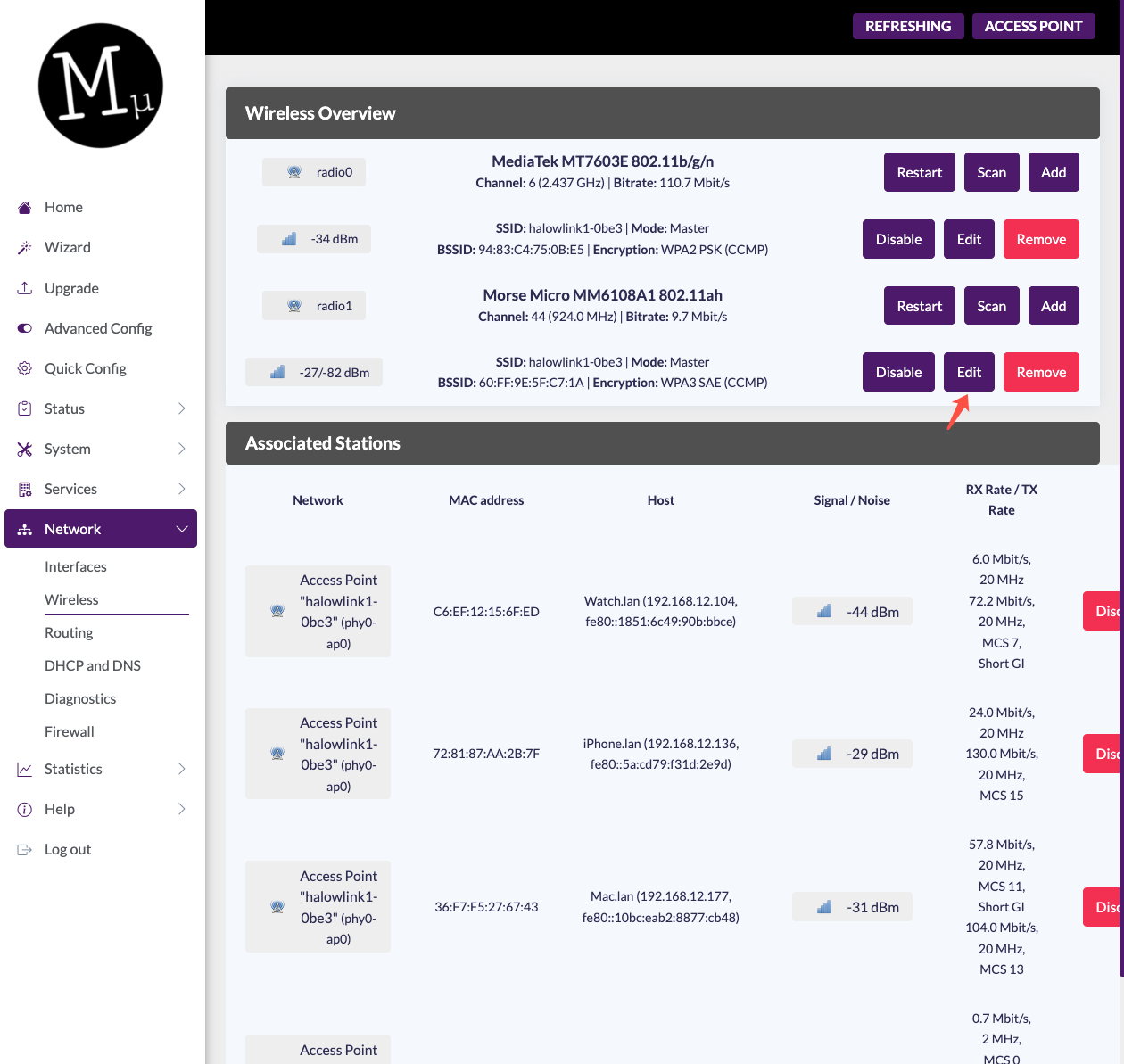
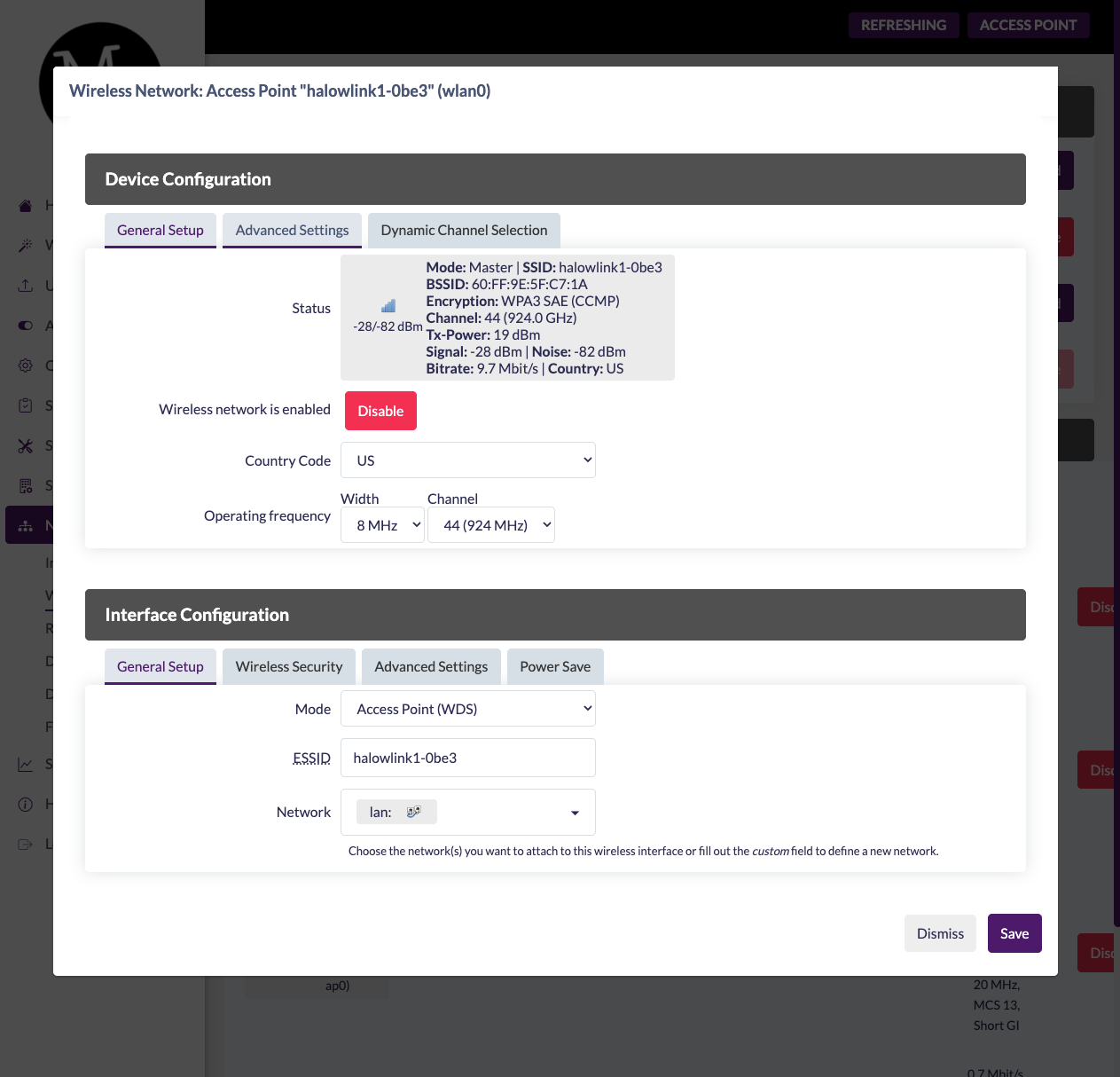
Ensure the gateway and NE101 frequency settings match, otherwise the devices cannot associate.
4. NE101 WiFi HaLow Connection
4.1 Login to NE101
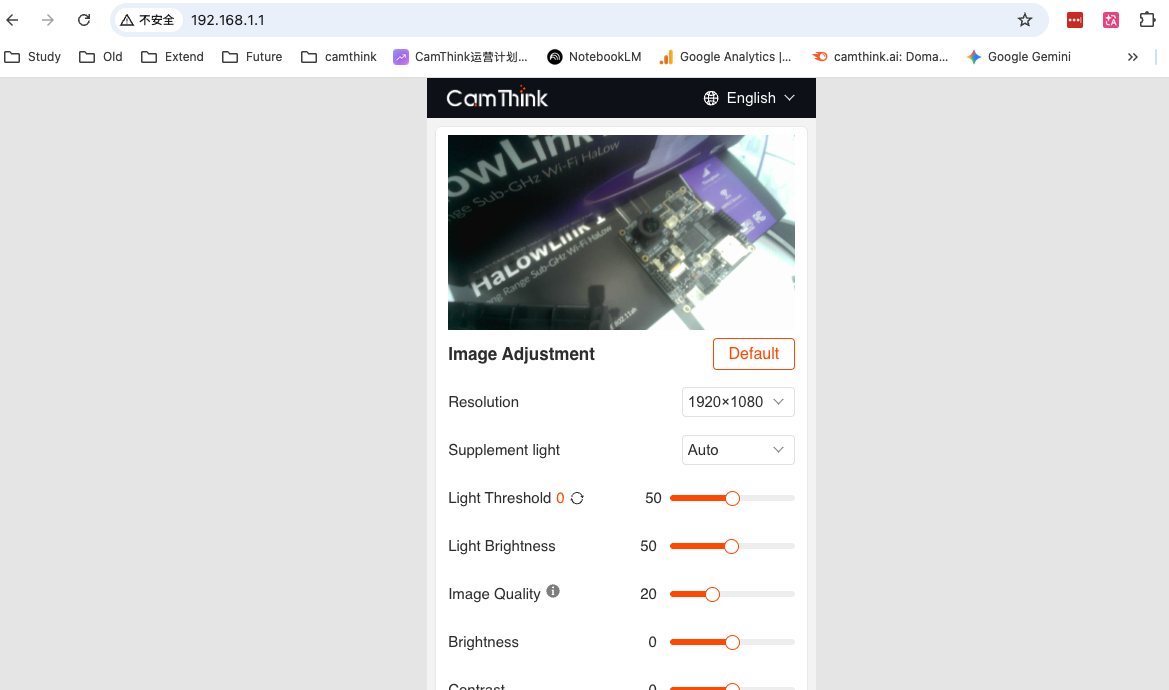
After powering on NE101, connect to its WiFi hotspot, then enter 192.168.1.1 in a browser to access the NE101 configuration interface.
4.2 Configure WiFi HaLow Network
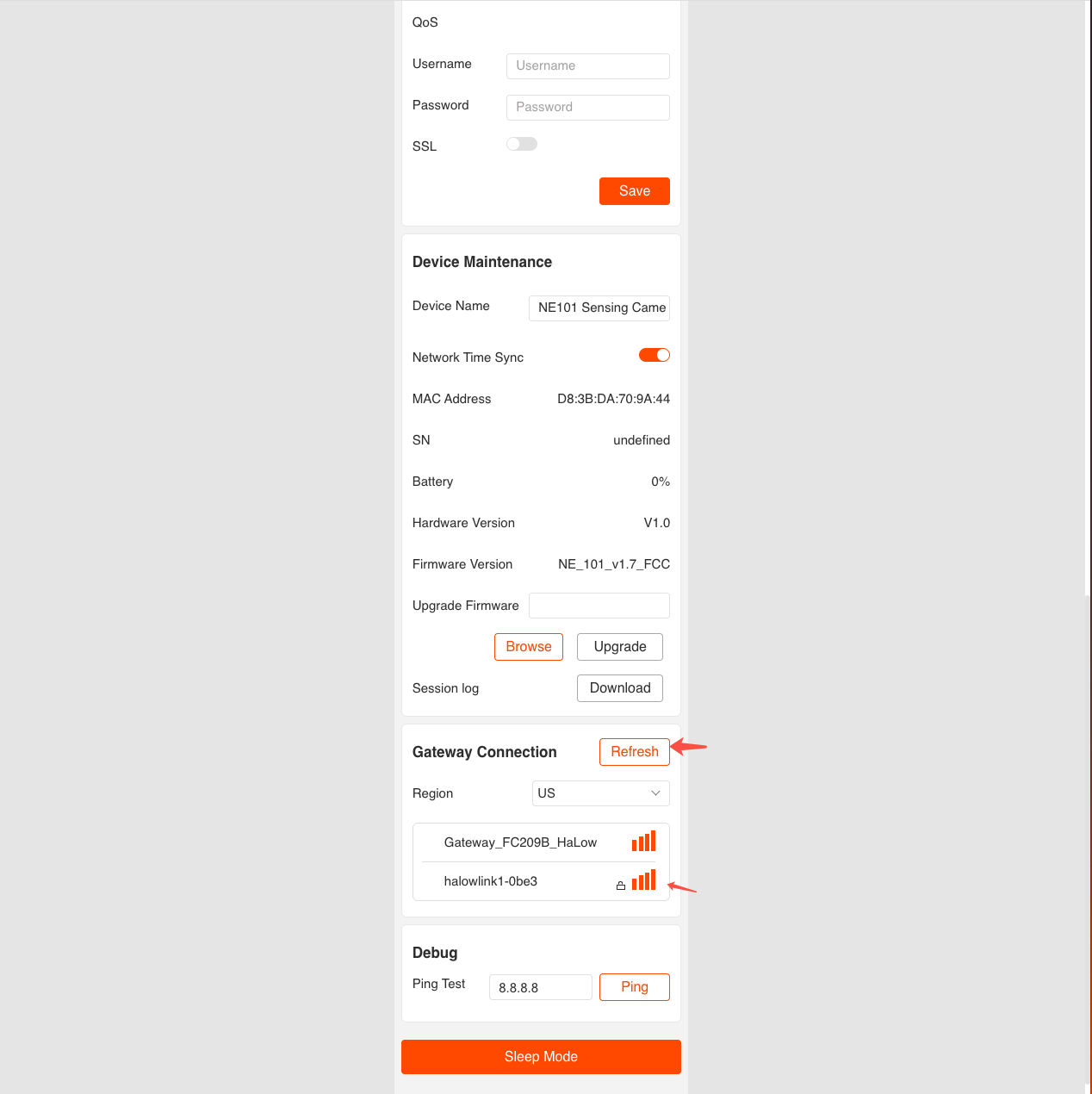
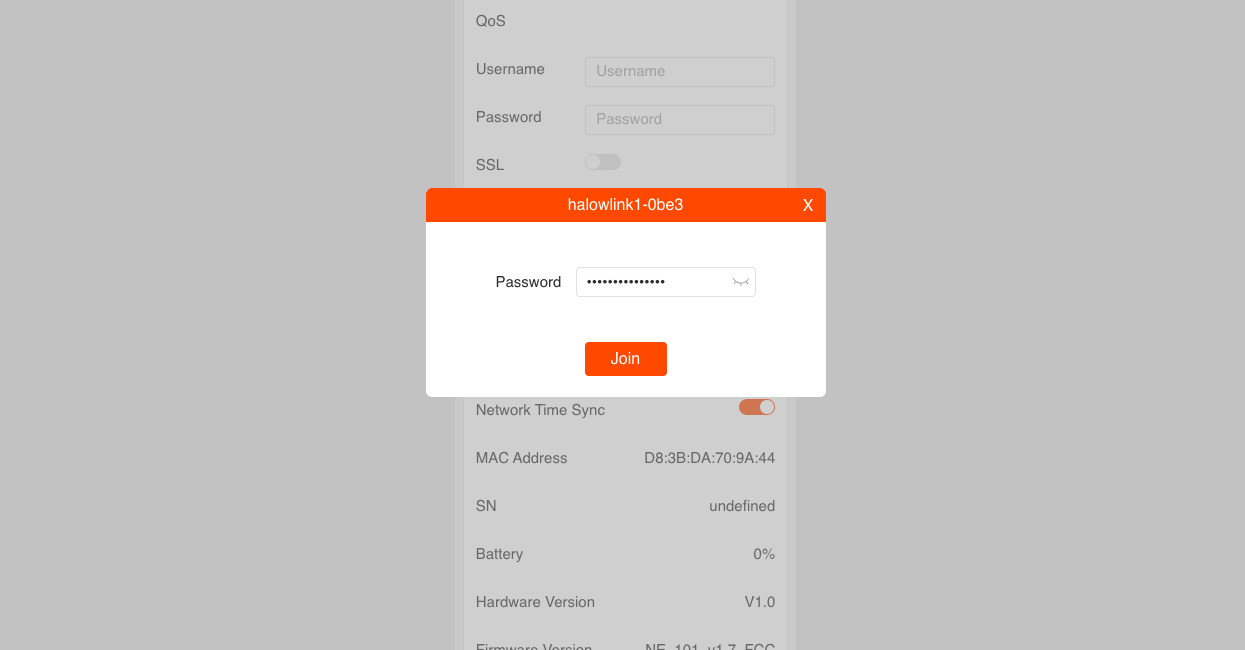
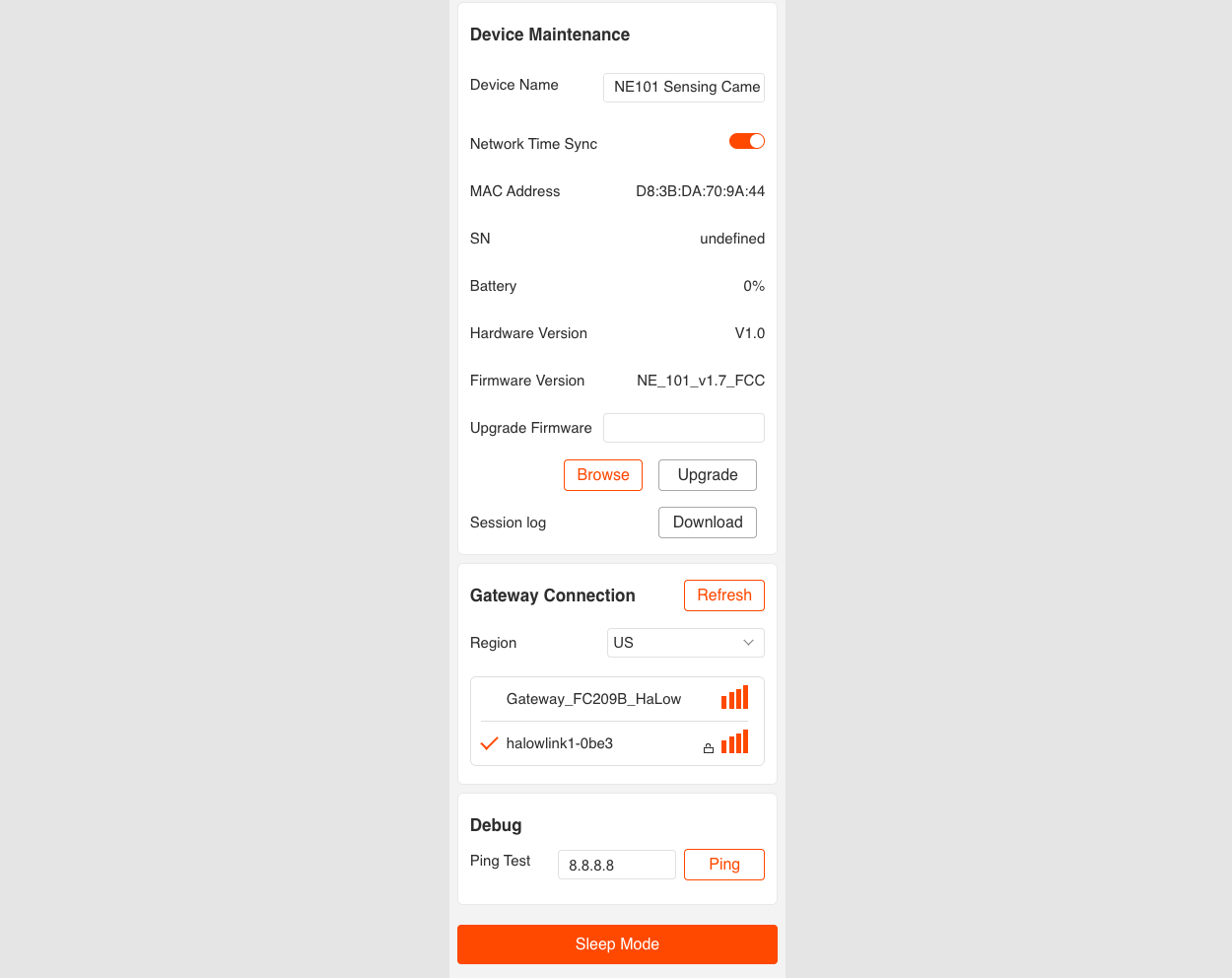
Navigate to the Gateway Connection page, select a Region matching the HaLowLink gateway (e.g., US or AU), click Refresh to scan available networks, select the HaLowLink gateway AP, and enter the password to connect.
4.3 Verify Connection Status
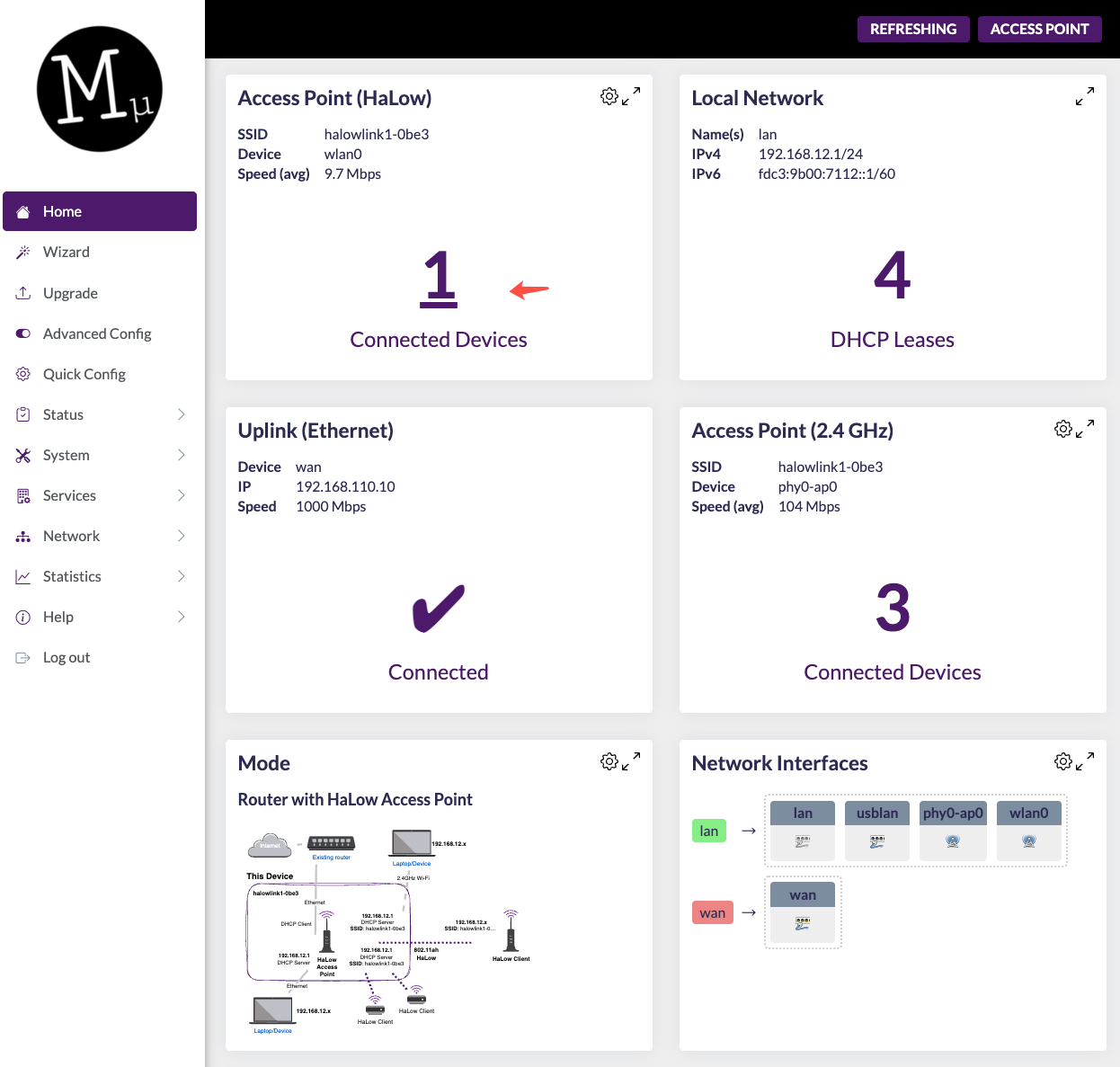
After a successful connection, you can see NE101 listed as associated on the gateway management page:
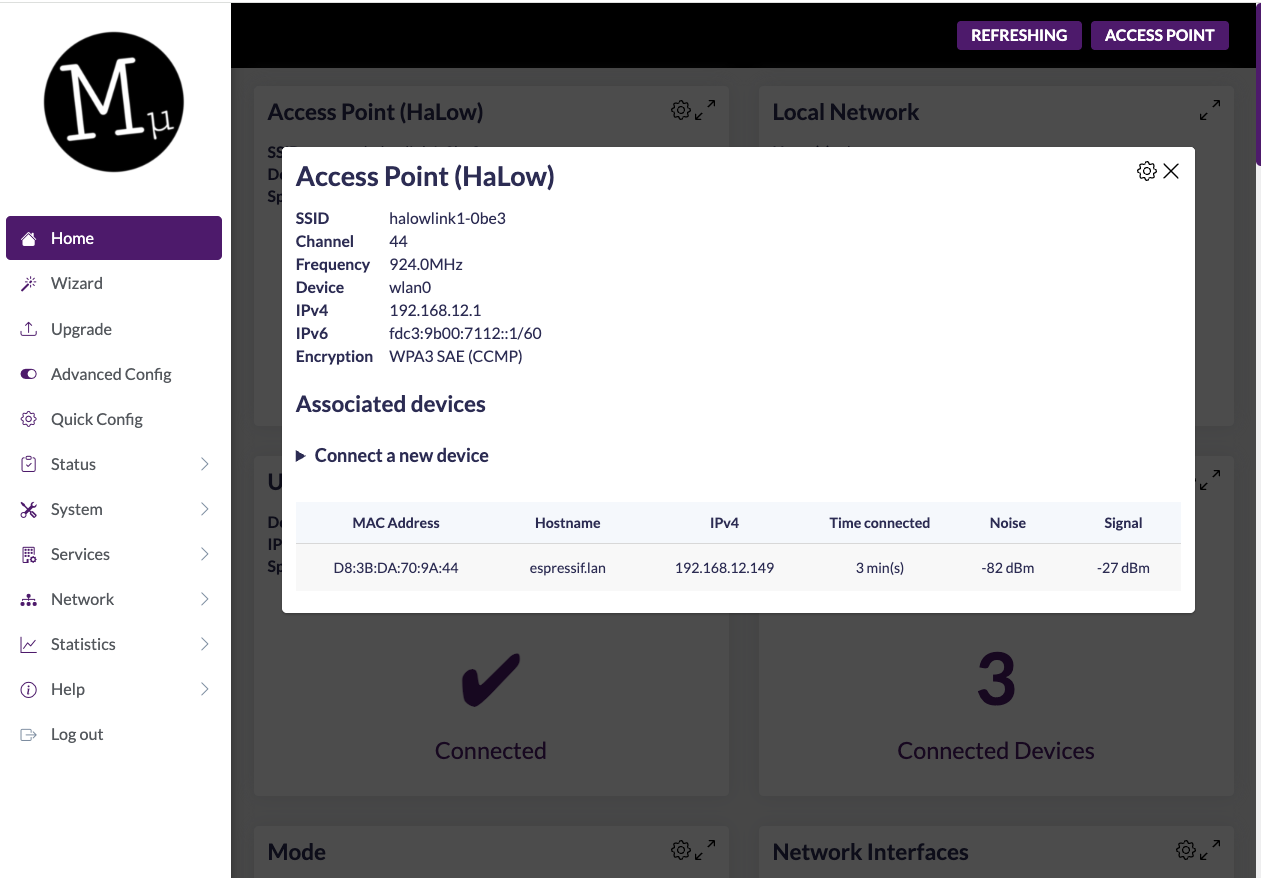
Click to view connection details and confirm signal strength, frequency, and other parameters are normal:
5. MQTT Data Integration
5.1 Set Up MQTT Broker
Using AI Tool Stack as an example, create an MQTT Broker service on the platform and obtain the Broker IP address, port, and authentication credentials. You can also use NeoMind, EMQX, Mosquitto, or other platforms to set up your own MQTT Broker.
5.2 Configure NE101 MQTT Connection
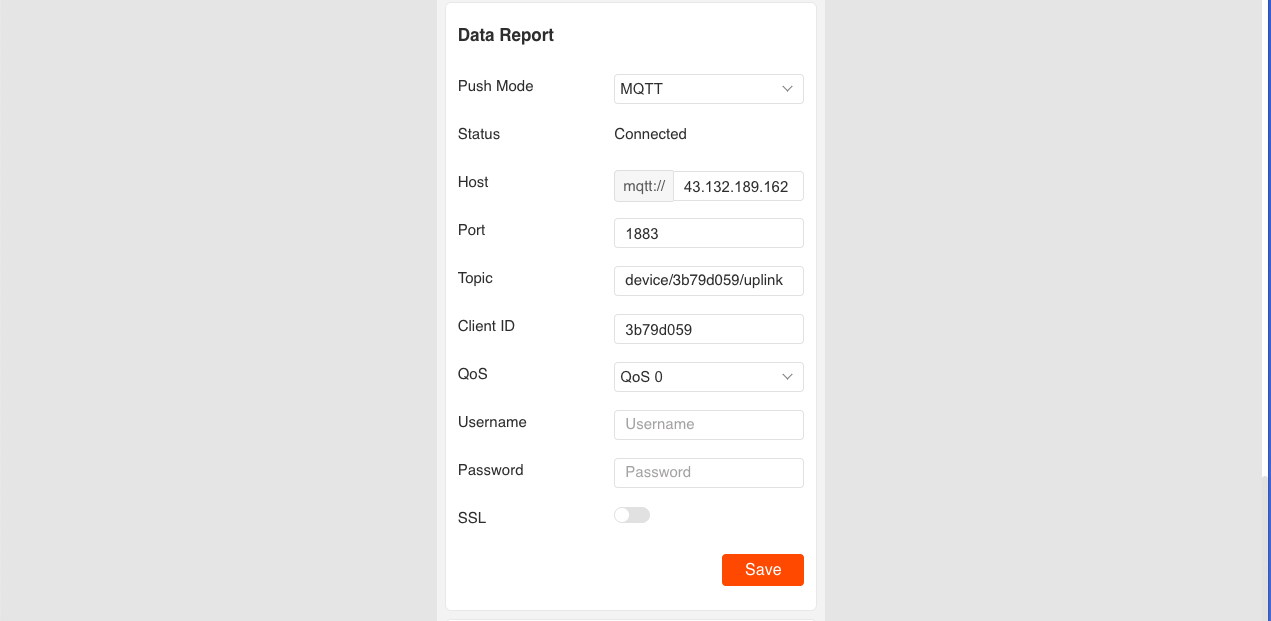
Navigate to the Data Report page in the NE101 configuration interface and fill in the MQTT Broker connection parameters:
| Parameter | Value | Description |
|---|---|---|
| Host | MQTT server IP address | Must be network-accessible from gateway |
| MQTT Port | 1883 (or server port) | MQTT TCP port |
| Topic | Custom (e.g., ne101/image) | Image data publish topic |
| Client ID | Auto-generated or custom | Device unique identifier |
| QoS | QoS 0 | QoS 0 recommended for image transmission |
| Username / Password | Per server configuration | If Broker requires authentication |
After saving, NE101 will connect to the MQTT Broker via WiFi HaLow → HaLowLink gateway:
5.3 Data Format
The MQTT message payload uploaded by NE101 is in JSON format, with the image embedded as Base64 encoding:
{
  "ts": 1740640441620,
  "values": {
    "devName": "NE101 Sensing Camera",
    "devMac": "D8:3B:DA:4D:10:2C",
    "battery": 84,
    "snapType": "Button",
    "localtime": "2025-02-27 15:14:01",
    "imageSize": 74371,
    "image": "data:image/jpeg;base64,..."
  }
}
| Field | Type | Description |
|---|---|---|
ts | number | Timestamp (milliseconds) |
devName | string | Device name |
devMac | string | Device MAC address |
battery | number | Battery level (%) |
snapType | string | Capture type: Button, Scheduled, or PIR (sensor trigger) |
localtime | string | Local time |
imageSize | number | Image size (bytes) |
image | string | Base64-encoded JPEG image with prefix data:image/jpeg;base64, |
5.4 Verify Image Reception
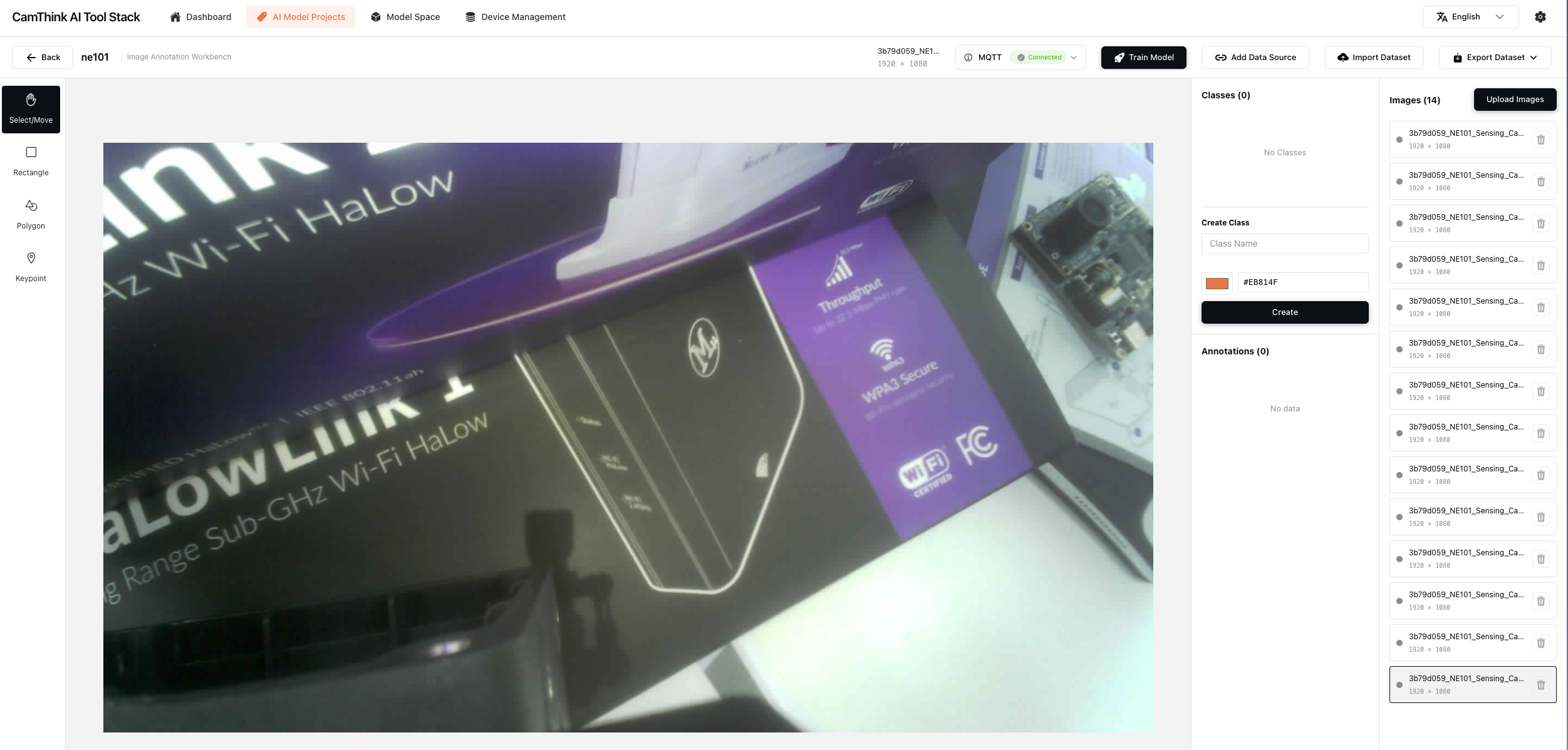
Use an MQTT client (e.g., MQTTX) to subscribe to the corresponding Topic, or view received image data on the backend platform:
Base64 images can be displayed directly in web pages:
<img src="data:image/jpeg;base64,..." />
6. Appendix
Related Documents & Resources
| Name | Description | Name | Description |
|---|---|---|---|
| NE101 Product Overview | NE101 specifications and features | NE101 Quick Start | Device assembly and first-use guide |
| Morse Micro Official | WiFi HaLow chip manufacturer | HaLowLink Gateway | HaLowLink gateway product page |
| AI Tool Stack | MQTT Broker platform service | NeoMind | AI visual analytics platform |
| EMQX | Open-source MQTT Broker | Mosquitto | Lightweight MQTT Broker |
| MQTTX | MQTT client debugging tool |
Last updated: 2026-04-22