AI Agent and Extensions Solutions
1. Solution Overview
NeoMind supports powerful AI Agents and a rich plugin ecosystem. This guide demonstrates object detection and analysis with notification push using both the YOLO Inference Plugin and AI Agent.
Solution Architecture
Data Flow:
NE101/NE301 Image Capture → NeoMind Platform (with MQTT Broker) → Inference/Analysis → Dashboard Display + Notification Push
| Stage | Description |
|---|---|
| Image Capture | NE101/NE301 captures images via timed snapshots or event triggers |
| MQTT Transport | Devices report image data to NeoMind's built-in MQTT Broker via MQTT protocol |
| Inference/Analysis | YOLO plugin performs ONNX inference, or AI Agent performs intelligent analysis via LLM |
| Result Display | Dashboard displays detection results and statistics in real time |
| Notification Push | Automatic notifications when targets are detected |
Two Approaches
NeoMind offers two approaches for object detection and notification push. Choose one or combine both based on your scenario:
| Approach A: YOLO Inference Plugin | Approach B: AI Agent | |
|---|---|---|
| How It Works | Runs ONNX models locally for object detection. Default: YOLOv8n (COCO 80 classes), supports custom trained models | Connects to an LLM (example: Ollama + Qwen3.5-4B), defines detection logic and notification behavior via natural language prompts |
| Notification | Requires separate notification rules in the Messages page | Notification triggers and content defined directly in the prompt |
| Best For | Fixed object detection, latency-sensitive scenarios, batch deployment | Flexible detection logic, contextual understanding, rapid prototyping |
For detailed performance comparison and selection guidance, see Section 8.
2. Bill of Materials (BOM)
| Item | Specification | Qty | Purpose | Required |
|---|---|---|---|---|
| Smart Camera | NE101 or NE301 | 1+ | Image capture | ✅ |
| NeoMind Platform | v0.6.8+ | 1 | Edge AI management | Download ✅ |
| LLM Runtime | Ollama / OpenAI / Anthropic etc. | 1 | AI Agent backend | Approach B |
| Solar Power Kit | 10W panel + 7AH rechargeable battery | 1 | Outdoor long-term deployment | Optional |
Approach A requires only the first two items; Approach B additionally needs an LLM runtime.
3. Prerequisites
3.1 NeoMind Installation and Configuration
Complete the NeoMind installation, registration, and basic configuration first. For detailed steps, refer to NeoMind Quick Start.
3.2 LLM Backend Configuration (Required for Approach B)
If you choose Approach B (AI Agent), configure an LLM backend. Two options are available:
Option 1: Local Ollama Deployment (Recommended)
# Install Ollama
curl -fsSL https://ollama.com/install.sh | sh

# Pull the Qwen3.5-4B model
ollama pull qwen3.5:4b
Verify the model installation:
ollama list
# Confirm the output includes qwen3.5:4b
Then add an Ollama backend in NeoMind's Settings → LLM Configuration, with the endpoint http://localhost:11434, and select the qwen3.5:4b model.
Option 2: Cloud LLM API
Add the corresponding LLM backend in NeoMind's Settings → LLM Configuration:
- OpenAI: Enter your API Key and select a model (e.g.,
gpt-4) - Anthropic: Enter your API Key and select a model (e.g.,
claude-sonnet-4-6) - Other services compatible with the OpenAI API
3.3 Device Onboarding
Register your NE101 or NE301 to the NeoMind platform:
Steps:
- Navigate to the Device Management page in NeoMind
- Click Add Device and select the device type (NE101 or NE301)
- Enter the Device ID (matching the device side) and MQTT topic (MQTT Broker must be configured in advance)
- Save and wait for the device to come online
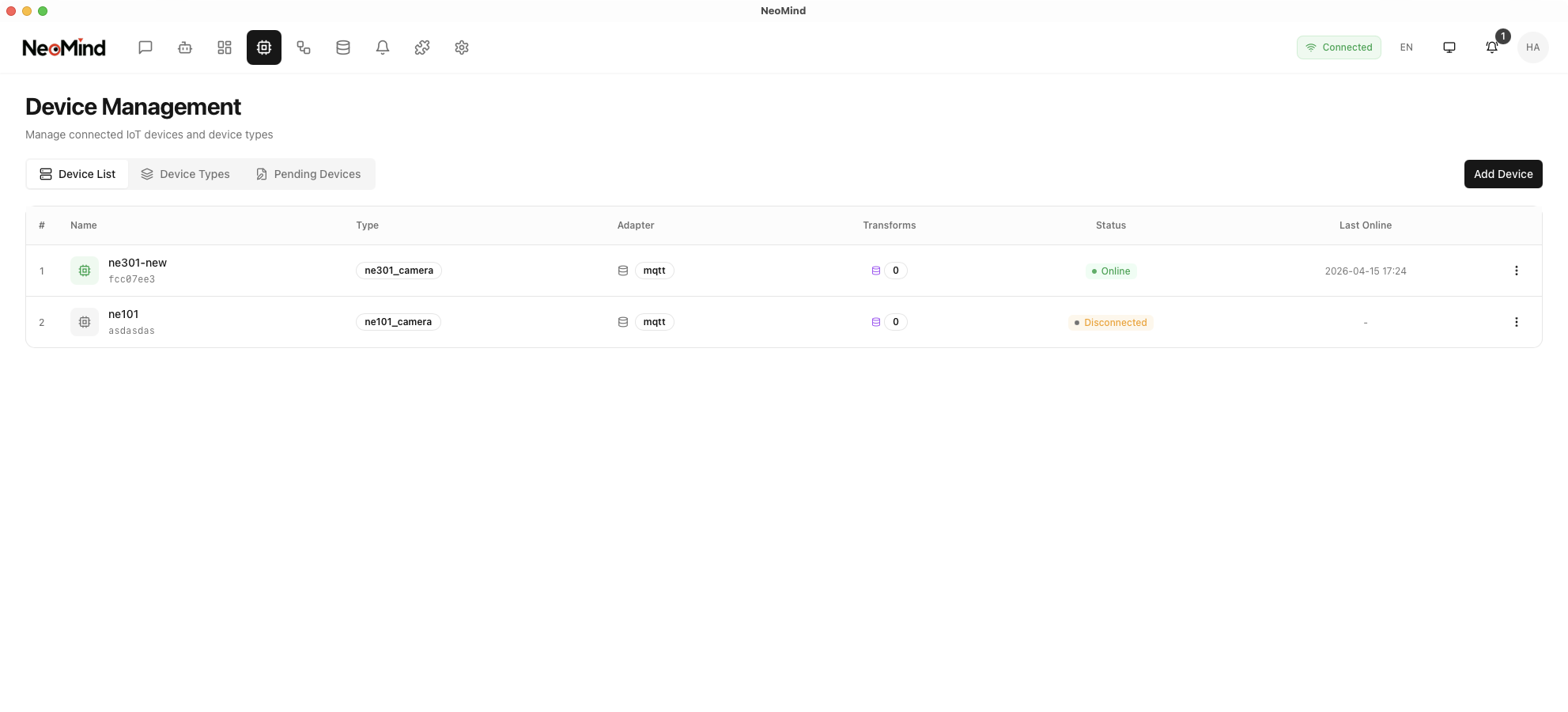
For detailed device onboarding steps, refer to NeoMind Quick Start - Device Management.
4. Approach A: YOLO Inference Plugin
The YOLO Inference plugin uses ONNX models for local object detection inference with fast response, supporting COCO pre-trained categories and custom model replacement.
4.1 Install the YOLO Plugin
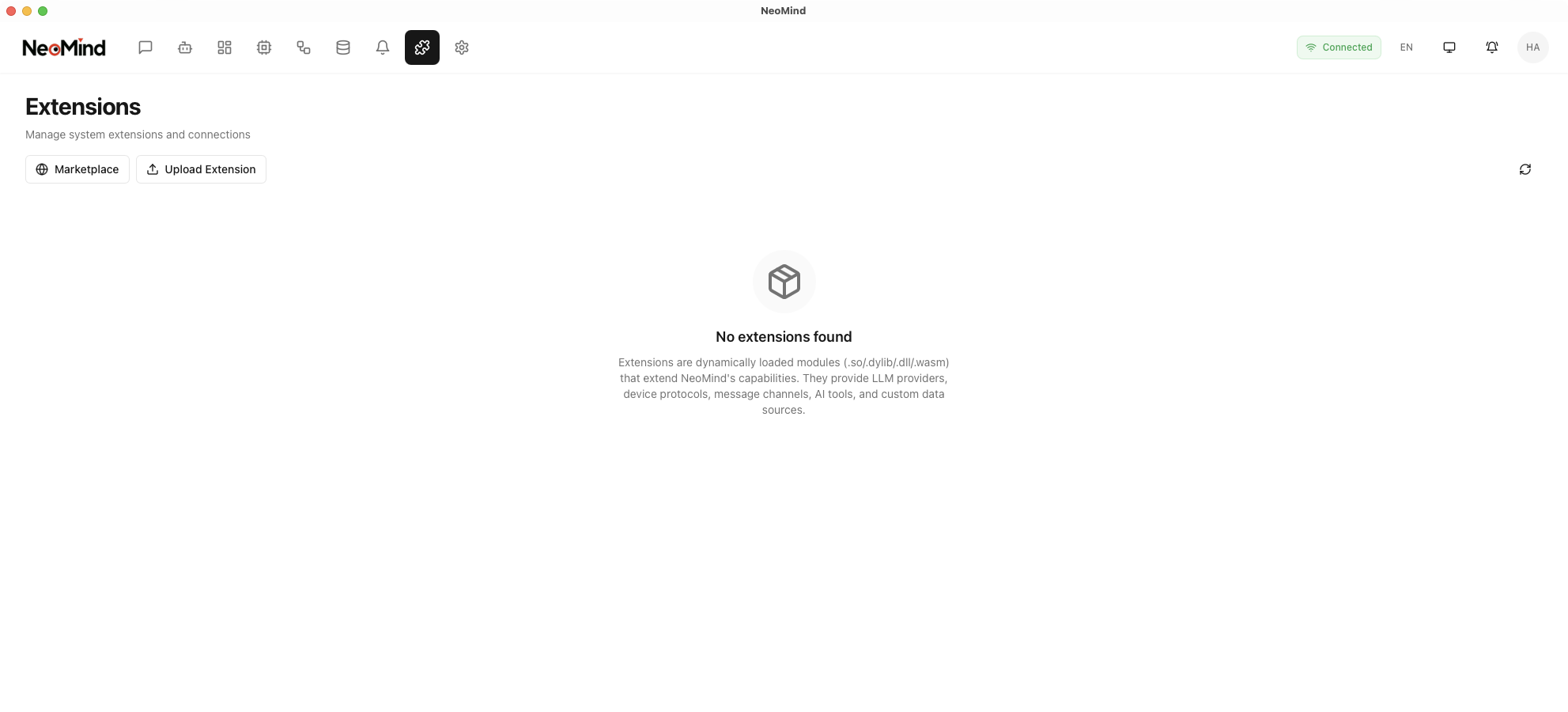
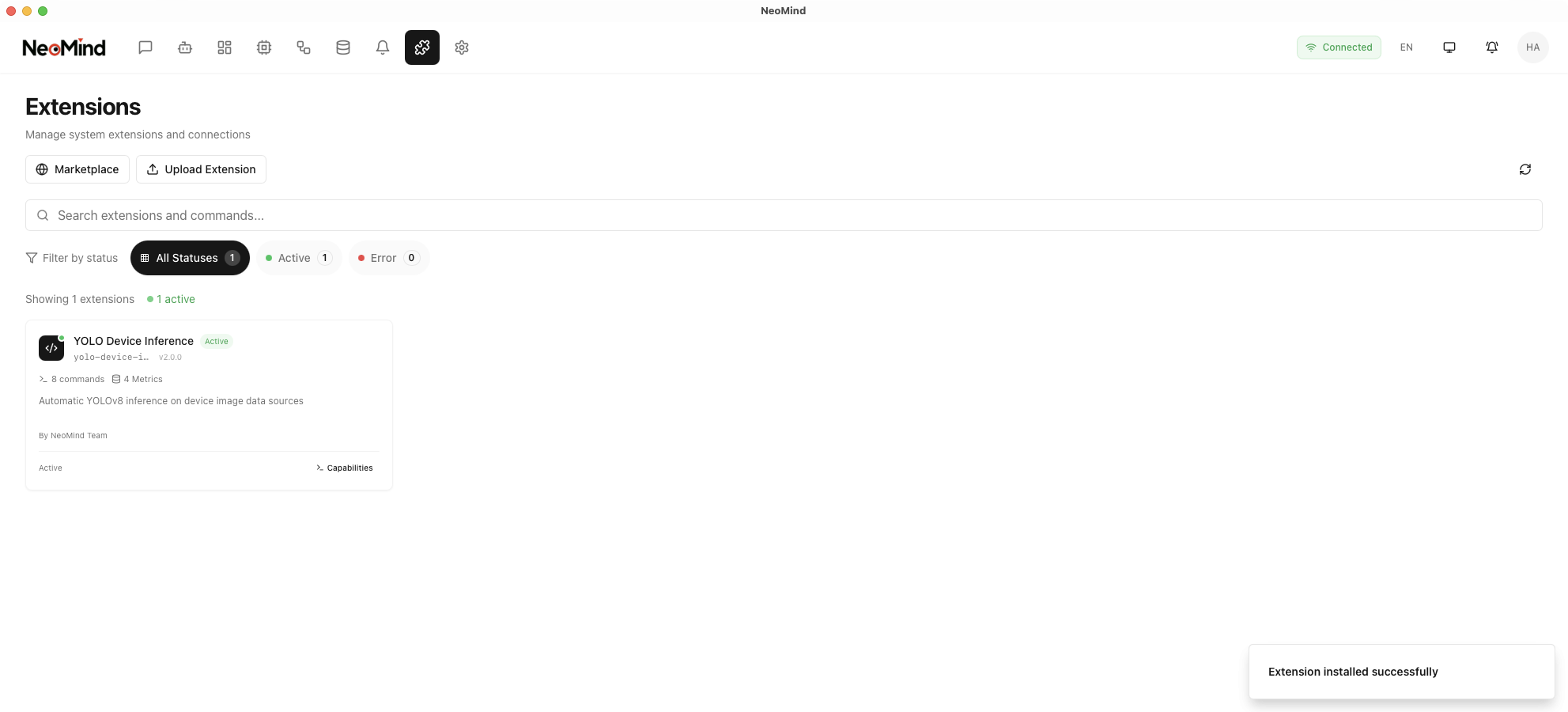
Step 1: Navigate to the Extensions management page
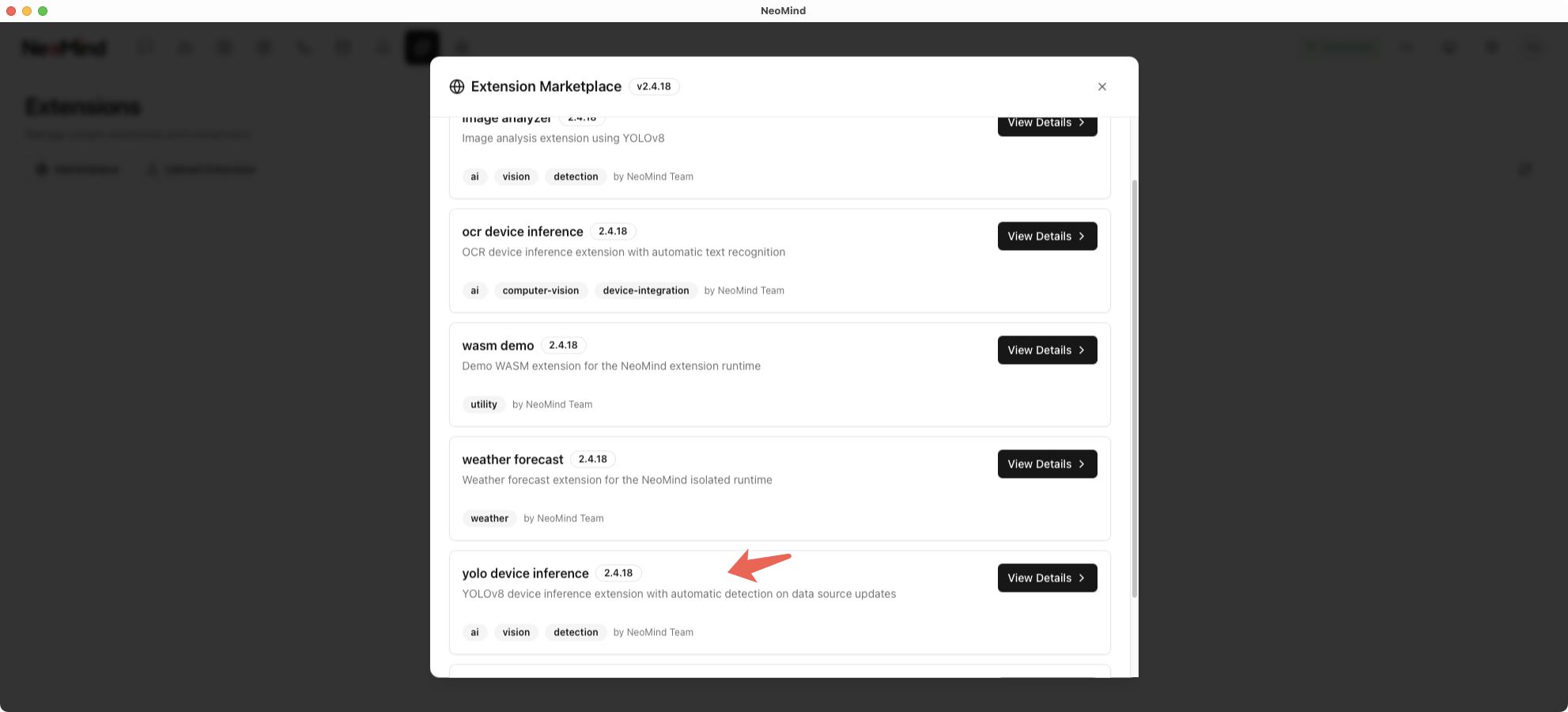
Step 2: Find the YOLO Device Inference plugin and click Install
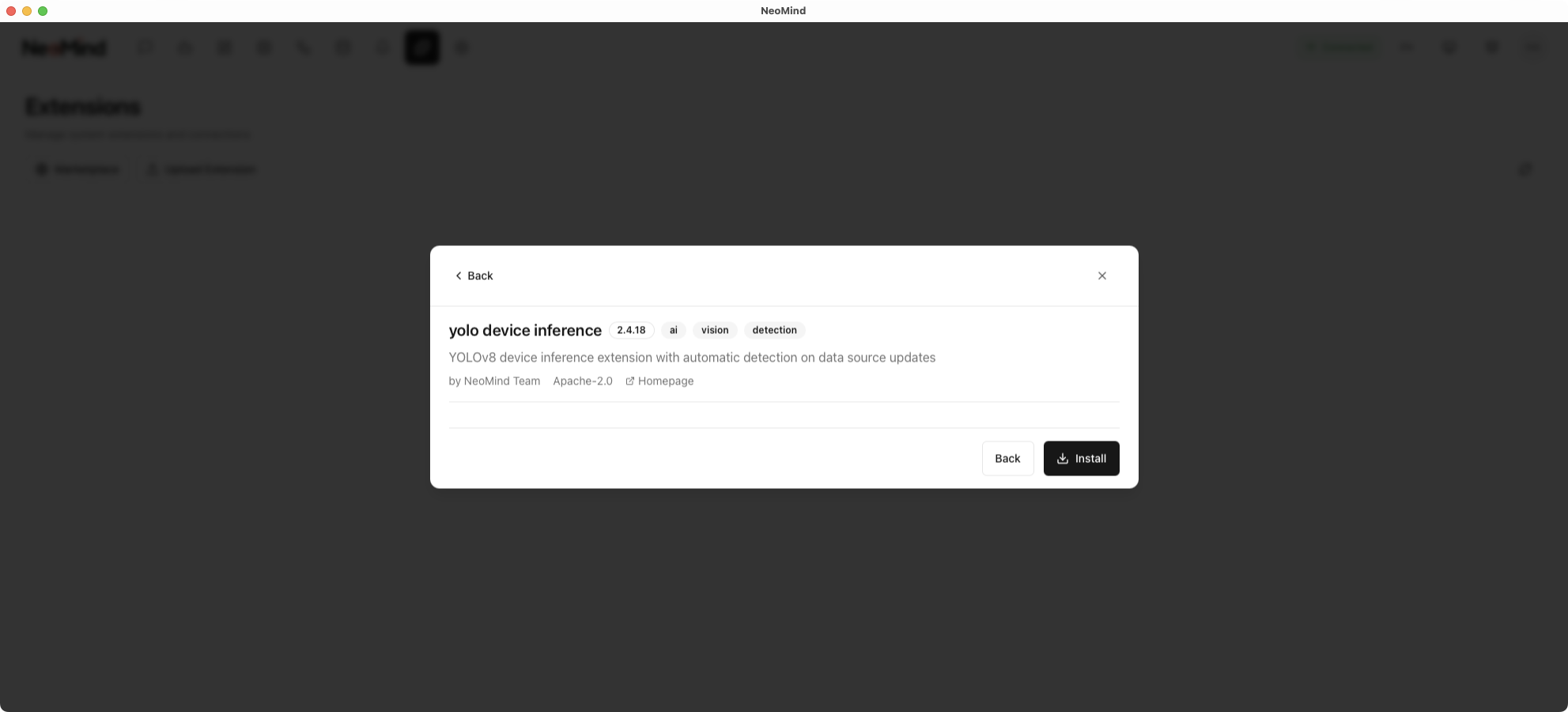
Step 3: After installation, enable the plugin
4.2 Verify Inference Results
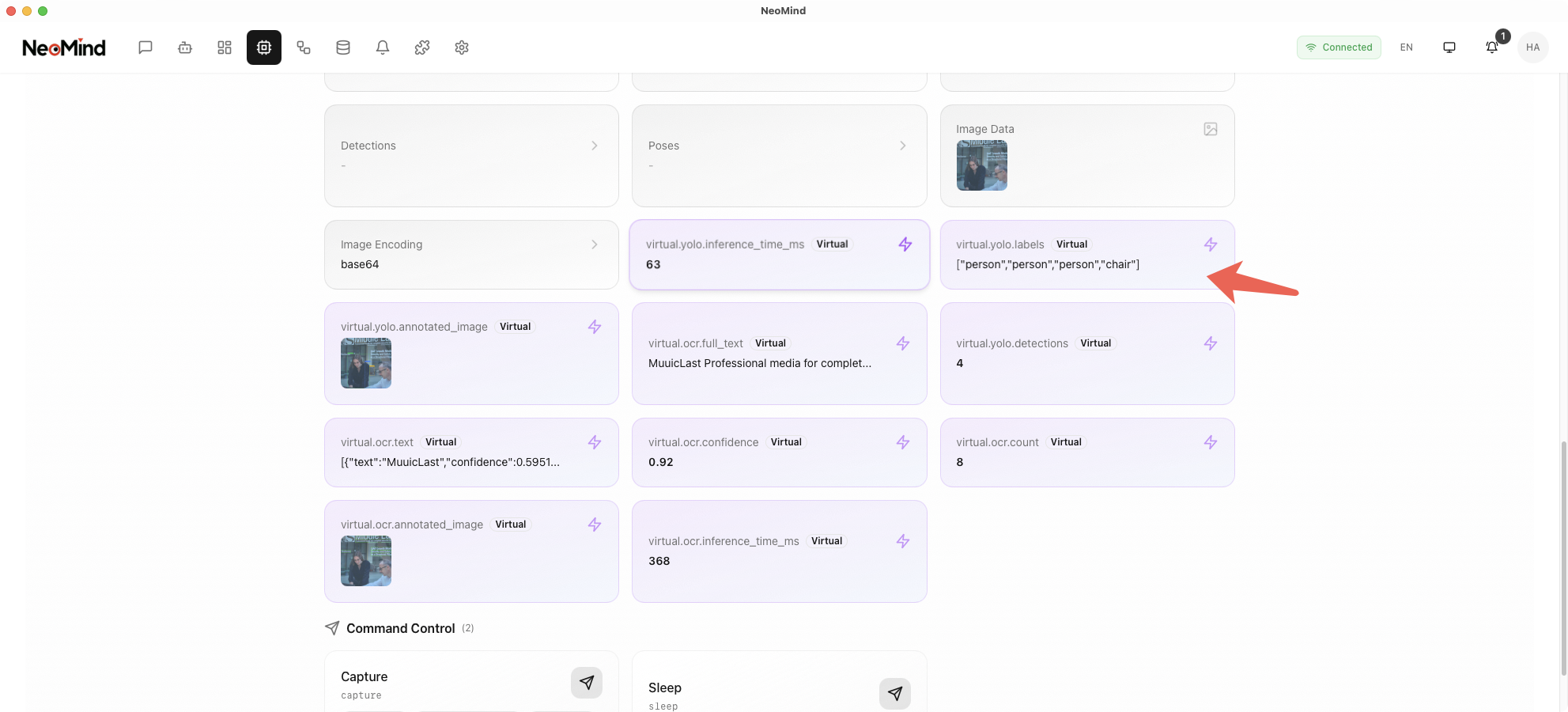
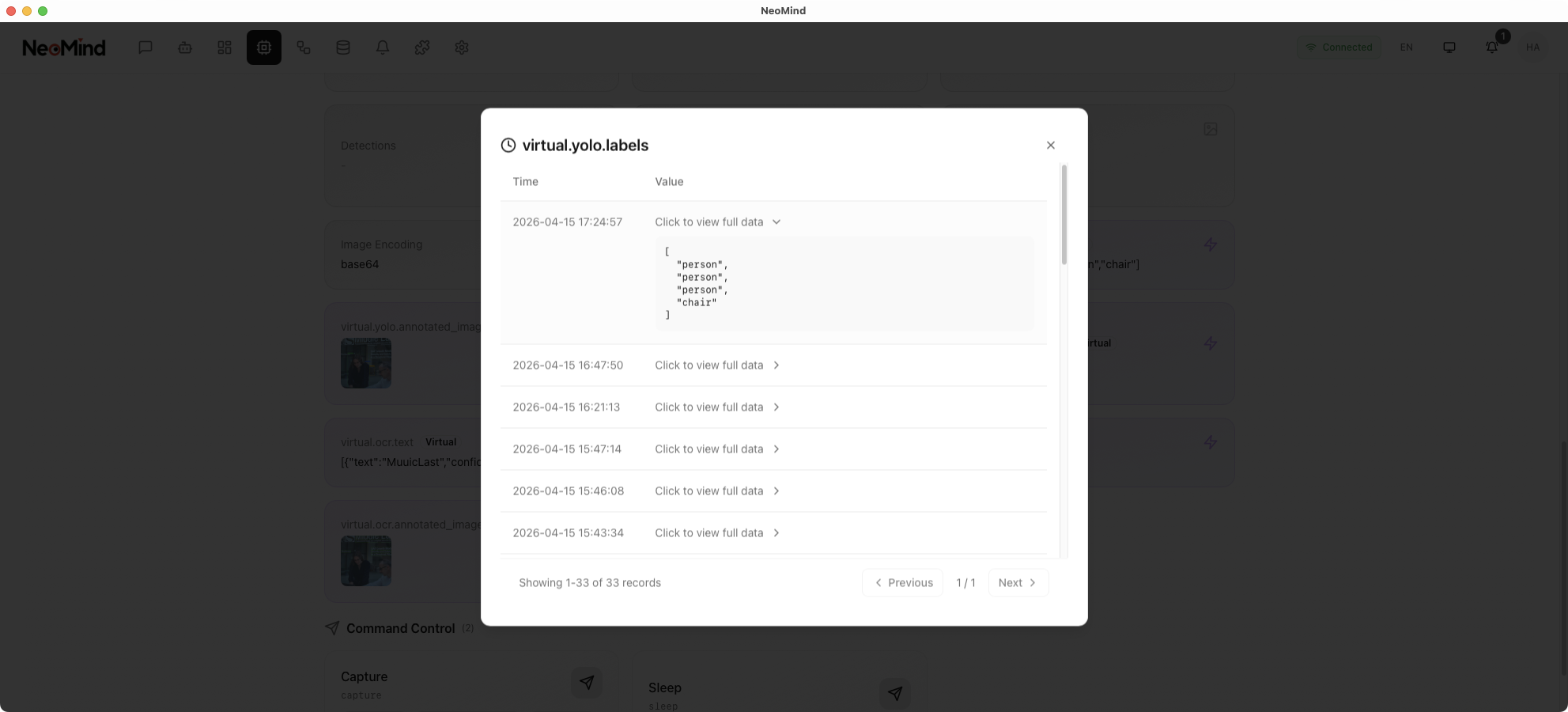
Once the plugin is enabled and bound to a device, it will automatically perform inference when the device captures an image. Add a YOLO Device Inference panel to the dashboard and bind the device to view inference history and captured images in the device details:
4.3 Custom Model Replacement
This example uses the official YOLOv8 pre-trained model (yolov8n.onnx), which detects COCO 80 common object categories (people, vehicles, animals, etc.).
To detect specific targets (e.g., industrial defects, specific products, safety helmet compliance), you can train and replace the model:
Model file path:
~/Library/Application Support/com.neomind.neomind/data/extensions/yolo-device-inference/models/yolov8n.onnx
Replacement steps:
- Train a custom model using the YOLOv8 framework and export it to ONNX format
- Replace
yolov8n.onnxin the path above with your trained ONNX model file - Restart the NeoMind application
Note: The replacement model must be in ONNX format with input/output formats compatible with YOLOv8.
5. Approach B: AI Agent
AI Agent uses an LLM to intelligently analyze images, with natural language prompts defining detection logic and notification behavior, ideal for complex and flexible analysis scenarios.
5.1 Create an AI Agent
Step 1: Navigate to the AI Agent management page
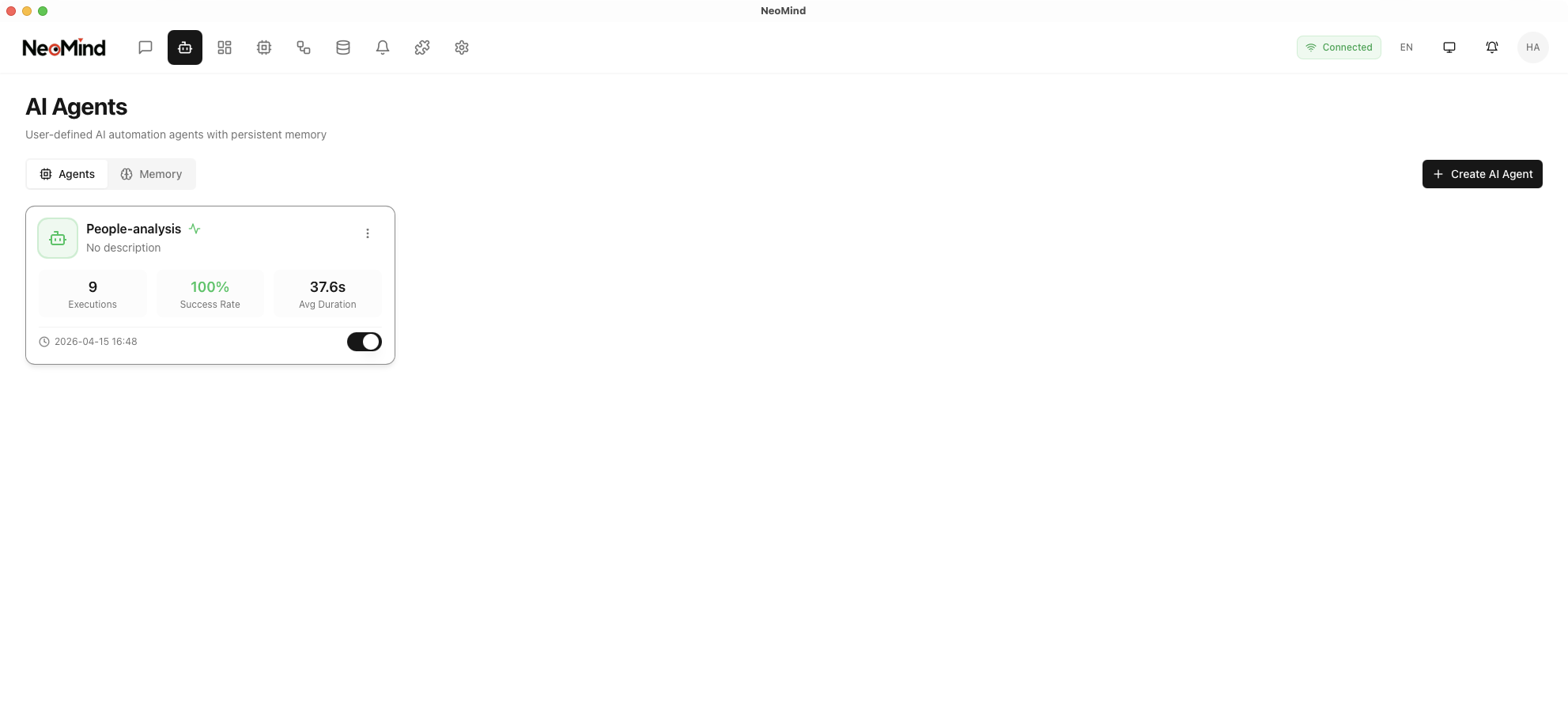
Step 2: Click Create Agent and fill in the basic information:
- Name: e.g., "Person Detection & Notification Agent"
- Description: Detect people in images and send notifications
5.2 Configure Prompts and Execution Rules
The core of AI Agent is the prompt and execution rules. Prompts define the analysis logic, while execution rules define trigger conditions.
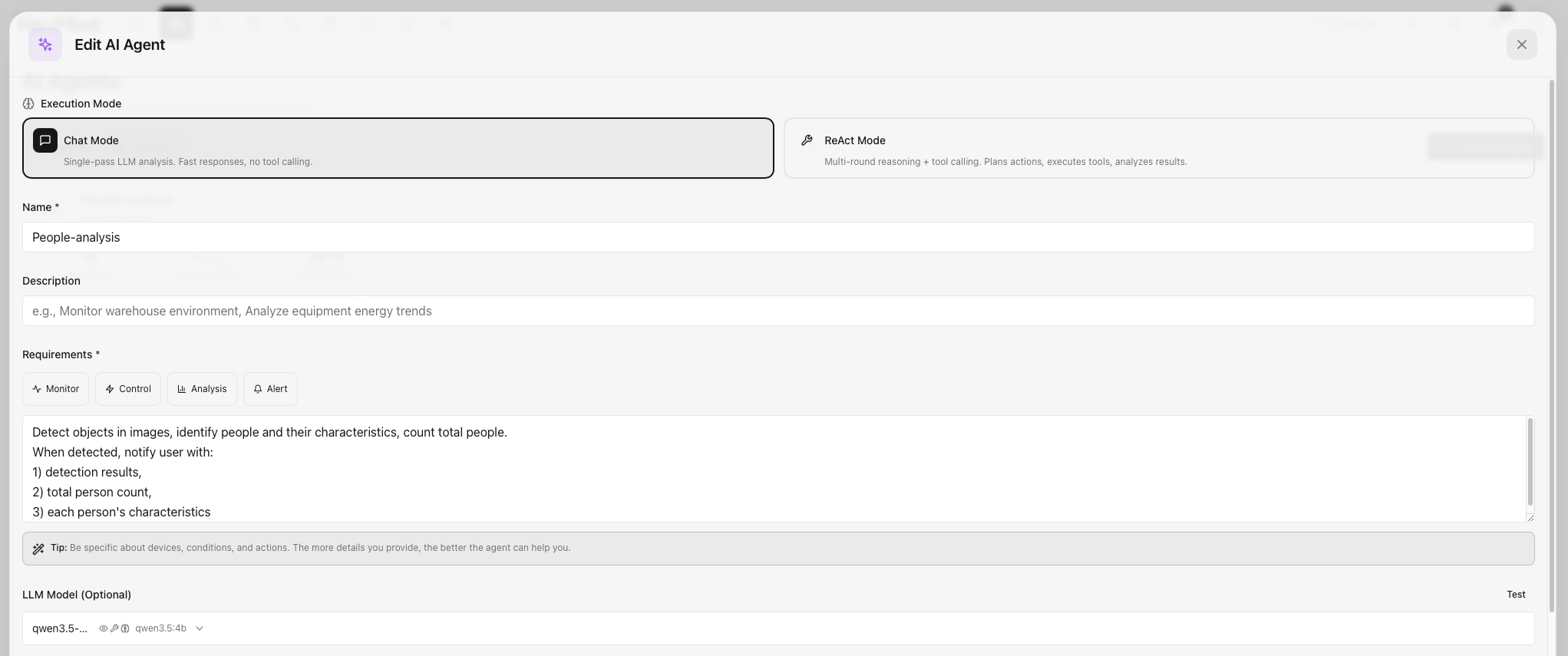

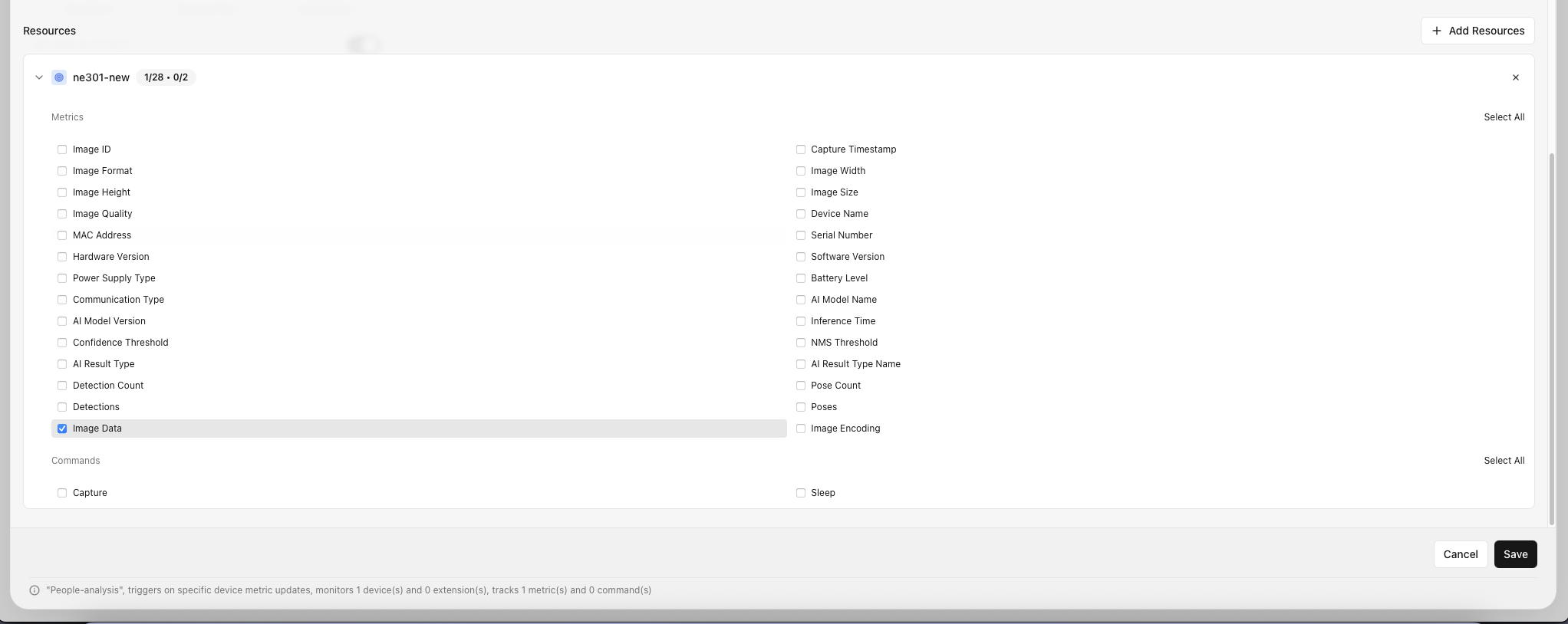
Configuration steps:
- Enter the prompt: Define the Agent's analysis logic and notification behavior
Prompt example:
Detect objects in images, identify people and their characteristics,
count total people. When detected, notify user with:
1) detection results,
2) total person count,
3) each person's characteristics
-
Select execution rules: Define when to trigger the Agent. This example uses Event trigger, selecting the specified device — when Image Data arrives, the Agent automatically calls the LLM for analysis
-
Flexible configuration: Adjust prompts, trigger conditions, and associated devices based on your business needs
Prompt writing tips:
| Element | Description | Example |
|---|---|---|
| Detection target | Specify the objects to detect | "identify people and their characteristics" |
| Counting | Request a count | "count total people" |
| Notification condition | When to trigger notification | "When detected, notify user" |
| Notification content | What information to include | "detection results, person count, characteristics" |
Tip: Prompts support natural language descriptions and can be flexibly adjusted for your business needs. For example, adding "wearing safety helmet" detects helmet compliance, and "entering restricted area" detects zone intrusion.
5.3 Verify Agent Operation
Once the Agent is created and enabled, it will automatically trigger the LLM for analysis when the associated device receives new image data, and push results via in-app notifications. You can view the Agent's analysis results and notification history in the chat interface.
6. Dashboard Configuration
The dashboard can display inference results from both approaches simultaneously for easy comparison.
6.1 Create a Dashboard
Navigate to the Dashboard management page and click Create Dashboard:
6.2 Add YOLO Inference Panel
In the dashboard, click Add Panel, select the YOLO Device Inference plugin type, and bind the device:
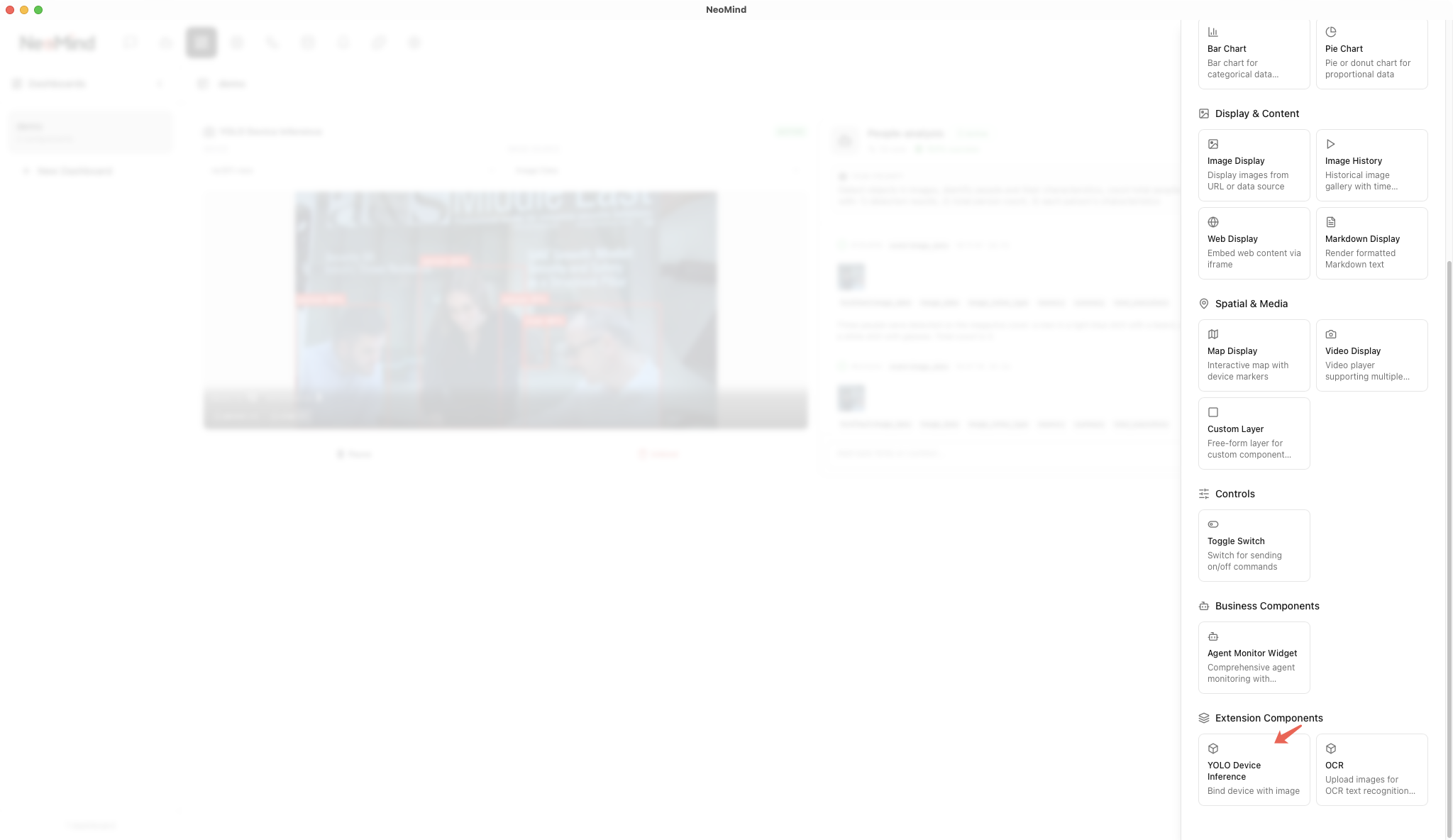
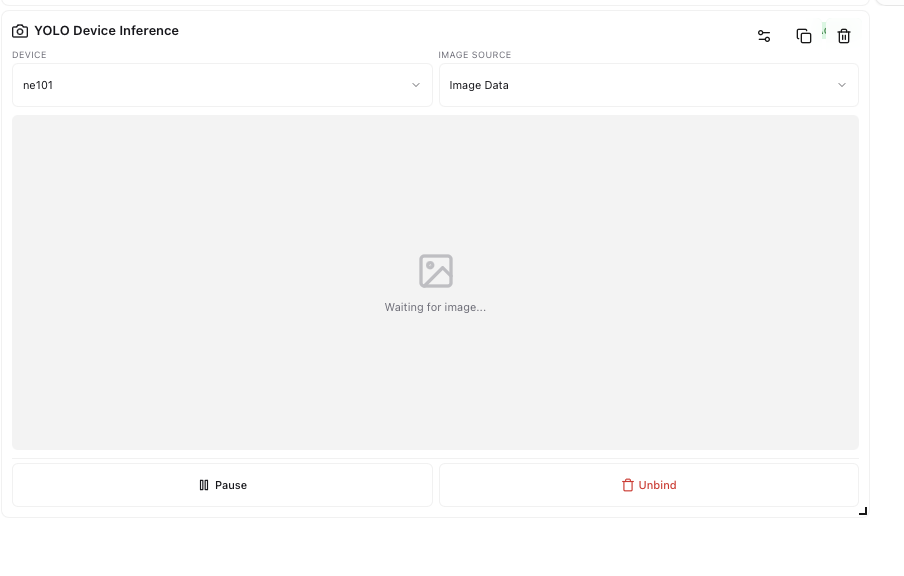
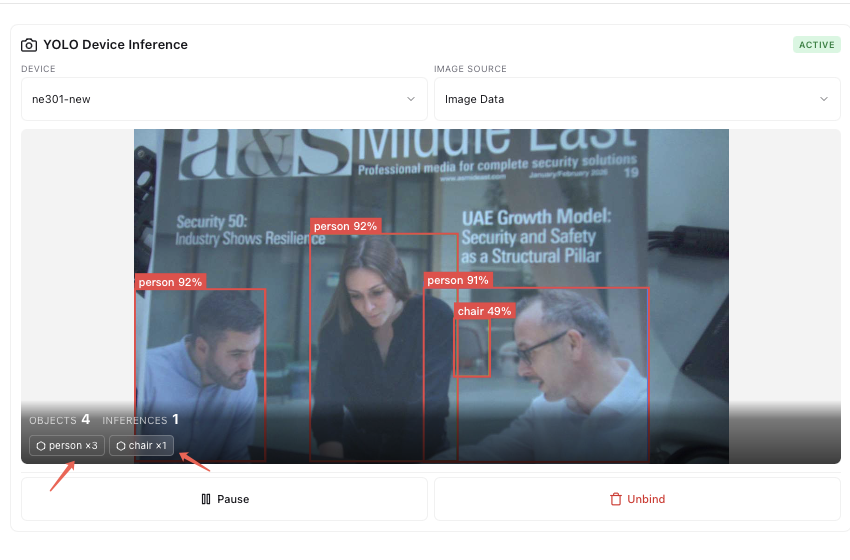
Once the device is bound, the YOLO plugin automatically performs inference when images are captured and displays detection results in the panel, including annotated images and detected object types and counts:
6.3 Add AI Agent Panel
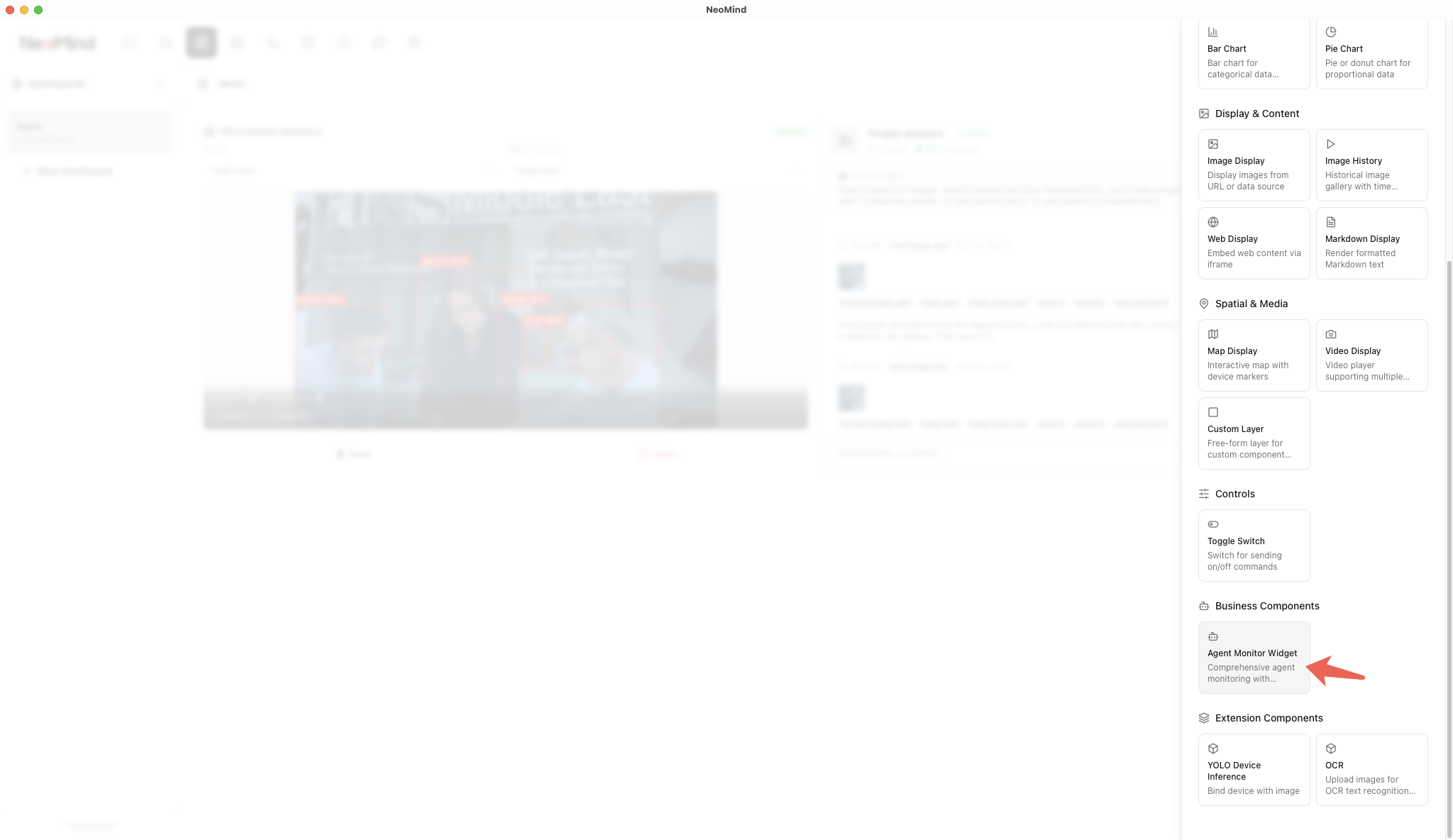
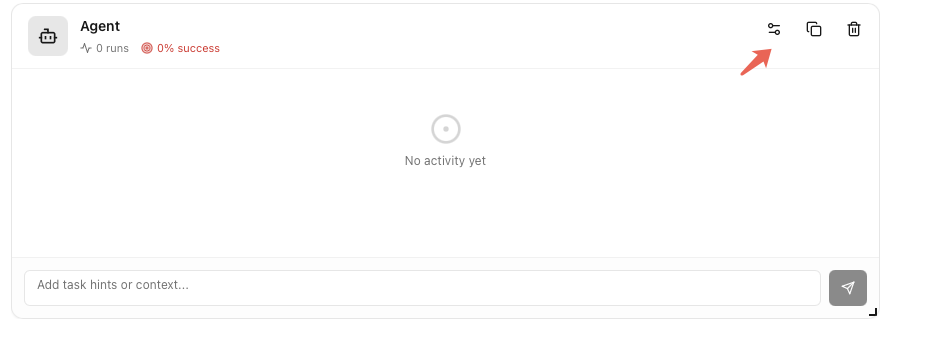
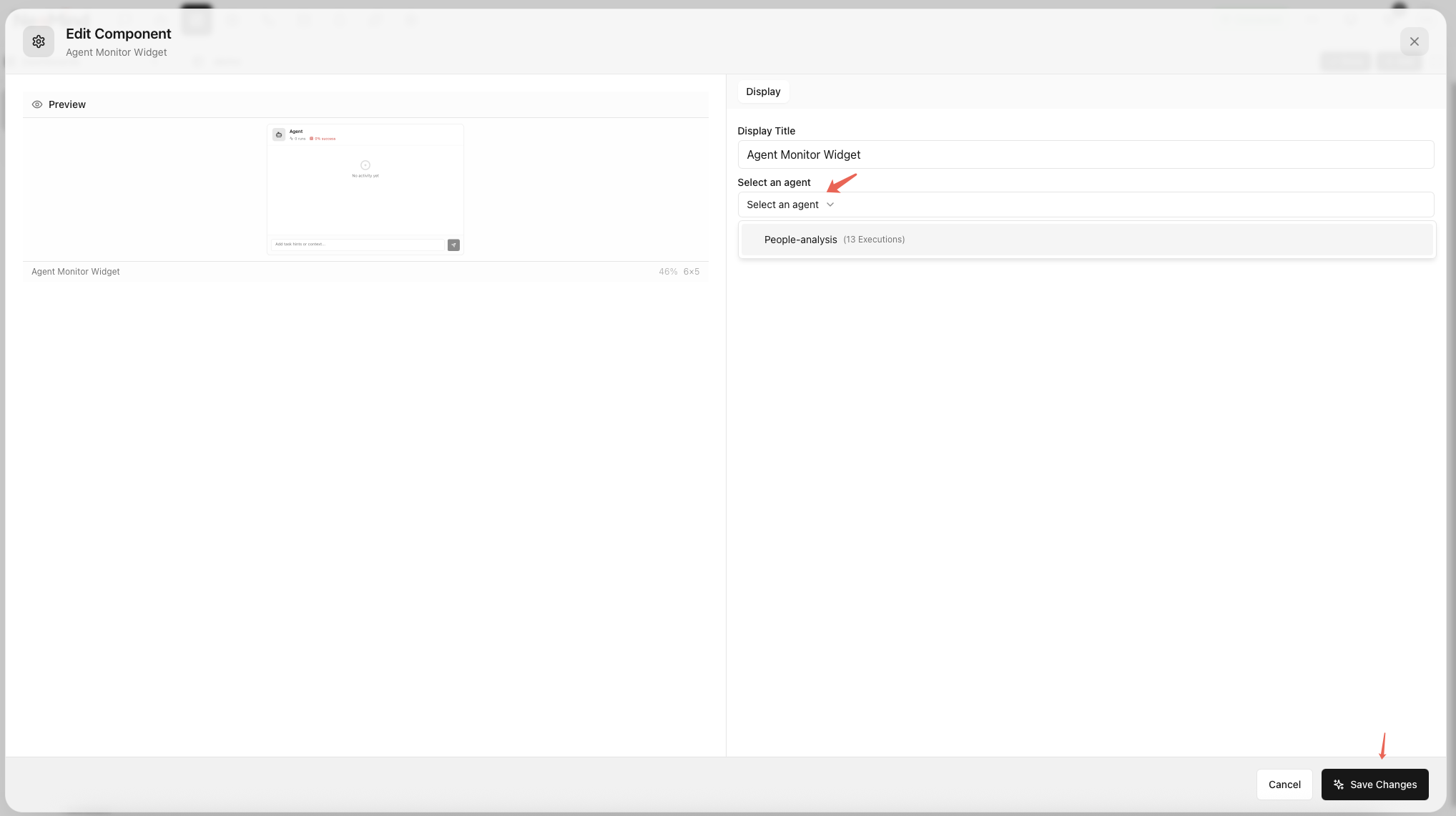
Add an AI Agent panel to the dashboard and select the created AI Agent. When images arrive at NeoMind, the LLM is automatically triggered to analyze them according to the prompt and return results:
6.4 View Combined Results
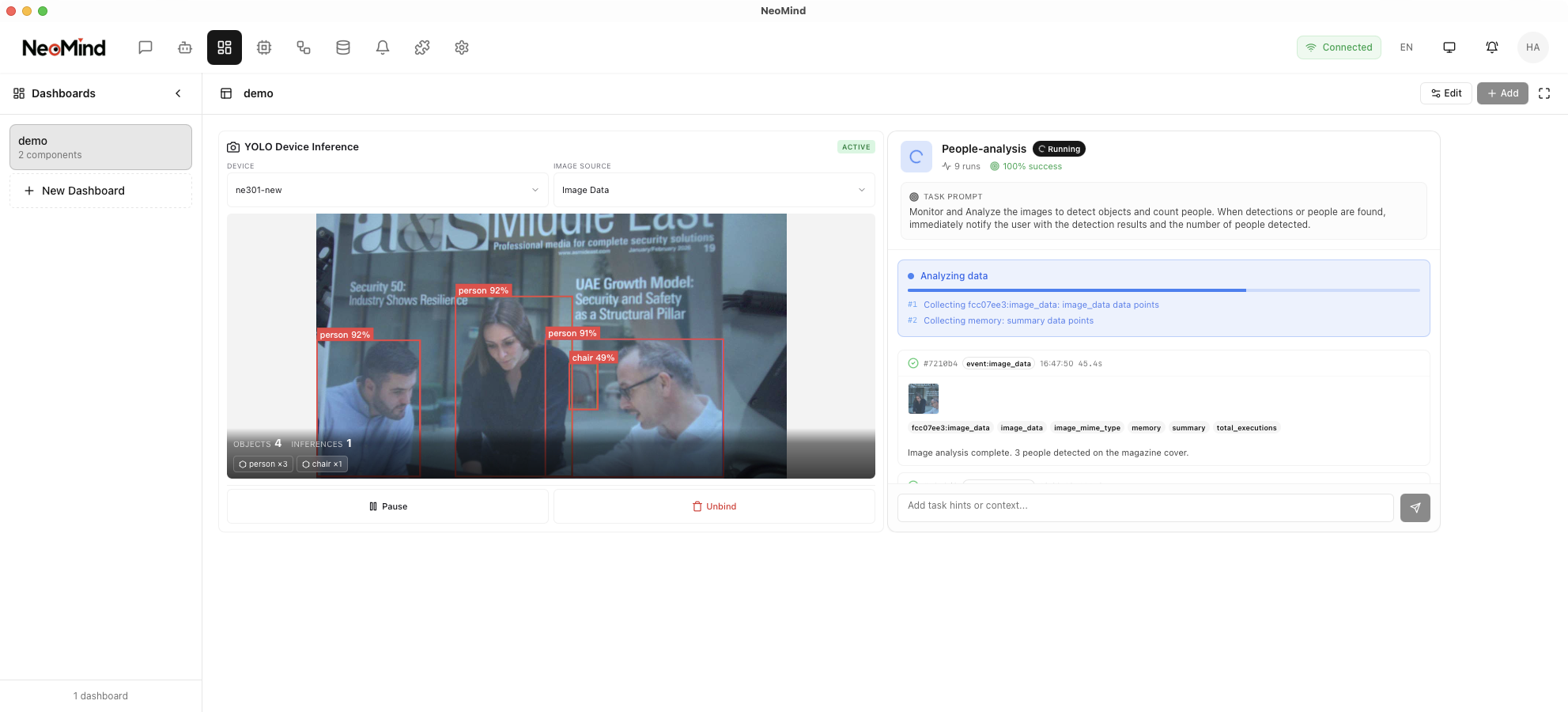
The completed dashboard displays detection results from both the YOLO plugin and AI Agent for easy comparison:
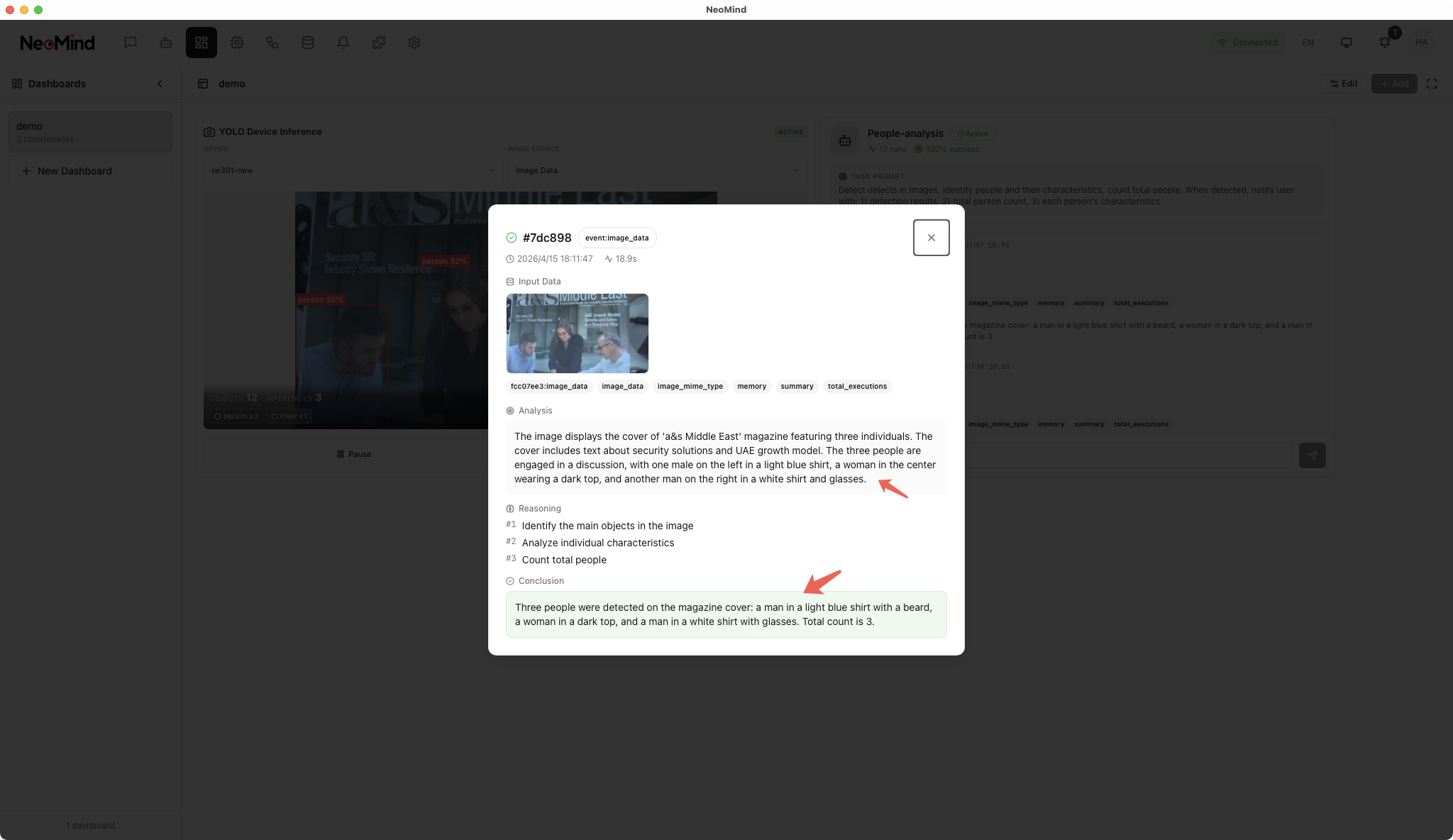
7. Notification Push
7.1 In-App Notifications
Based on the AI Agent's prompt configuration, NeoMind automatically displays notifications in the app when targets are detected. Click the notification tag to view details and the associated detection image.
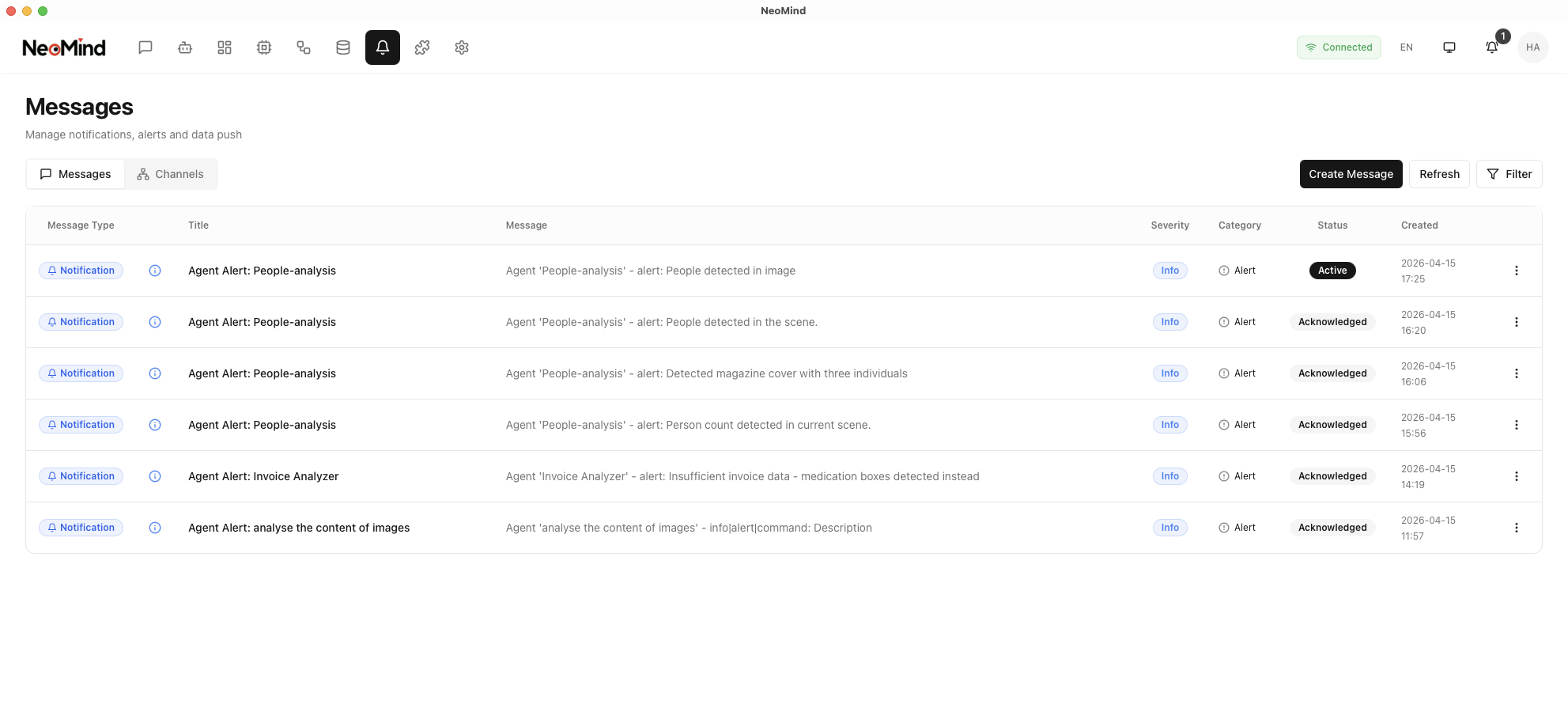
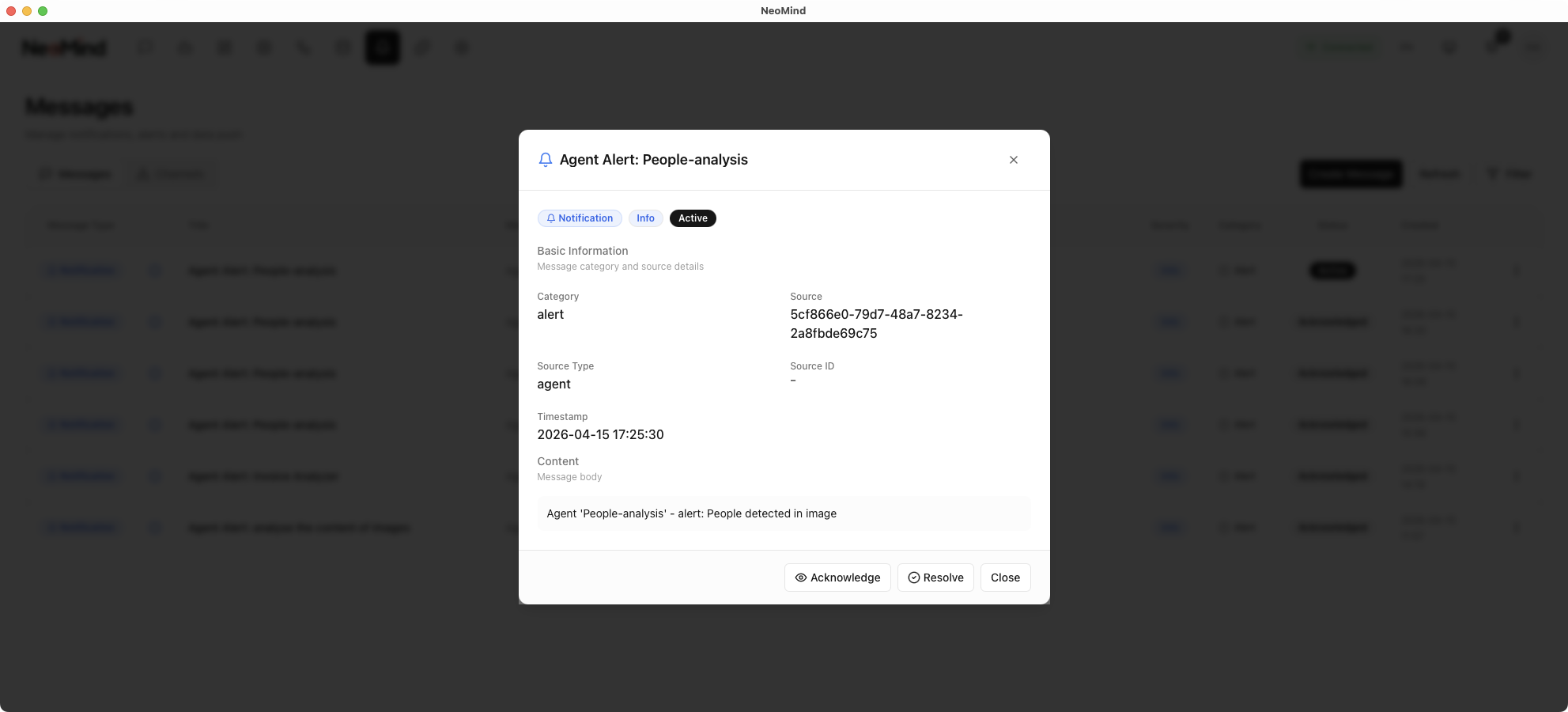
7.2 Email Notifications (Optional)
To receive notifications via email:
Step 1: In Settings, add an Email Channel and configure the SMTP server (server address, port, username, password, etc.)
Step 2: Navigate to Messages, create a notification rule, set the trigger condition (e.g., trigger when a person is detected), select the email notification channel, and save the rule.
8. Comparison and Selection Guide
Detailed Comparison
| Dimension | Approach A: YOLO Inference Plugin | Approach B: AI Agent |
|---|---|---|
| Detection Accuracy | High (specialized detection model) | Medium (depends on LLM image understanding) |
| Response Speed | Millisecond-level | Second-level |
| Deployment Difficulty | Low (one-click plugin install) | Medium (requires LLM backend configuration) |
| Hardware Requirements | Low | Higher (GPU or large memory for LLM) |
| Flexibility | Adjustable parameters, supports custom models | Freely define detection logic via prompts |
| Notification Method | Requires separate notification rules | Driven directly by prompts |
| Extensibility | Supports ONNX model replacement | Supports prompt modification and LLM switching |
Selection Guide
Choose Approach A (YOLO Plugin):
- Fixed target detection: Supports COCO 80 common categories (people, vehicles, animals, etc.), or replace with a custom model for specific targets
- High real-time requirements: Millisecond-level response, ideal for latency-sensitive scenarios
- Limited resources: No LLM environment needed, low resource consumption
- Batch deployment: Unified detection logic across multiple devices, simple configuration
Choose Approach B (AI Agent):
- Flexible analysis needs: Detection logic changes frequently — adjust via prompts without retraining
- Complex scene description: Requires understanding contextual relationships in images (e.g., human behavior, scene description)
- Custom notification content: Notifications need to include rich analytical information
- Rapid prototyping: Validate detection approaches via prompts without model training
Combined use: Both approaches can run simultaneously. For example, the YOLO plugin handles fast real-time detection while the AI Agent performs deep analysis and anomalous behavior understanding — complementing each other.
Last updated: 2026-04-16