HEF Model Compilation
This tutorial demonstrates how to train a YOLOv8n detection model from a public dataset in an NVIDIA CUDA environment, export a static-shape ONNX, and then compile it into a .hef file deployable on NE503 via the Hailo Dataflow Compiler (DFC) with quantization. Using safety helmet detection (Helmet / No Helmet) as the carrier, the method is universal β once you complete it, the training and compilation flow applies to any custom Hailo detection model (vehicles, pedestrians, PPE, etc.).
Target audience: ML engineers who want to deploy custom-trained detection models on NE503 (Hailo-15H), especially those with YOLO training experience who have not yet worked through edge-NPU deployment issues.
1. Overviewβ
This tutorial covers the complete flow from dataset preparation to HEF deployment:
End-to-end pipelineβ
Carrier choice: safety helmet detectionβ
This tutorial uses safety helmet detection (Helmet / No Helmet) as the example, with the Roboflow Safety Helmet v4 dataset (12000 images). The task has clear class definitions and intuitive business metrics: a single 2-class model outputs both total people = Helmet + No Helmet and compliance rate = Helmet / total, with no need for an additional person-detector cascade.
The final artifact of this tutorial, safety_helmet_yolov8n_384_640.hef, has been verified on a real NE503 device with val mAP50 β 0.93.
2. Environment Preparation (NVIDIA CUDA)β
2.1 Hardware requirementsβ
| Component | Requirement |
|---|---|
| GPU | NVIDIA GPU; dedicated machine β₯8 GB VRAM; shared machine β₯16 GB VRAM (reference: Tesla T4 16G) |
| CPU | β₯4 cores (8 recommended) |
| RAM | β₯16 GB (30 GB recommended) |
| Storage | β₯50 GB (dataset + training artifacts + Hailo SW Suite ~13 GB) |
| Network | Stable internet connection (for downloading dataset and toolchain) |
2.2 Software stackβ
| Item | Tested version |
|---|---|
| OS | Ubuntu 22.04 |
| CUDA | 12.x |
| Python | 3.10+ |
| PyTorch | 2.x (CUDA 12.x compatible version) |
| ultralytics | 8.4.75+ (older versions reject tuple imgsz, see Β§4) |
| ONNX tools | onnx + onnxslim |
2.3 One-shot training environment setupβ
mkdir -p ~/yolo-train/{weights,datasets,scripts,logs,runs}
python3 -m venv ~/yolo-train/venv
source ~/yolo-train/venv/bin/activate
pip install ultralytics torch torchvision onnx onnxslim
# Verify CUDA availability
python -c "import torch; print('CUDA available:', torch.cuda.is_available())"
# Expected output: CUDA available: True
2.4 Hailo DFC toolchainβ
Hailo DFC (Dataflow Compiler) is published only for linux/amd64 (wheel pinned to linux_x86_64 + native .so), runs inside a Docker container with no translation overhead on native x86.
- Register a free account at Hailo Developer Zone
- Download the
hailo_ai_sw_suitearchive (~13 GB; version must match the device NPU firmware β this tutorial tested v5.3.0) - After importing the image, the compilation steps run inside the container (see Β§6)
The DFC toolchain only runs on Linux x86_64. This tutorial is entirely based on NVIDIA CUDA servers (e.g. Tesla T4) and does not involve a Mac compilation environment.
3. Dataset Preparationβ
3.1 Download Roboflow Safety Helmet v4β
Dataset source: Safety Helmet.v4-data160.yolov8 from Roboflow Universe, YOLOv8 pyTorch format. Search "Safety Helmet" on Roboflow Universe to download, or pull via API key:
pip install roboflow
from roboflow import Roboflow
rf = Roboflow(api_key="<your API key>") # generate in your Roboflow account settings
rf.workspace("<workspace>").project("safety-helmet").version(4).download("yolov8")
After manually downloading the zip, unzip it:
cd ~/yolo-train/datasets
unzip "Safety Helmet.v4-data160.yolov8.zip" -d safety-helmet
cd safety-helmet
ls -d train valid test # all three splits present
Ensure the dataset directory is readable by the DFC container (Roboflow downloads default to 700 permissions):
chmod -R a+rX ~/yolo-train/datasets/safety-helmet
3.2 Dataset splitsβ
| Split | Images | Background images | Notes |
|---|---|---|---|
| train | 10500 | 15 | includes a few unlabeled background images |
| valid | 1000 | 1 | used for training-time validation |
| test | 500 | 2 | final evaluation |
| Total | 12000 | 18 |
3.3 data.yaml configurationβ
path: ~/yolo-train/datasets/safety-helmet
train: train/images
val: valid/images
test: test/images
nc: 2
names: ["Helmet", "No Helmet"]
Class definitions:
Helmet(class 0): head box of a person wearing a helmetNo Helmet(class 1): bare head box of a person not wearing a helmet
Business mapping: Helmet box count = helmeted people, No Helmet box count = unhelmeted people, total people = Helmet + No Helmet, compliance rate = Helmet / total.
4. Model Trainingβ
4.1 Key hyperparameters: why lock 640Γ384β
The NE503 sub stream (the low-resolution stream used for AI inference) is fixed at 640WΓ384H, pixel format NV12. The model input must match this size, NCHW [1, 3, 384, 640] (H before W).
ultralytics 8.4.75 has a known limitation: train's imgsz only accepts an int (tuple support came in 8.4.96+). The workaround is imgsz=640 + rect=True (rectangular training), which actually produces 384Γ640 training inputs:
TRAIN_IMGSZ = 640 # int (8.4.75 rejects tuple)
RECT = True # rectangular training, keep 384 height
EXPORT_IMGSZ = (384, 640) # lock static shape at export
rect=Truemakes the dataloader batch images by aspect ratio into the rectangle closest to imgsz (instead of forcing a square resize). Safety-helmet images are mostly landscape (width>height), so it yields 384(H)Γ640(W). The log line "Image sizes 640 train" only echoes the parameter value, not the tensor shape. If ultralytics β₯8.4.96, you can useimgsz=(384,640)directly and skiprect; this tutorial uses the rect approach for backward compatibility.
4.2 Training script (key snippet)β
import torch
from ultralytics import YOLO
WEIGHTS_DIR = "~/yolo-train/weights"
DATA_YAML = "~/yolo-train/datasets/safety-helmet/data.yaml"
PROJECT = "~/yolo-train/runs/helmet"
NAME = "yolov8n_640_rect"
TRAIN_IMGSZ = 640
RECT = True
EXPORT_IMGSZ = (384, 640)
EPOCHS = 100
BATCH = 8 # adjustable based on GPU VRAM (16/32 on dedicated machine)
PATIENCE = 20
WORKERS = 4
# 1) Train
model = YOLO(f"{WEIGHTS_DIR}/yolov8n.pt") # pretrained backbone
model.train(
data=DATA_YAML,
imgsz=TRAIN_IMGSZ,
rect=RECT,
epochs=EPOCHS,
batch=BATCH,
patience=PATIENCE,
workers=WORKERS,
project=PROJECT,
name=NAME,
exist_ok=True,
)
# 2) Export static ONNX (see Β§5)
best_pt = f"{PROJECT}/{NAME}/weights/best.pt"
em = YOLO(best_pt)
em.export(
format="onnx",
imgsz=list(EXPORT_IMGSZ),
opset=11,
simplify=True,
dynamic=False,
)
The class count is determined by
data.yaml'snc; the script itself does not hardcode it β the same script works for 2-class or 4-class.
4.3 Launch training (tmux background)β
ssh <gpu-server> 'tmux new-session -d -s helmet-train \
"source ~/yolo-train/venv/bin/activate && \
cd ~/yolo-train && python scripts/train_helmet.py 2>&1 | tee logs/helmet-train.log"'
# Follow the log in real time
ssh <gpu-server> 'tail -f ~/yolo-train/logs/helmet-train.log'
# Monitor VRAM (confirm no impact on other processes)
ssh <gpu-server> 'nvidia-smi --query-gpu=memory.used,memory.total,utilization.gpu --format=csv'
4.4 Training artifactsβ
After training completes, ~/yolo-train/runs/helmet/yolov8n_640_rect/ contains:
| Artifact | Purpose |
|---|---|
weights/best.pt | best training weights (fp32) |
weights/last.pt | last-epoch weights (resumable) |
args.yaml | full hyperparameter record |
results.csv | per-epoch metrics |
results.png | training curve overview |
labels.jpg | dataset label distribution (four quadrants) |
BoxPR_curve.png / BoxF1_curve.png / BoxP_curve.png / BoxR_curve.png | PR/F1/P/R curves |
confusion_matrix.png / confusion_matrix_normalized.png | confusion matrices |
train_batch*.jpg / val_batch*_labels.jpg / val_batch*_pred.jpg | training/val sample visualizations |
4.5 Measured accuracy reference (Tesla T4, 2-class)β
100 epochs / batch=8 / Tesla T4, training time ~3.4 hours. Val-set metrics:
| Class | Images | Instances | Precision | Recall | mAP50 | mAP50-95 |
|---|---|---|---|---|---|---|
| all | 1000 | 4786 | 0.906 | 0.884 | 0.931 | 0.631 |
| Helmet | 923 | 3694 | 0.929 | 0.907 | 0.949 | 0.653 |
| No Helmet | 175 | 1092 | 0.883 | 0.860 | 0.912 | 0.608 |
No Helmet recall (0.860) is about 5 points lower than Helmet (0.907), mainly due to class distribution (Helmet has more samples than No Helmet).

5. ONNX Exportβ
5.1 Export commandβ
The training script already includes export; you can also use the ultralytics CLI standalone:
yolo export model=best.pt format=onnx imgsz=384,640 opset=11 simplify=True
# CLI imgsz=384,640 is the "H,W" string, equivalent to list [384, 640]
5.2 Key parameter rationaleβ
| Parameter | Value | Reason |
|---|---|---|
imgsz | [384, 640] | lock device sub-stream size (HΓW), NCHW [1,3,384,640] |
opset | 11 | Hailo DFC v5.3.0 is stable on opset 11 (14+ has known compatibility issues) |
simplify | True | run onnxsim to simplify the graph (constant folding + redundant-op elimination); fewer ops is friendlier to the Hailo parser |
dynamic | False | Hailo parser requires static shape; disable dynamic axes |
5.3 ONNX shape verificationβ
After a successful export, the input/output shapes:
Input: name=images, shape=[1, 3, 384, 640], dtype=float32 # NCHW
Output: name=output0, shape=[1, 6, 5040], dtype=float32 # 2-class version
Output shape derivation:
5040 = (384/8)Γ(640/8) + (384/16)Γ(640/16) + (384/32)Γ(640/32)
= 48Γ80 + 24Γ40 + 12Γ20 = 3840 + 960 + 240 = 5040
6 = 4(bbox coords cx,cy,w,h) + 2(class confidences Helmet, No Helmet)
5.4 Visual inspection (netron)β
Upload the .onnx to netron.app and check:
- Input node
imagesshape is[1, 3, 384, 640](static, not dynamic) - Output node
output0shape is[1, 6, 5040] - The last few layers are
Conv(detection head), not Sigmoid/Softmax (those are handled in NMS)
6. Hailo HEF Quantization Compilationβ
This section quantizes and compiles the 2-class ONNX (output [1, 6, 5040]) from Β§5 into a .hef deployable on NE503. All commands and the yolov8_2cls_ft.alls parameters are given for 2 classes (Helmet / No Helmet); the NMS config classes count = 2.
6.1 Compilation pipelineβ
6.2 Prepare the calibration setβ
Hailo quantization requires a calibration set. This tutorial uses 2048 images from the train set as the calibration set to ensure int8 quantization accuracy.
# prepare_calib_npy.py β sample 2048 images from the valid set, export as NHWC float32 0-255 .npy
import os, glob, numpy as np
from PIL import Image
TRAIN_DIR = "~/yolo-train/datasets/safety-helmet/train/images"
OUT = "/local/shared_with_docker/calib_2048.npy"
TARGET_H, TARGET_W = 384, 640
N = 2048
imgs = sorted(glob.glob(os.path.join(TRAIN_DIR, "*.jpg")))[:N]
arr = np.zeros((N, TARGET_H, TARGET_W, 3), dtype=np.float32)
for i, p in enumerate(imgs):
im = Image.open(p).convert("RGB").resize((TARGET_W, TARGET_H))
arr[i] = np.asarray(im, dtype=np.float32)
np.save(OUT, arr)
print(f"saved {OUT} shape={arr.shape}")
6.3 Step 1: hailo parser onnx (ONNX β HAR)β
Run inside the DFC container (mount the working directory at /local/shared_with_docker):
# MODEL=safety_helmet_yolov8n_384_640
echo n | hailo parser onnx safety_helmet_yolov8n_384_640.onnx \
--hw-arch hailo15h \
--end-node-names /model.22/cv2.0/cv2.0.2/Conv /model.22/cv3.0/cv3.0.2/Conv \
/model.22/cv2.1/cv2.1.2/Conv /model.22/cv3.1/cv3.1.2/Conv \
/model.22/cv2.2/cv2.2.2/Conv /model.22/cv3.2/cv3.2.2/Conv
# Output: safety_helmet_yolov8n_384_640.har
Key points:
echo n |: skips the parser's interactive prompt (NMS is injected via the alls in Β§6.4)--hw-arch hailo15h: specifies the target hardware architecture as Hailo-15H--end-node-names: specifies the 6 detection-head Conv nodes (box branch cv2 + class branch cv3, 3 strides each) as the parser truncation points
6.4 Step 2: hailo optimize (quantize + FineTune)β
hailo optimize safety_helmet_yolov8n_384_640.har \
--model-script yolov8_2cls_ft.alls \
--calib-set-path calib_2048.npy
# Output: safety_helmet_yolov8n_384_640_optimized.har
Full yolov8_2cls_ft.alls (normalization + NMS + explicit FineTune):
normalization1 = normalization([0.0, 0.0, 0.0], [255.0, 255.0, 255.0])
nms_postprocess("yolov8_2cls_nms_config.json", meta_arch=yolov8, engine=cpu)
post_quantization_optimization(finetune, policy=enabled, learning_rate=0.0001, epochs=8, dataset_size=2048)
allocator_param(enable_partial_row_buffers=disabled)
performance_param(optimize_for_power=True)
Key points:
normalization: normalize input to 0-1 (divide by 255)nms_postprocess: inserts an NMS operator at the tail of the optimized graph (runs on the device CPU); the final HEF output tensor name becomes<network>/yolov8_nms_postprocess, formatHAILO NMS BY CLASSpost_quantization_optimization(finetune, ...): FineTune configuration, based on unlabeled knowledge distillation, executing 8 epochs (~14 minutes) to recover the post-quantization confidence toward the teacher (fp32) distribution, ensuring int8 inference accuracy- the
yolov8_2cls_nms_config.jsonreferenced bynms_postprocessdefines bbox_decoders stride/reg/cls layer mapping, score/iou thresholds, andclasses(= 2 in this tutorial) Fullyolov8_2cls_nms_config.json(2-class version):
{
"nms_scores_th": 0.2,
"nms_iou_th": 0.6,
"image_dims": [384, 640],
"max_proposals_per_class": 100,
"classes": 2,
"regression_length": 16,
"background_removal": false,
"bbox_decoders": [
{"name": "bbox_decoder41", "stride": 8, "reg_layer": "conv41", "cls_layer": "conv42"},
{"name": "bbox_decoder52", "stride": 16, "reg_layer": "conv52", "cls_layer": "conv53"},
{"name": "bbox_decoder62", "stride": 32, "reg_layer": "conv62", "cls_layer": "conv63"}
]
}
6.5 Step 3: hailo compiler (HAR β HEF)β
hailo compiler safety_helmet_yolov8n_384_640_optimized.har --hw-arch hailo15h
# Output: safety_helmet_yolov8n_384_640.hef (~4 MB)
6.6 Compile-artifact verificationβ
# Confirm NMS-baked
hailo parse-hef safety_helmet_yolov8n_384_640.hef | grep -i "nms"
# Expected output includes: yolov8_nms_postprocess HAILO NMS BY CLASS, Classes: 2
# Cross-machine md5 verification (training machine, compile machine, local must all match)
md5sum safety_helmet_yolov8n_384_640.hef
7. Deploy to NE503β
7.1 Import the model via the Web consoleβ
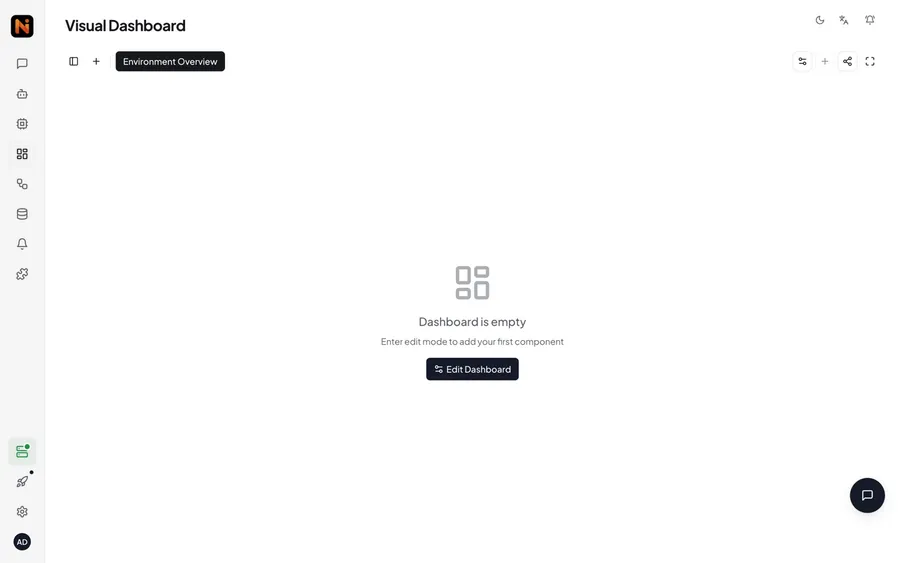
Open the NE503 Web console, navigate to the AI Models page, and click Import to upload the compiled safety_helmet_yolov8n_384_640.hef file:

Upload the HEF file:

Fill in the model parameters:
| Parameter | Value |
|---|---|
| Model ID | safety_helmet_yolov8n_384_640 |
| Model Type | hef |
| Threshold | 0.3 (detection confidence threshold) |

After import, the model is automatically loaded onto the NPU, and the page status shows Loaded:

7.2 Verify model loadingβ
On the AI Models page, confirm that safety_helmet_yolov8n_384_640 appears in the model list with a Loaded status. Click the model card to view details (ID, version, load time, model path).
7.3 End-to-end verificationβ
After the model is loaded, deploy a safety helmet detection app for end-to-end verification. The app subscribes to the sub stream inference results via the SDK and outputs detection events when helmeted or unhelmeted heads appear in the frame. The complete app deployment process (building the image, writing app.yaml, deploying to the device, startup verification) is described in the NE503 application development documentation.
Custom-trained models require raw_output_only=True in the app to obtain detection results (the device's built-in post-processing operator looks up tensors by the preloaded model's name and cannot match a custom model's tensor name). For a complete example, see the NE503 application development documentation.
8. Appendixβ
8.1 Full artifact inventoryβ
| Artifact | Size | Purpose | Download |
|---|---|---|---|
best.pt | ~6 MB | best training weights (fp32) | Download |
safety_helmet_yolov8n_384_640.onnx | ~12 MB | ONNX for compilation | Download |
safety_helmet_yolov8n_384_640.hef | ~4 MB | final deployment artifact | Download |
args.yaml | ~2 KB | full hyperparameter record | Download |
results.csv | ~16 KB | per-epoch metrics | Download |
8.2 FAQβ
Q1: Training OOM (out of memory)?
Lower batch (8 β 4 β 2), or use a GPU with more VRAM.
Q2: Training loss not dropping / mAP not improving?
β Check dataset annotations (eyeball train_batch0.jpg); β‘ lower lr (0.01 β 0.001); β’ disable AMP (amp=false) to rule out mixed-precision issues; β£ switch backbone (yolov8n β yolov8s).
Q3: Wrong ONNX shape after export?
Check the imgsz parameter. CLI uses imgsz=384,640 (comma-separated); Python uses imgsz=[384, 640] (list). If the output channel count is wrong, check data.yaml's nc.
Q4: 0 detections after deploying to Hailo?
Troubleshoot in the following order: β verify FP ONNX training accuracy with onnxruntime; β‘ confirm the HEF contains yolov8_nms_postprocess HAILO NMS BY CLASS, Classes: 2 via hailo parse-hef xxx.hef; β’ confirm the app has set raw_output_only=True per Β§7.3.
Q5: Big accuracy drop after quantization?
Confirm the calibration set is 2048 images (see Β§6.2) and that alls has post_quantization_optimization(finetune, ...) configured. FineTune recovers the post-quantization confidence toward the teacher distribution via unlabeled knowledge distillation.
8.3 Referencesβ
- ultralytics YOLOv8 docs β official training / export / evaluation docs
- Hailo Developer Zone β DFC / SW Suite download (free registration)
- Roboflow Universe β Safety Helmet v4 dataset
- netron.app β ONNX model visualization
Last updated: 2026-07-21