System Maintenance
The System page covers: preferences, device info, event log, dangerous actions, work mode, name & upgrade. Work mode details: Power management.
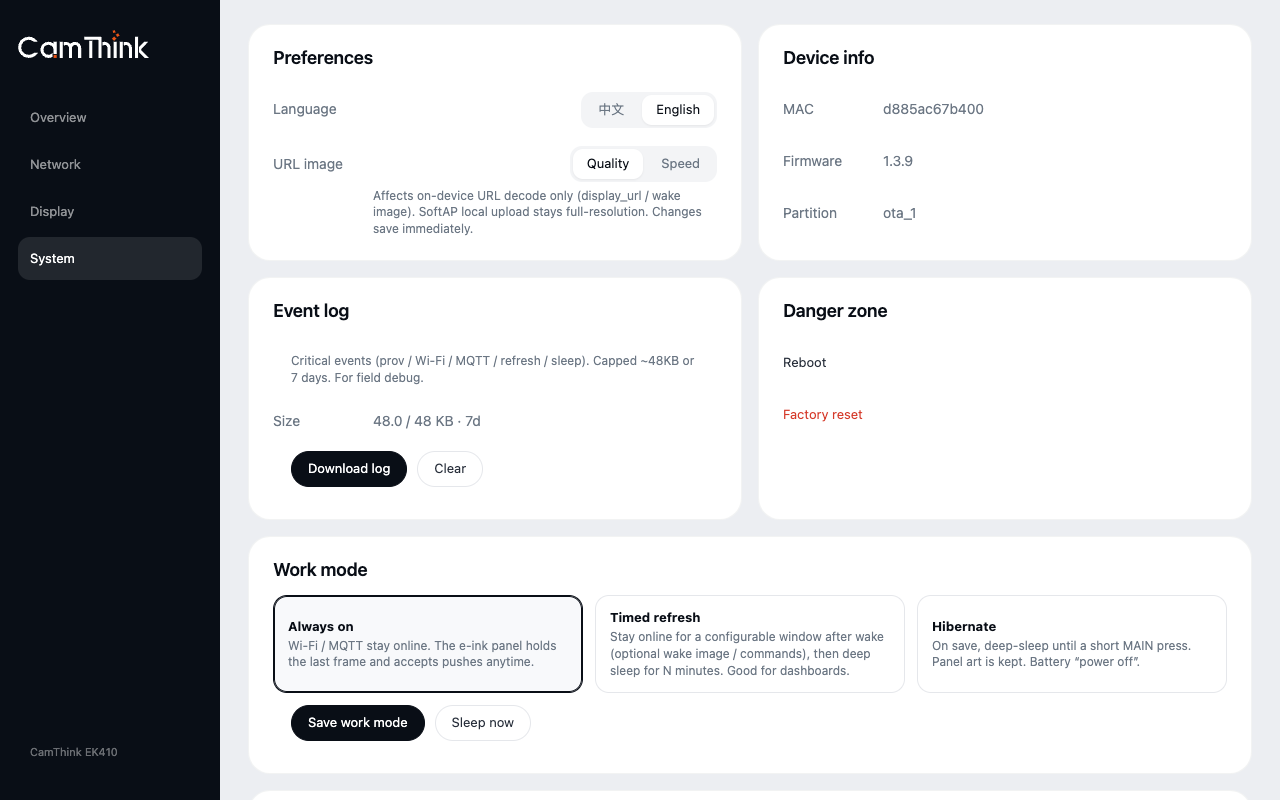
Device information
In Device information:
| UI item | Meaning |
|---|---|
| MAC | STA MAC |
| Firmware | Current version (this wiki targets 1.3.10) |
| Partition | Active OTA slot (ota_0 / ota_1) |
More from getDevInfo (Overview uses it): deviceId, IP, Wi‑Fi/MQTT state, batteryPercent, uptime_s, otaState, powerMode / sleepMin / wakeSec, softapUp / bleProvUp, etc.
Rename device: steps
- Scroll to Name & upgrade.
- Edit Device name (UTF‑8, max 32 bytes; longer returns error).
- Save.
- Overview title and MQTT telemetry
devNameupdate.
tip
Overview polling does not overwrite a name you are still typing.
Event log: steps
- Event log shows usage (e.g. cap ~48KB / 7 days).
- Download log: text file for provision / Wi‑Fi / MQTT / display / sleep issues.
- Clear: erase log (UI shows error on failure).
Do not post passwords or sensitive data in public tickets—redact before sharing.
OTA upgrade: two methods
Method A: upload local firmware (recommended on site)
- Prepare release
ek410.bin(or official package). - Name & upgrade → Choose file, select
.bin. - Upload upgrade.
- Watch progress; LED should be magenta fast blink.
- Reboot into new slot; bootloader rolls back if panel self-test fails or device unreachable.
Method B: HTTPS URL
- Host firmware at HTTPS URL (HTTP OTA forbidden).
- Enter
https://...in OTA URL. - URL upgrade.
- API may return success before download starts—watch page status or poll
otaState:running: in progress;failed: seeotaError, UI shows failure;- success: reboot into new firmware.
| Mechanism | Notes |
|---|---|
| Dual partition | ota_0 / ota_1 4MB each; failure keeps current system |
| Confirm | Panel self-test and device reachable (web up or STA online) before commit |
| MQTT | Pauses during large download, resumes after |
Reboot
- Dangerous actions → Reboot device.
- Settings kept; wait for device on network before reopening console.
Factory reset: steps and impact
Clears Wi‑Fi, MQTT, power settings, BLE pairing, and event log; keeps deviceId (NeoMind identity unchanged), then reboots. Re-provision required.
Web
- Dangerous actions → Factory reset.
- Confirm per prompt.
- After reboot, SoftAP or BLE again.
Buttons (no web access)
| Method | Action |
|---|---|
| Both keys | Hold MAIN + PAGE together ~6 s (release mid-hold invalidates) |
| Boot BOOT | Within ~50 ms of power-on, BOOT (GPIO9) low → factory; service use. Holding BOOT through reset enters ROM download mode—do not confuse with factory reset |