Serial Communication Module
Camthink Type-C/Type-A to UART (TTL) universal serial communication module. Uses the CP2102 chip, supports 3.3V logic levels, and supports serial data debugging for NE301 and NE101 development boards.
If you want to perform secondary development or in-depth program debugging on development boards such as the NE301, NE101, etc., you can use this tool.
Product Features
- Supports Mac OS, Linux, Android, WinCE, Windows 7/8/10/11...
- External power supply: 5V or 3.3V
- USB protection device: ESD5V0L3
- 3 LEDs: TXD LED, RXD LED, POWER LED
- TXD, RXD, RTS, CTS: exposed via right-angle pin header
- Universal serial debugger; can also be used for debugging NE101 and NE301 serial data
CP2102 Solution
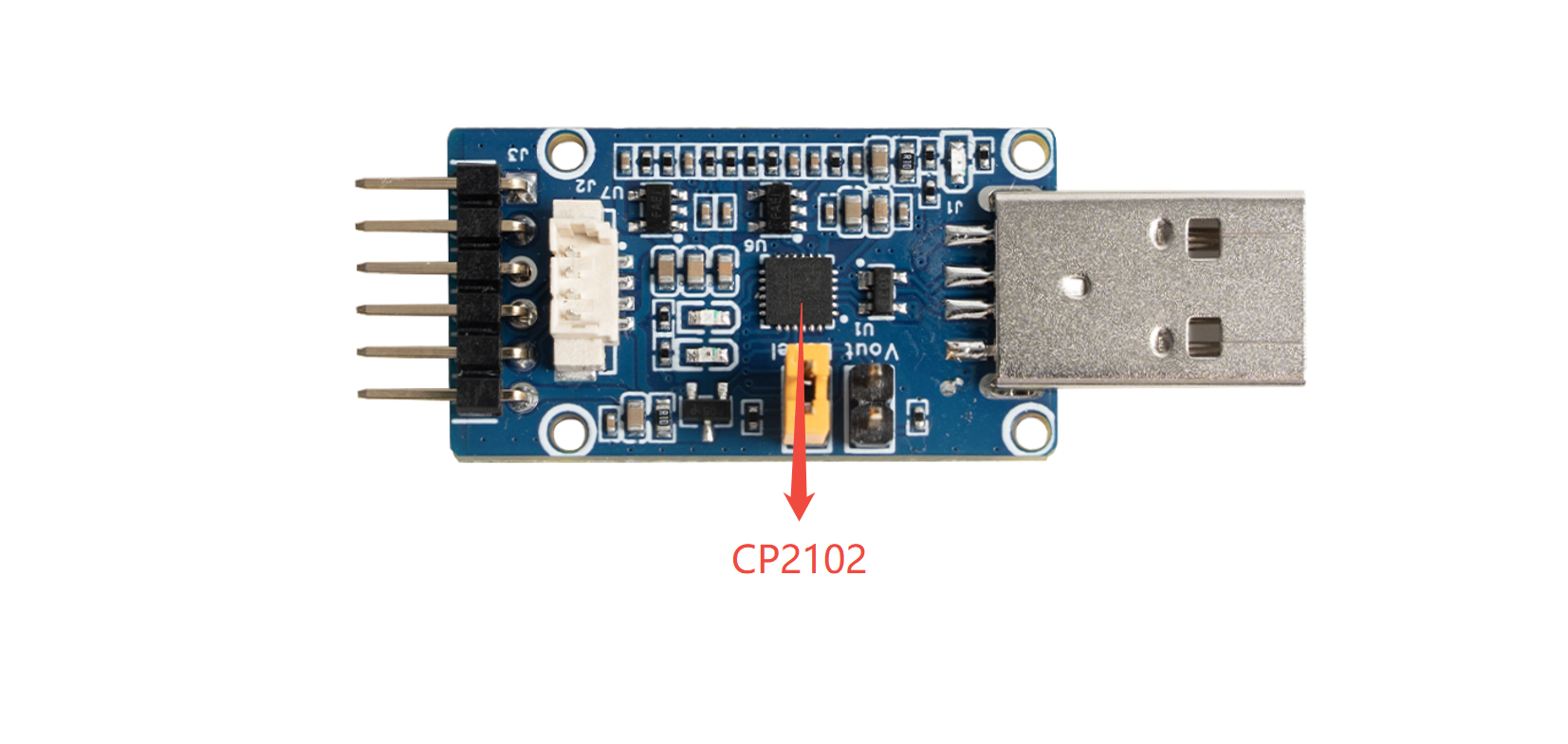
- Single-chip Type C (A) to UART data converter
- No external resistors or external oscillators required; on-chip power-on reset circuit, on-chip voltage regulator
- Integrated 1024-byte EEPROM (can be used to store various information)
- Type C functionality
- Compliant with USB 2.0 specification, full-speed (12Mbps)
- UART functionality
- All handshake and modem interface signals
- Supported data formats:
- Data bits — 5, 6, 7, 8
- Stop bits — 1, 1.5, 2
- Parity — odd, even, none
- Baud rate 300bps to 3Mbps
- 576-byte receive buffer; 640-byte transmit buffer
- Supports hardware or X-On/X-Off handshake
- Supports event status
- Virtual COM port device driver support
- Windows 8/7/Vista/Server 2003/XP/2000
- Mac OS-X/OS-9
- Linux 2.40 or later
- USBXpress driver support
- Windows 7/Vista/Server 2003/XP/2000
- Windows CE
- Temperature range: -40 to +85 degrees C
Wiring Instructions
- VCC_OUT: Default output 3.3V (the module is powered via Type C; to output 5V, short the Vout jumper)
- GND: GND
- TXD: TXD
- RXD: RXD
- RTS: RTS
- CTS: CTS
- This module converts Type C (A) to TTL logic levels. Do not directly connect to RS232 levels, as this will damage the module.
Debugging the NE301 Development Board
Connect to a computer via the USB interface to debug the NE301 development board through UART. A connection example is shown below:
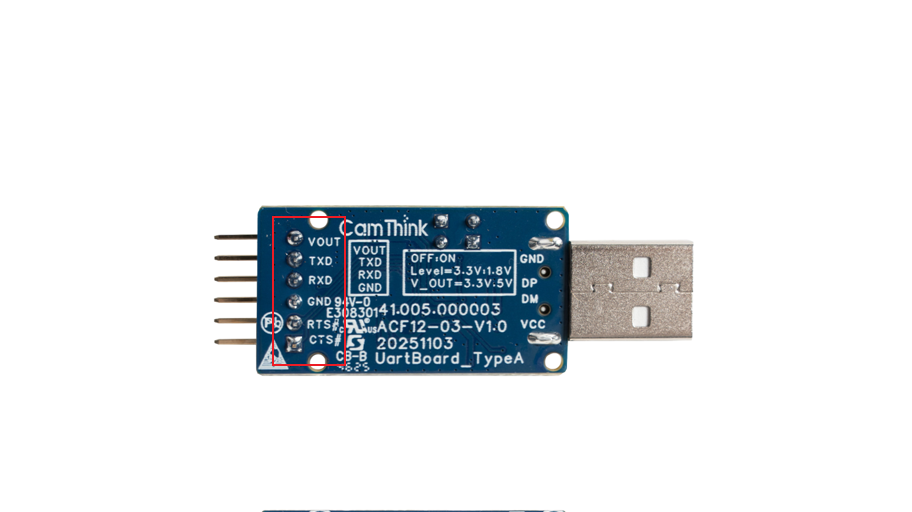
Pay attention to the wiring order: GND to GND, TXD to RXD, RXD to TXD.
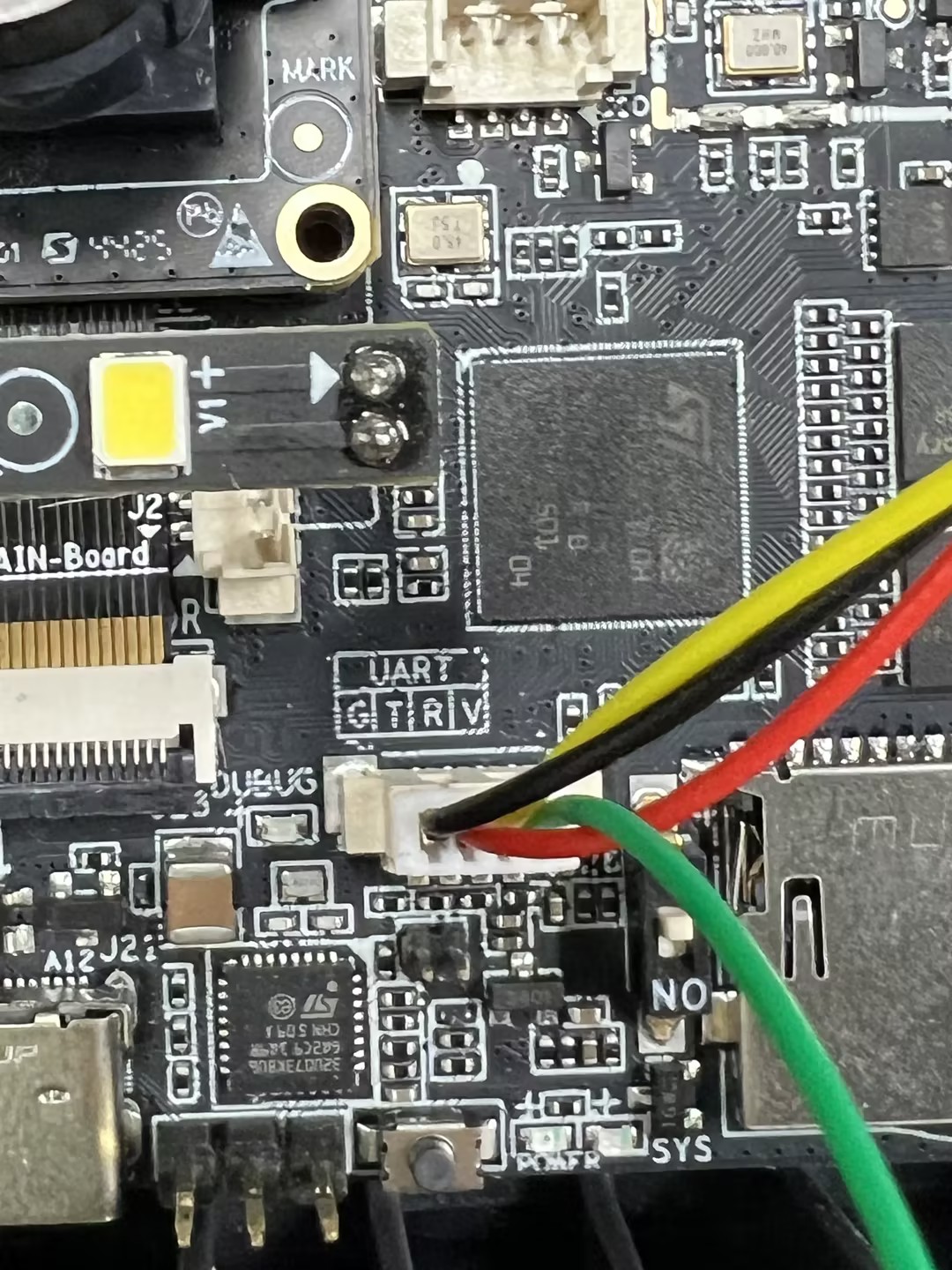
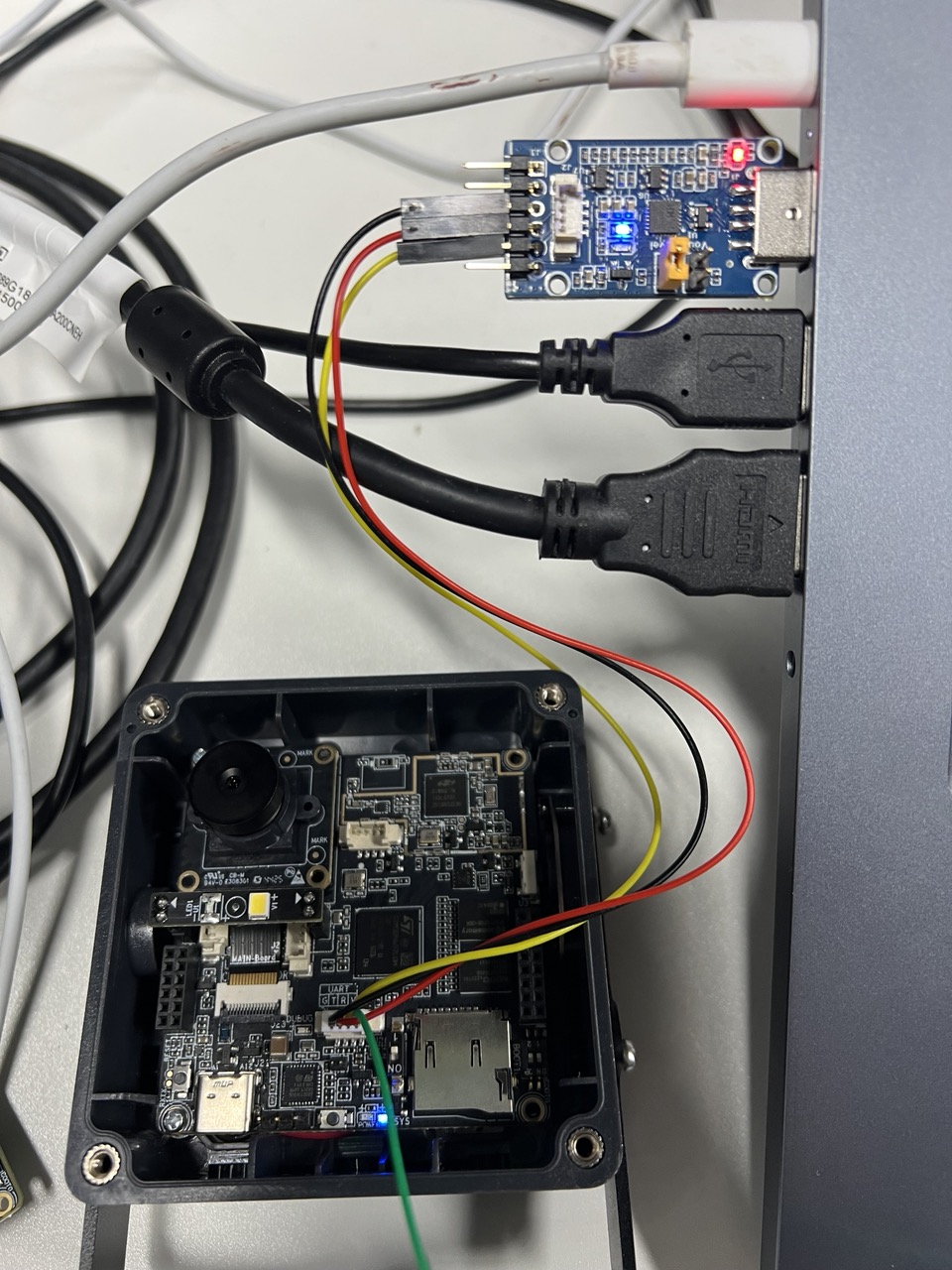
After connecting to the computer, install the driver (skip this step if the driver is already installed). Driver download: https://www.silabs.com/software-and-tools/usb-to-uart-bridge-vcp-drivers
On the page above, select the VCP driver package corresponding to your operating system (Windows / macOS / Linux) in the download area and install it. On Windows, if the device still shows as an unknown device with an exclamation mark in Device Manager after plugging it in, it will typically appear as an available COM port (Virtual COM Port) after the driver installation is complete.
Once connected, you can use serial debugging software (such as Putty, SecureCRT, Tera Term, etc.) for debugging. Serial debugging software can be found and downloaded online. Connection parameters are as follows:
- Port: COMx (check Device Manager to confirm the COM port number and select it to connect)
- Baud rate: 115200
- Data bits: 8
- Stop bits: 1
- Parity: None
After a successful connection, you can begin debugging.
The serial command line is used for debugging, configuration, network connectivity verification, upgrades, etc. The default command line prompt is AICAM> (see Custom/Core/Log/debug.h).
An example of NE301 development board debugging is shown below: press Enter to view related control commands
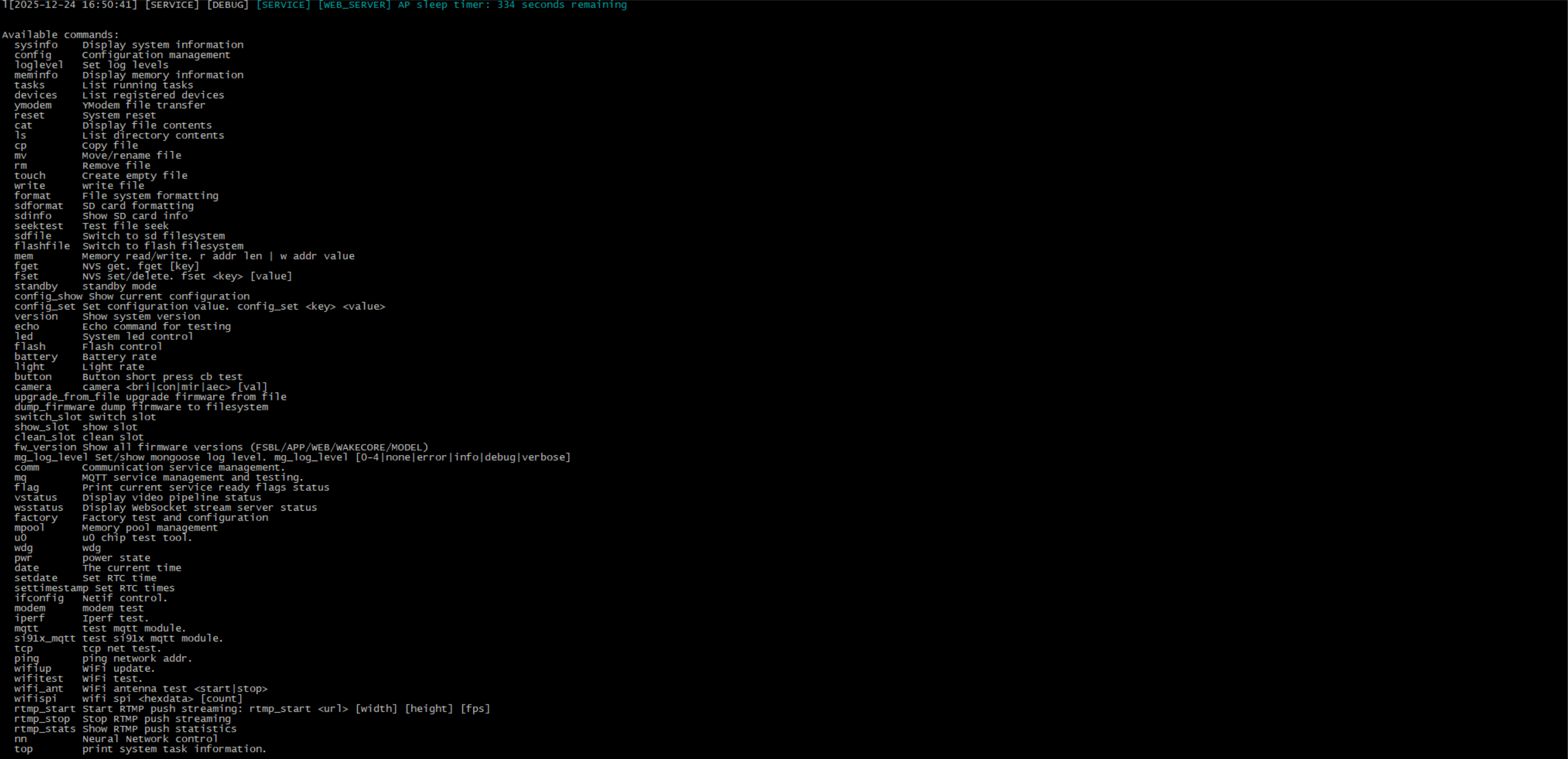
- After power-on, seeing AICAM> indicates the CLI is ready; enter help or ? to view the commands actually registered by the current firmware.
- Supports Tab completion, up/down arrow history, and inline editing; when unsure, enter help/? first.
Common Serial Commands
help/?: View the command list and help.sysinfo: View version, uptime, and current mode.loglevel: Adjust serial/file log level.ifconfig+ping: Configure the network and verify connectivity.mq/mqtt: MQTT service/client testing.ls/cat/fget/fset: View files, view/modify NVS configuration.standby/u0 ...: Enter low-power mode and coordinated WakeCore (U0) debugging.cat1stat: View Cat.1 status.cat1csq: View Cat.1 signal quality.nn: View neural network related configuration.
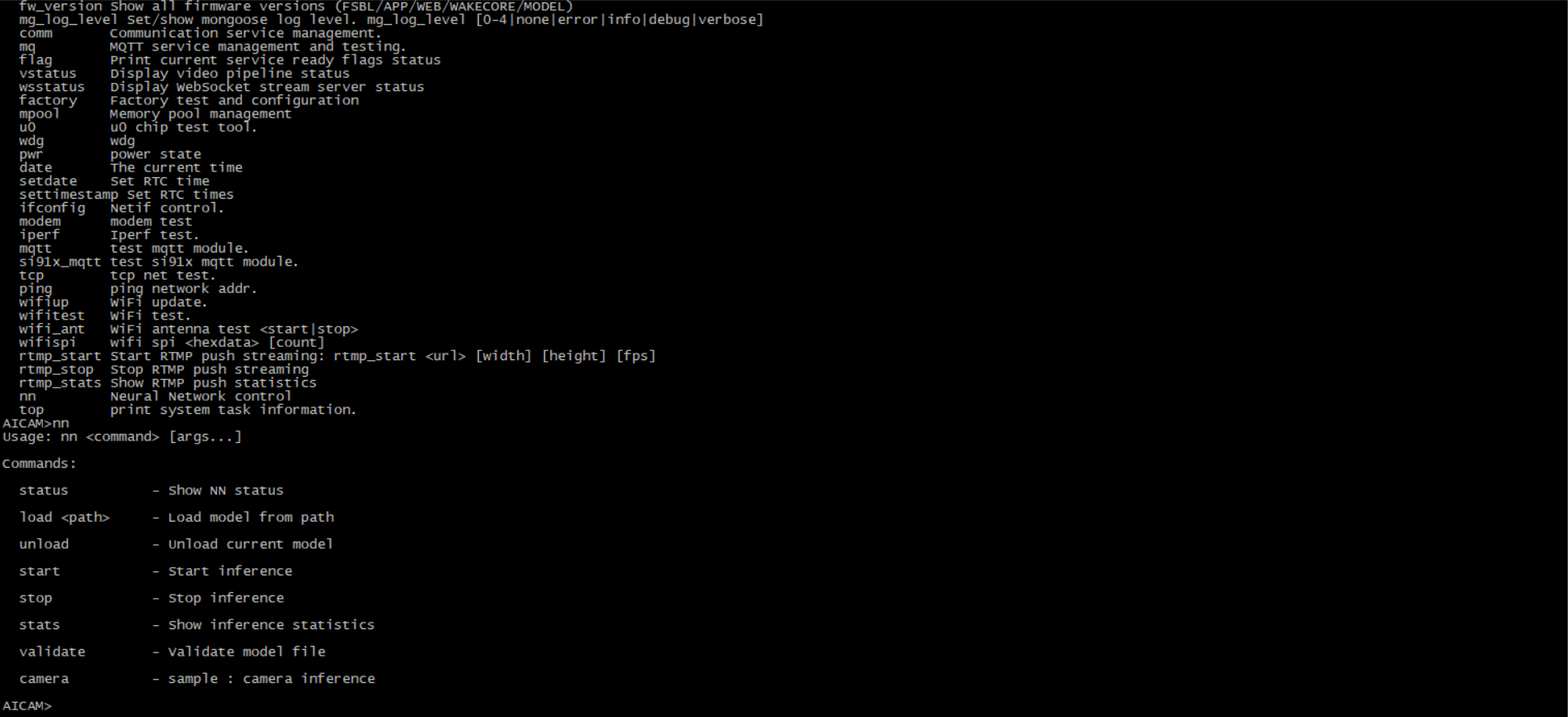
- Built-in command line:
Custom/Common/Utils/generic_cmdline.c - Default command registration:
Custom/Core/Log/debug.c/Custom/Core/Log/cli_cmd.c/Custom/Hal/driver_core.cThe actually supported commands are subject to thehelpoutput from the device serial port.
-- The above commands are for reference only. For more specific details on system debugging, file configuration, upgrades, networking, etc., please refer to the NE301 Source Code for further verification.