Hello World
Build, deploy, and verify the Hello World container app on NE503.
1. Prepare
- NE503 is online and reachable at
https://<device-ip>. - The host has Docker 20.10 or later and can build
linux/arm64images. - Use the example source or download the prebuilt package.
For the source flow:
git clone https://github.com/camthink-ai/neoruntime-apps.git
The example directory is neoruntime-apps/examples/hello-world/:
app.py          # Application code
Dockerfile      # Image build file
app.yaml        # Application manifest
entrypoint.sh   # Debug entrypoint
The prebuilt package extracts to app.yaml and image.tar; go directly to Section 3.
2. Build the Image
Run from the application directory:
cd neoruntime-apps/examples/hello-world
docker buildx build --platform linux/arm64 --load -t aipc/hello-world:1.0.0 .
docker save aipc/hello-world:1.0.0 -o image.tar
Check the image architecture and exported file:
docker image inspect aipc/hello-world:1.0.0 --format '{{.Os}}/{{.Architecture}}'
test -s image.tar
The expected output includes linux/arm64, and the current directory contains a non-empty image.tar. Deploy with the app.yaml from the same directory; its spec.image must match the image tag aipc/hello-world:1.0.0.
3. Deploy to the Device
3.1 Web Console
- Sign in at
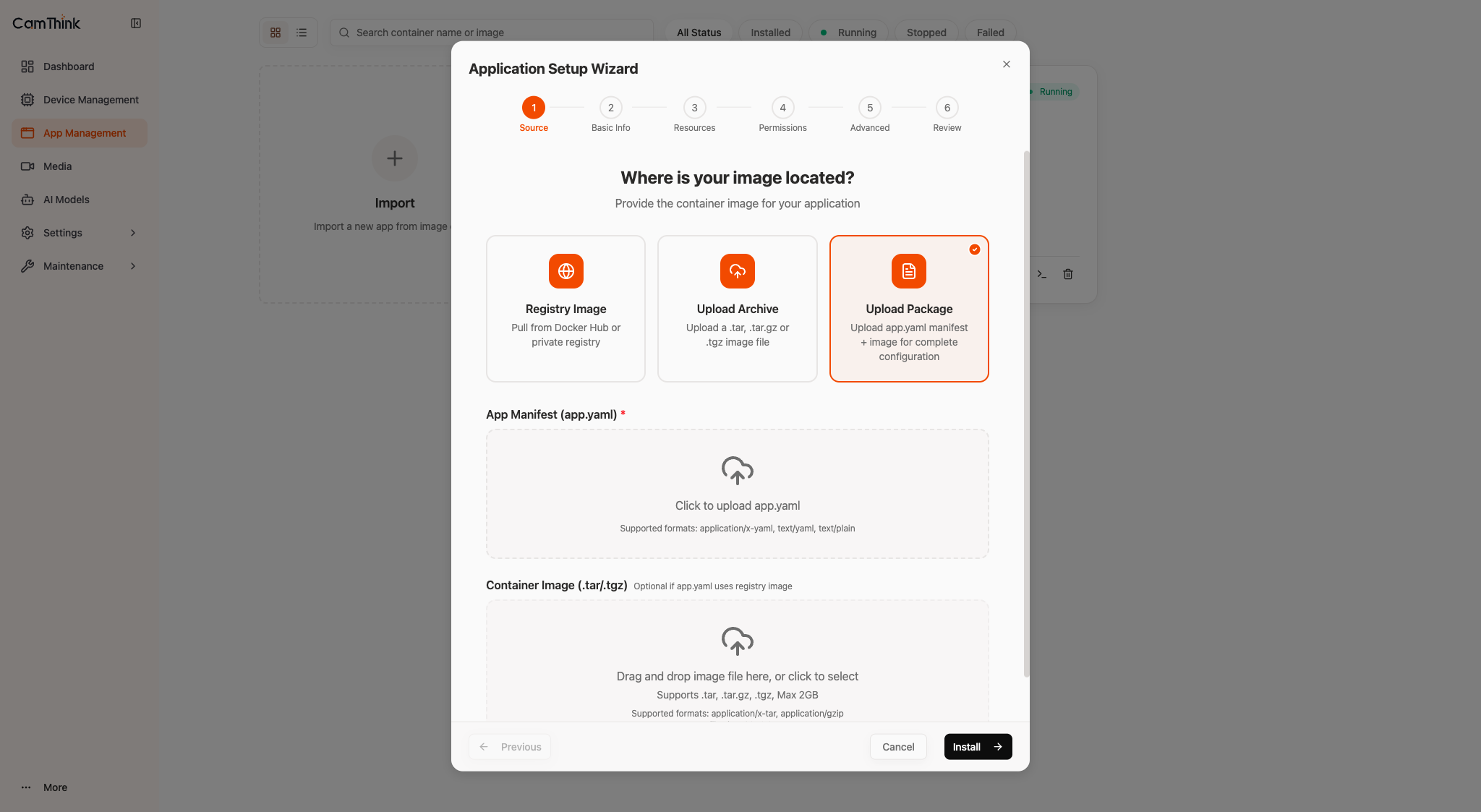
https://<device-ip>. - Open App Management → Import → Upload Package.
- Select
app.yamlandimage.tar, then click Install.
3.2 SSH
DEVICE_IP="<device-ip>"
scp app.yaml image.tar root@"$DEVICE_IP":/tmp/
ssh root@"$DEVICE_IP" 'cd /tmp && aipc-cli app install app.yaml image.tar'
After either method, the app state should be Stopped. Continue with Section 4 to start it.
4. Start and Verify
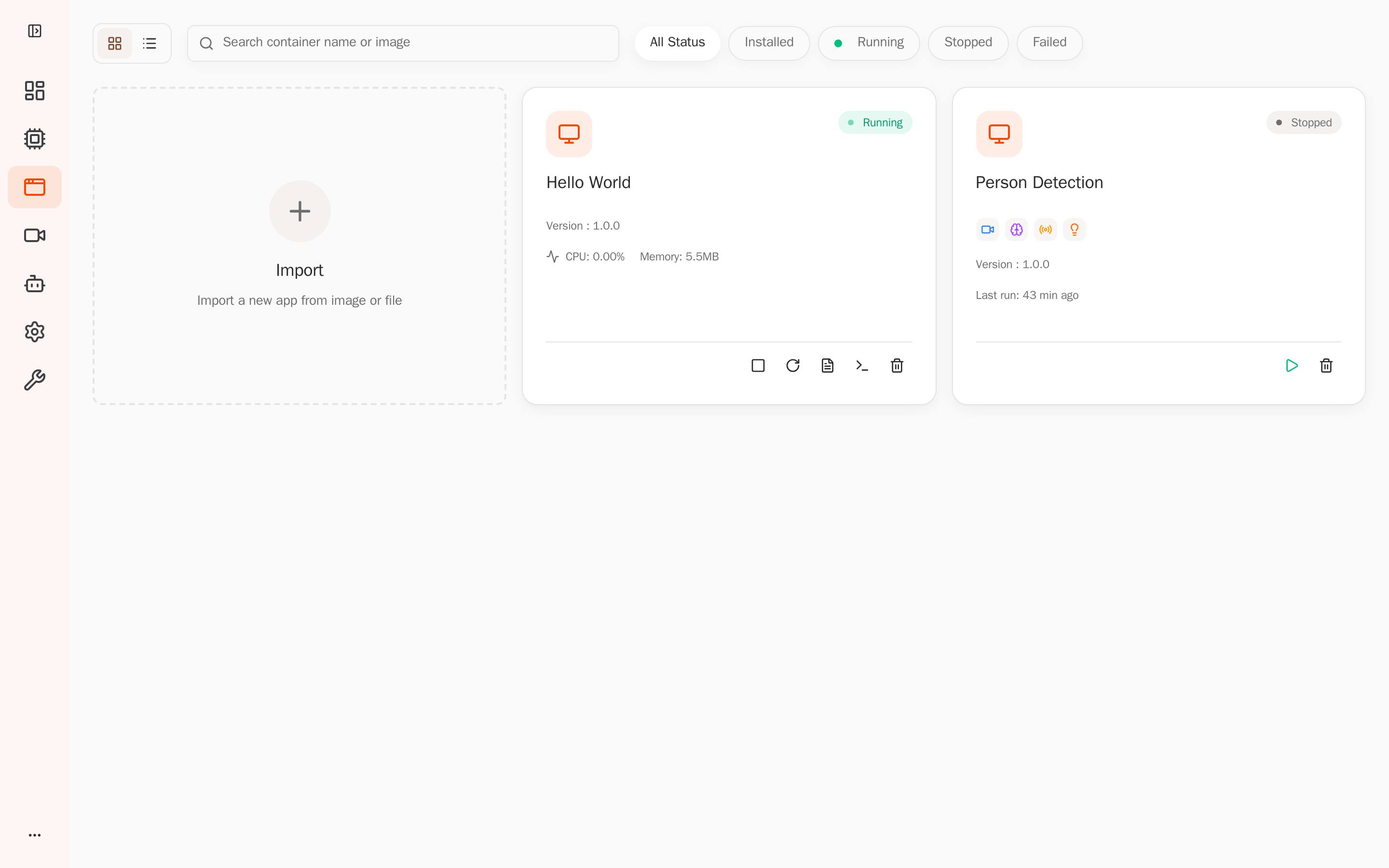
Click Start on the app card and confirm the state changes to Running.
View the state and logs over SSH:
DEVICE_IP="<device-ip>"
ssh root@"$DEVICE_IP" 'aipc-cli app list'
ssh root@"$DEVICE_IP" 'aipc-cli app logs hello-world -f'
Press Ctrl+C to stop following the logs. Success: the app is Running and the log prints a new counter every second.
5. Clean Up
After verification, click Stop, then Uninstall on the app card.