Device Maintenance
This page covers routine maintenance after the device is online: network and time configuration, logs, storage, and device-management tools.
1. Network and Time
Configure a fixed device IP when required and synchronize its time.
1.1 Static IP Configuration
Go to Settings → Network, IPv4 Settings (interface eth0):
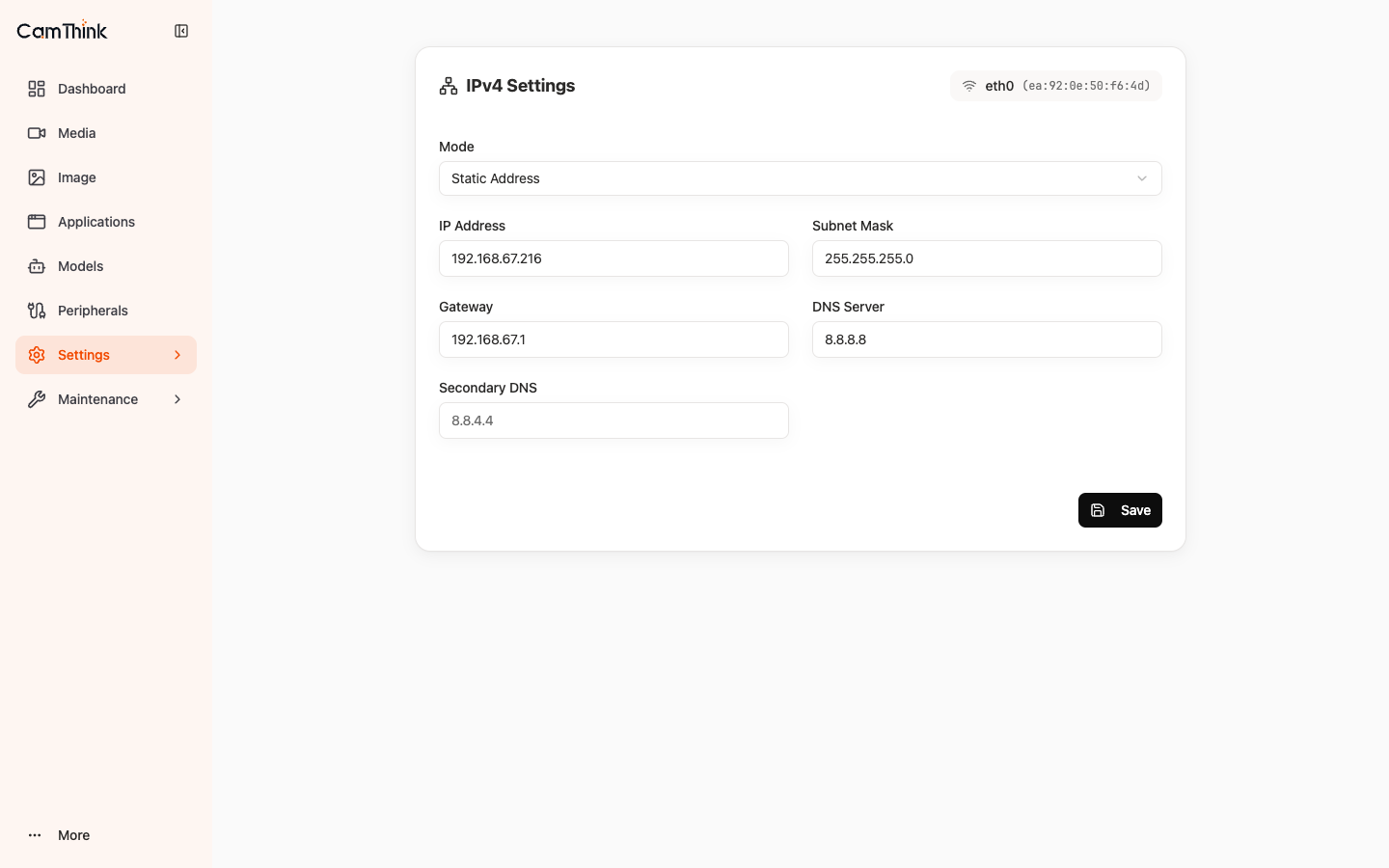
- Switch Mode to Static Address.
- Fill in the IP address, subnet mask, and gateway per the site network plan; set DNS as appropriate for the environment.
- After saving, the device serves at the new IP; access the console via the new address.
Success: the IP remains unchanged after reboot and the Web console is reachable at the new address.
In a DHCP environment, bind the device MAC address to an IP in the router.
1.2 Timezone and NTP Configuration
Go to Settings → Time:
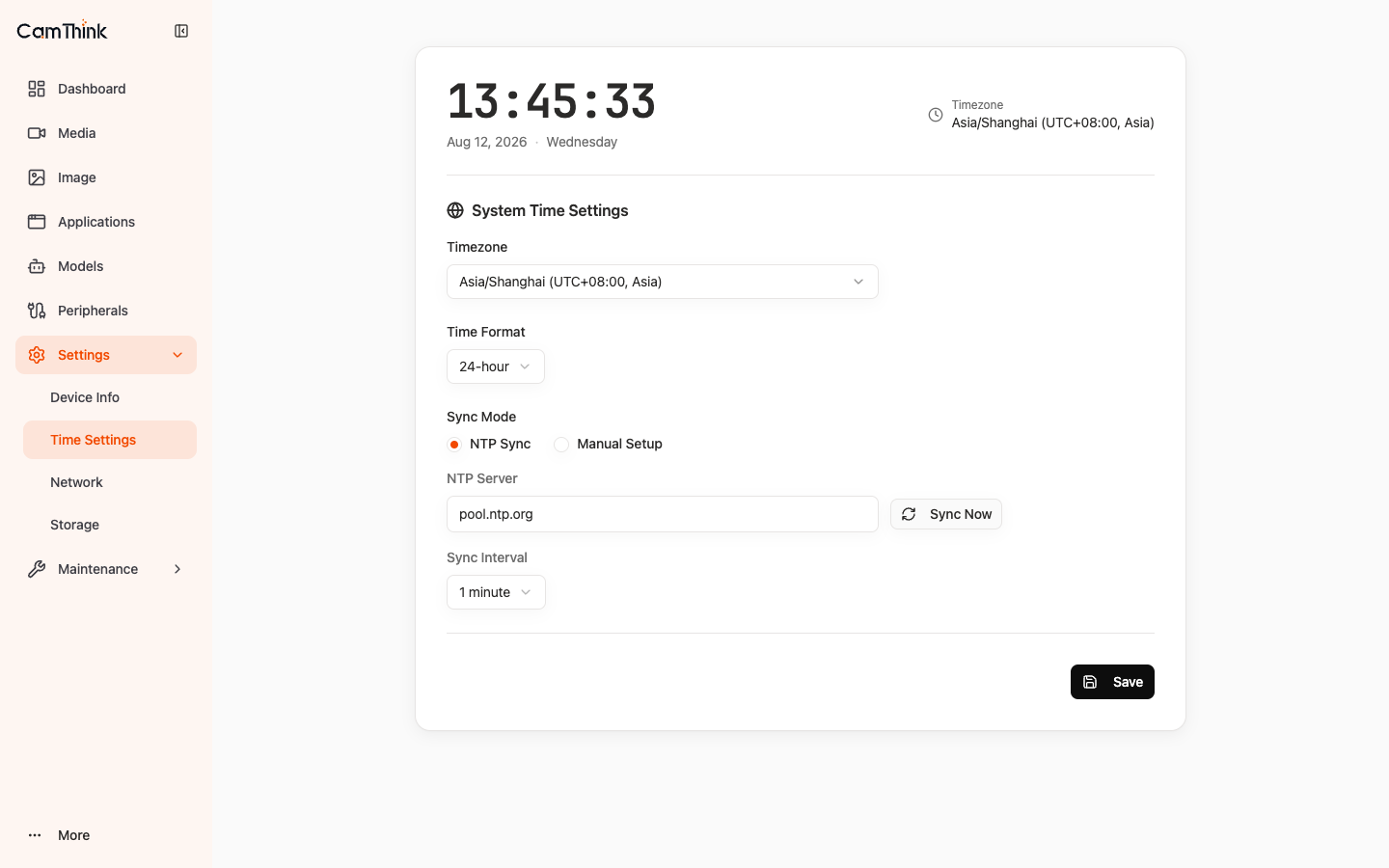
- Select the site timezone under Timezone.
- Set Sync Mode to NTP Sync and enter an NTP server reachable from the site.
- Click Sync Now to synchronize immediately.
Success: synchronization completes without an error and the OSD time matches site time.
2. Logs and Storage
2.1 Log Viewing and Collection
Open Maintenance → Logs and filter by time or keyword.
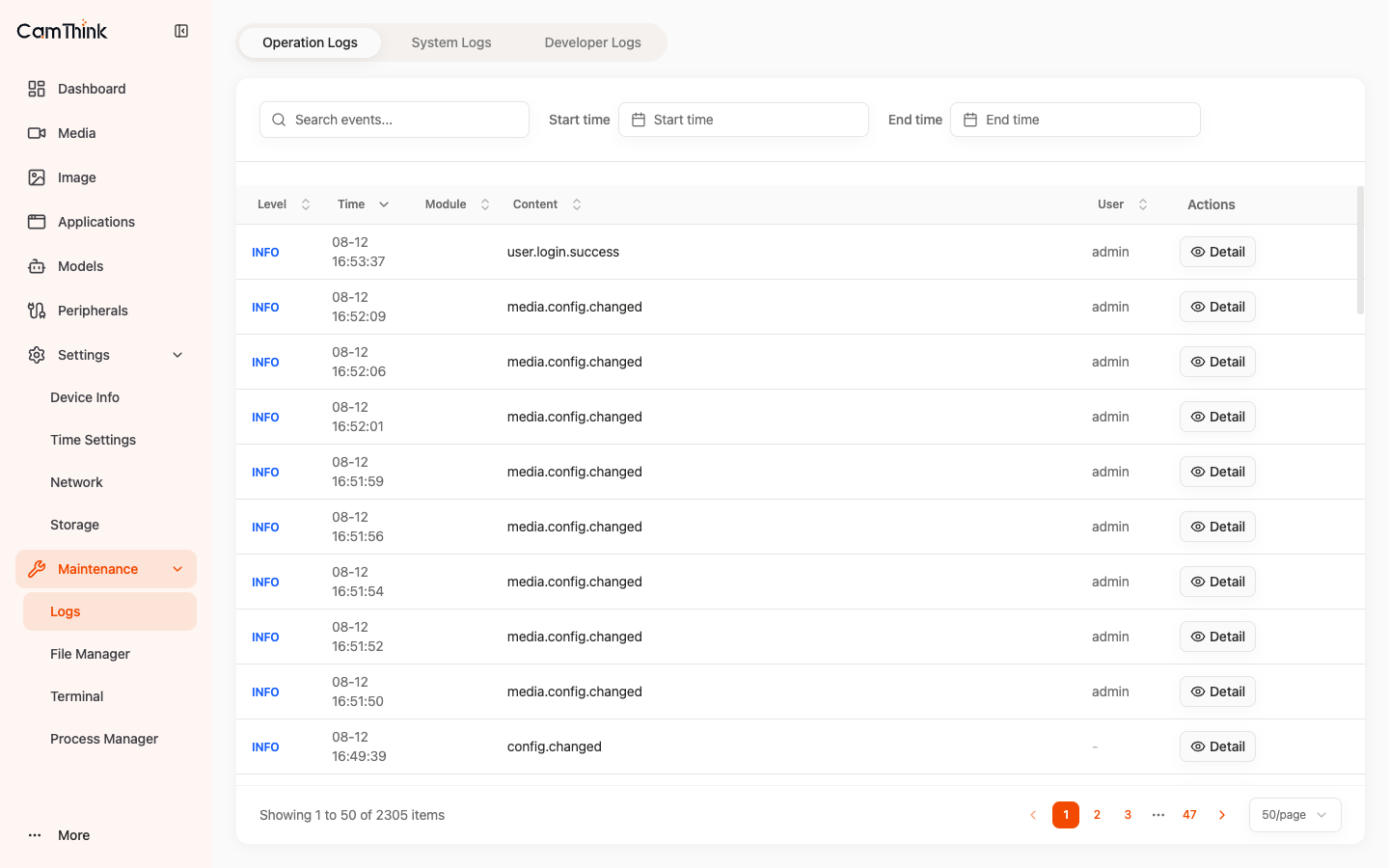
For command-line diagnosis, use journalctl -u <service>; platform logs are in /data/aipc/logs/.
2.2 Storage Cleanup
Settings → Storage shows built-in storage usage, split into System (system partition, not modifiable) and Data (data partition).
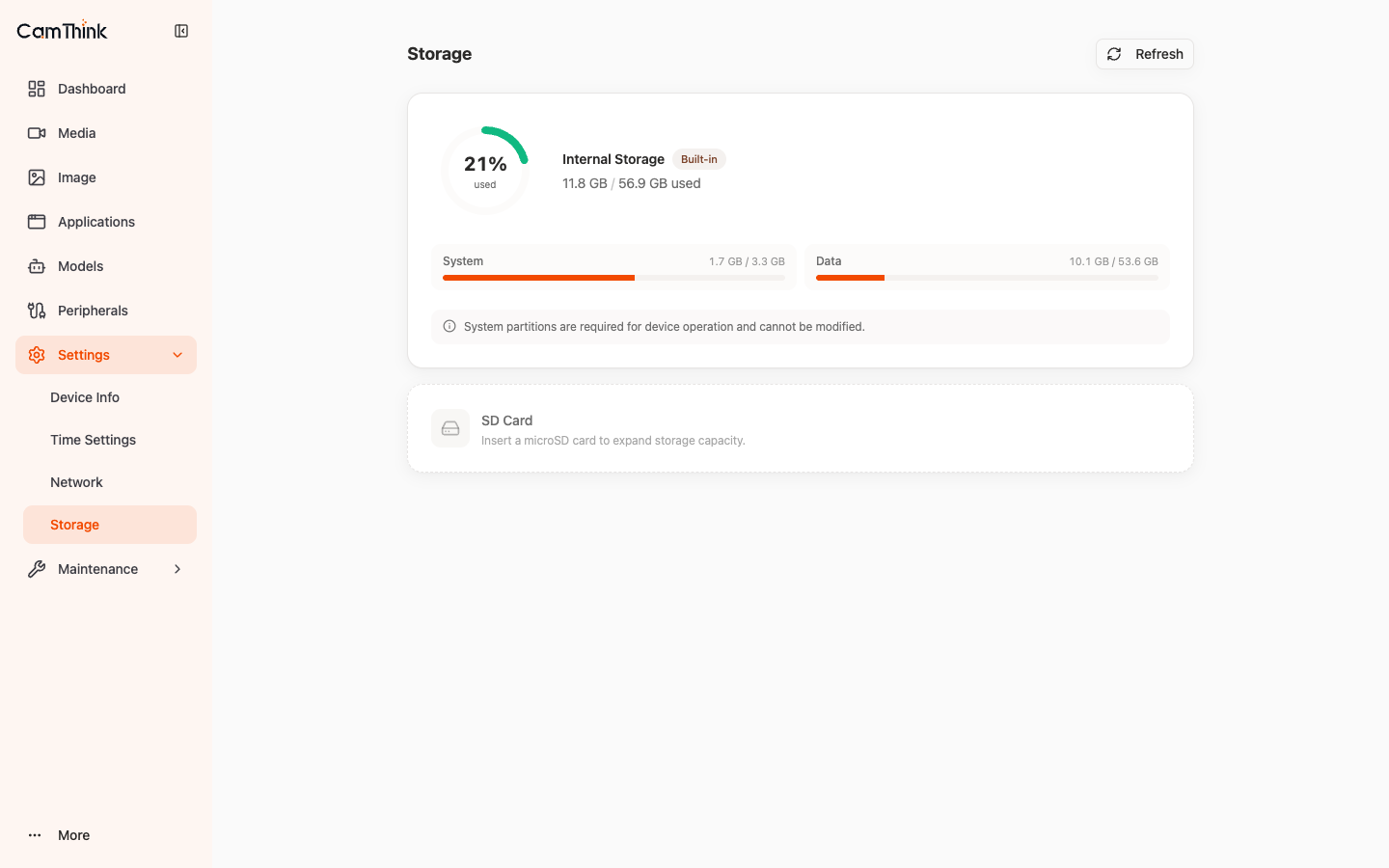
Open Settings → Storage to check System and Data usage. If Data usage is high, export required logs first, then clean logs, remove unused apps, or delete unused models.
truncate -s 0 /data/aipc/logs/*.log
Recording is saved by an external NVR / VMS, not locally on the device.
3. Maintenance Tools
Maintenance provides File Manager, Terminal, and Process Manager:
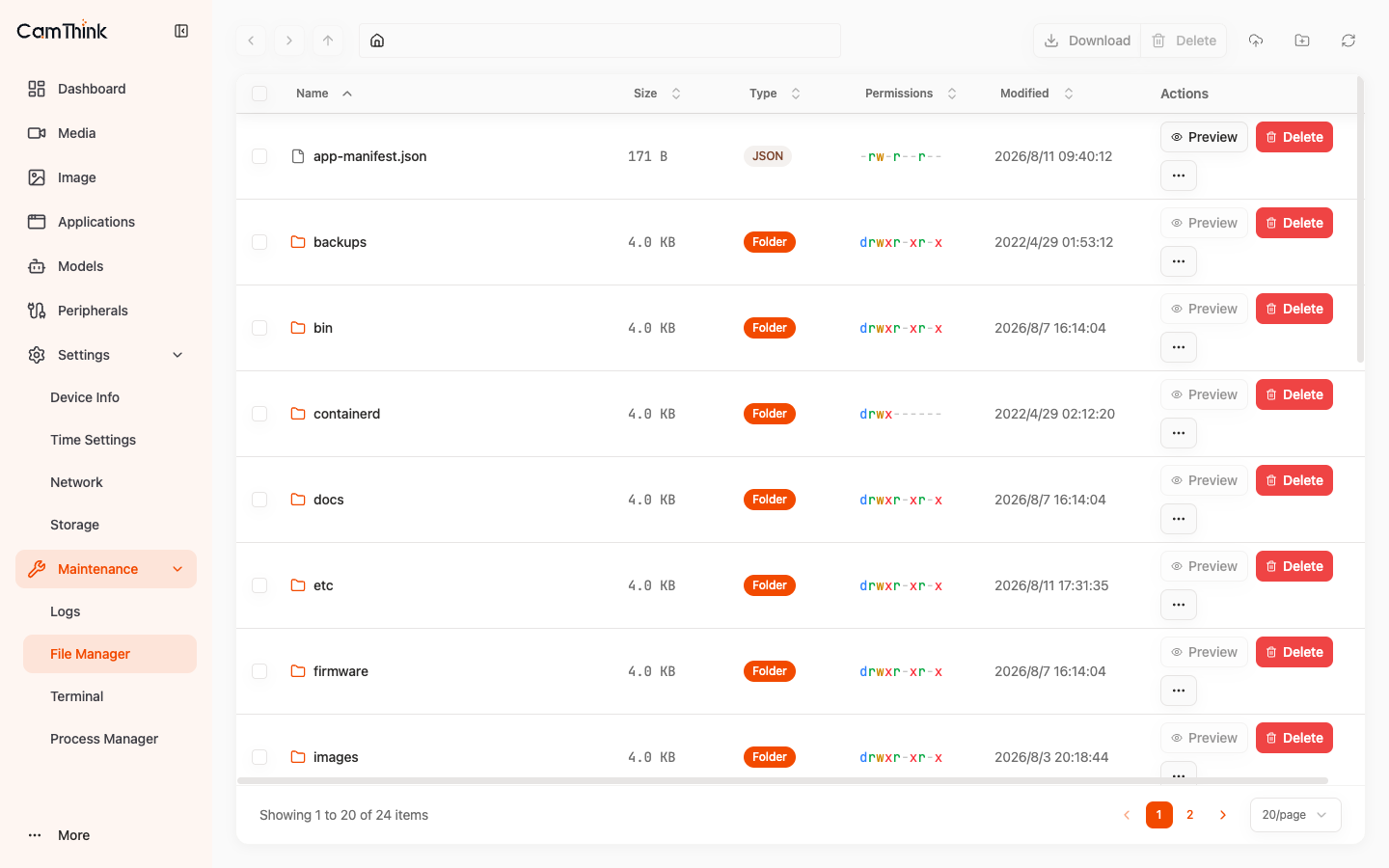
Stopping platform-critical processes can break the device. Avoid Kill unless necessary.
4. Device Management Tools
4.1 CT-Disc
Run on a computer on the same LAN as the device:
ct-disc scan
The output should include the device MAC, SN, IP, and firmware information. Common commands:
ct-disc scan --timeout 3
ct-disc list --product NE503 --timeout 5
ct-disc watch
See the neoruntime/tools/ct-disc source for the CLI, GUI, packet definitions, and options.
4.2 aipc-cli
Run in Maintenance → Terminal or over SSH:
ssh root@<device-ip>
aipc-cli system health
aipc-cli app list
aipc-cli app logs <id> -f
aipc-cli stream list
aipc-cli model list
Run aipc-cli --help for the complete command tree.