Data Push
Data Push automatically sends NeoMind device telemetry to external systems — either the moment a device publishes new data or on a fixed interval, to a Webhook endpoint or MQTT Broker you configure. Typical uses:
- Forward sensor data to an enterprise data platform / data lake
- Sync device state in real time to third-party monitoring systems (e.g. Grafana, ThingsBoard)
- Push AI inference results to a business system to trigger downstream workflows
- Bridge NeoMind to another IoT platform
Data Push lives under the Push tab on the Data Explorer page, complementing Rules (condition-triggered actions) and Data Transforms (real-time data processing).
Interface Overview
Open Data Explorer (database icon) in the left nav and switch to the Push tab:
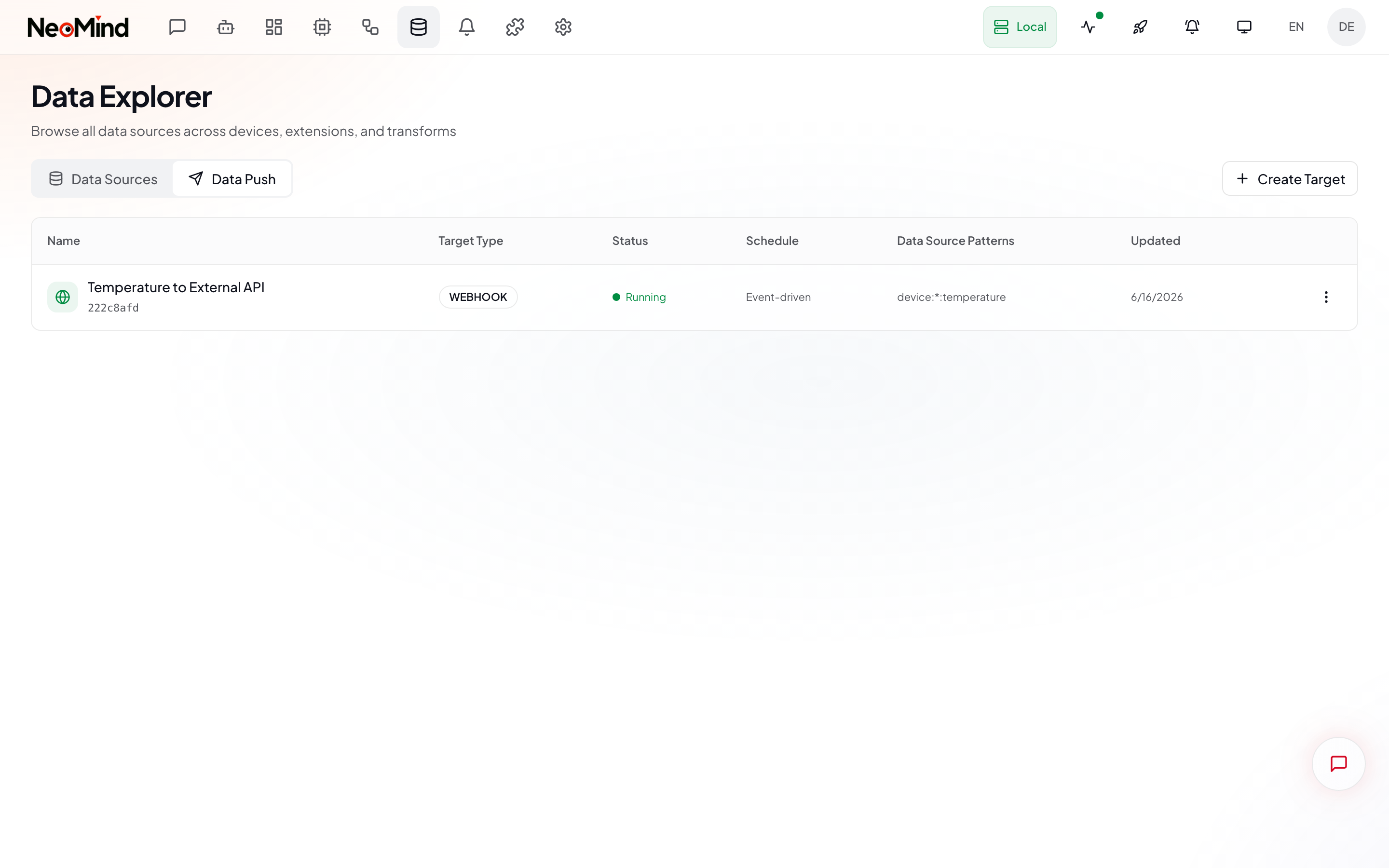
The page lists all push targets in a table, each row containing:
| Column | Description |
|---|---|
| Name | Display name of the push target |
| Type | Webhook / MQTT |
| Status | Running / Stopped |
| Schedule | Event Driven / Interval |
| Data Sources | Matched source patterns (e.g. device:*:temperature) |
| Updated | Last modified time |
| Actions | Edit, delete, test, view logs |
Creating a Push Target
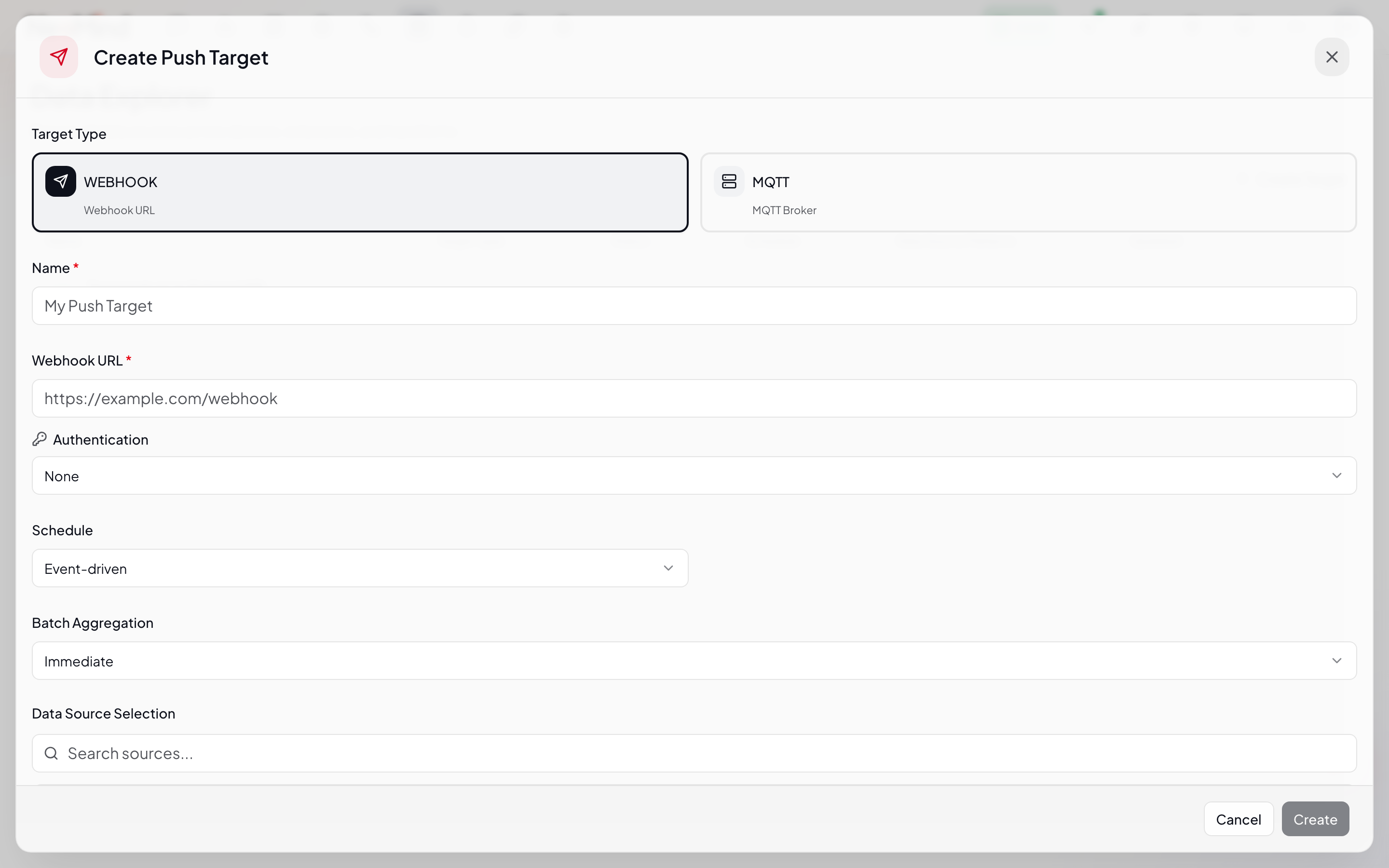
Click Create to open the full-screen configuration dialog:
1. Basic Info
| Field | Description |
|---|---|
| Name | Identifier for the push target |
| Target Type | Webhook — HTTP POST to a URL; MQTT — publish to an MQTT Broker |
2. Target Configuration
Webhook type:
| Field | Description |
|---|---|
| URL | HTTP endpoint that receives data (e.g. https://api.example.com/ingest) |
| Method | HTTP method (default POST) |
| Headers | Custom request headers (e.g. Authorization: Bearer <token>, Content-Type: application/json) |
MQTT type:
| Field | Description |
|---|---|
| Broker URL | MQTT Broker address (e.g. mqtt://broker.example.com:1883) |
| Topic | Publish topic (e.g. factory/line1/sensors) |
| Username / Password | Authentication credentials (optional) |
3. Schedule
| Schedule type | Description | Use case |
|---|---|---|
| Event Driven | Push as soon as new data arrives | Real-time sync, low-latency scenarios |
| Interval | Batch push every N seconds | Reduce request frequency, batch scenarios |
4. Data Source Filter
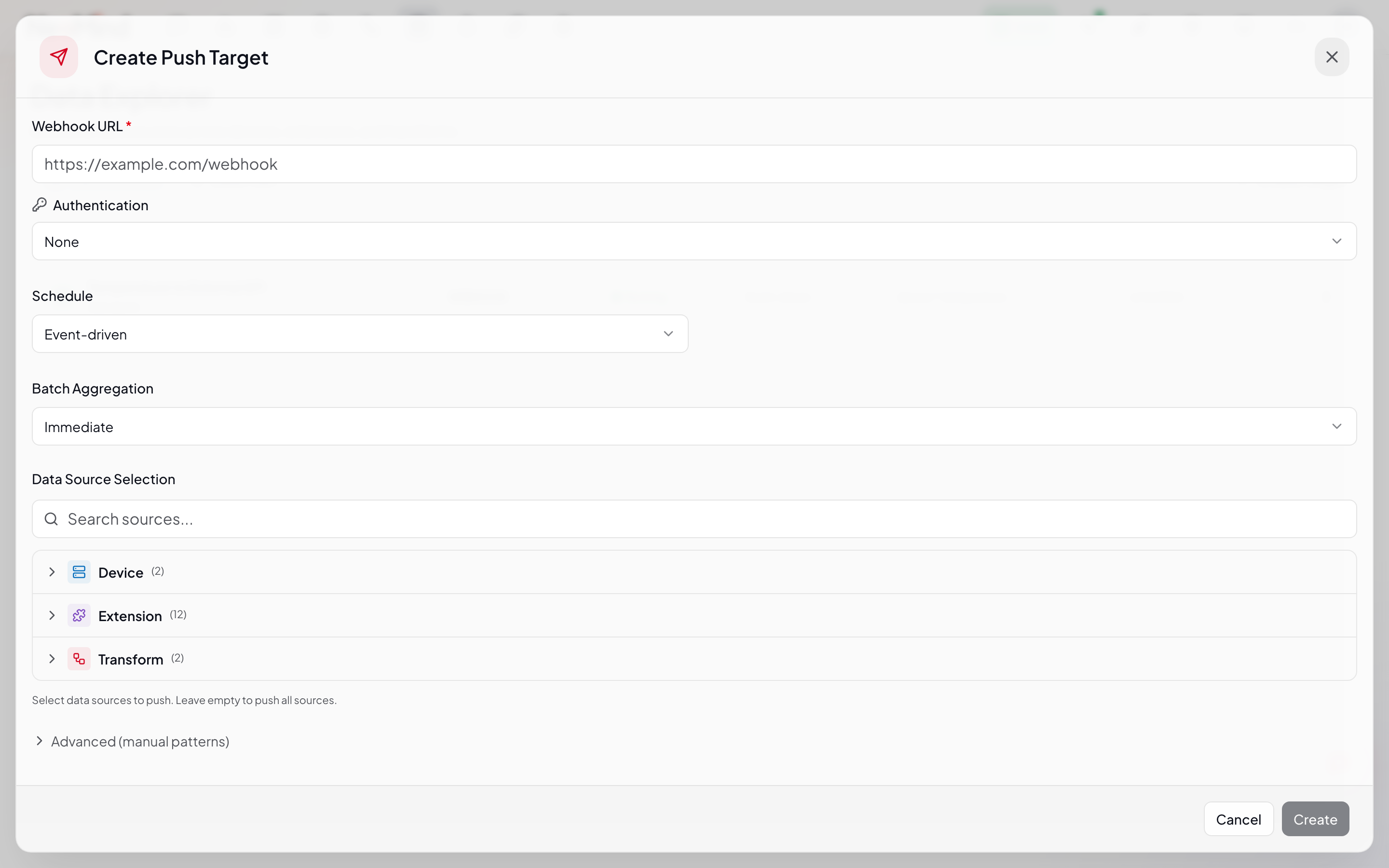
Choose which data sources to push:
| Setting | Description |
|---|---|
| Source Patterns | Wildcard matching. device:*:temperature = all devices' temperature metric; device:sensor-01:* = all metrics of sensor-01 |
| Only Changes | When enabled, pushes only when the data value actually changes, skipping duplicates to reduce traffic |
The source panel is grouped by type (Device / Extension / Transform / System) with search and multi-select.
5. Retry & Batch
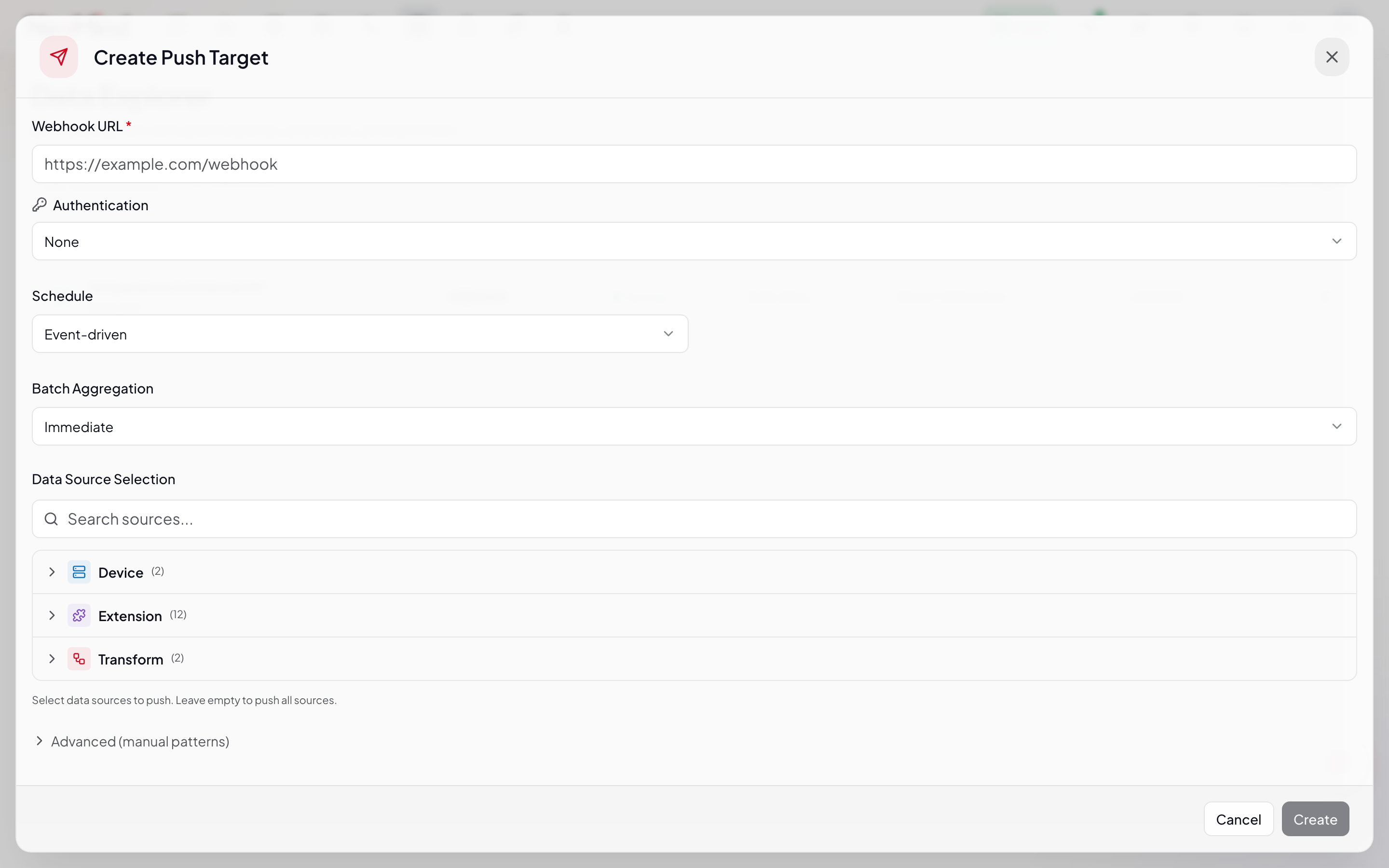
Retry Config:
| Field | Description | Default |
|---|---|---|
| Max Retries | Maximum retry attempts | 3 |
| Backoff (secs) | Initial backoff seconds | 5 |
| Max Backoff (secs) | Maximum backoff cap | 60 |
Retry uses exponential backoff: 1st retry waits 5s, 2nd 10s, 3rd 20s … up to the Max Backoff cap.
Batch Config:
| Field | Description |
|---|---|
| Batch Size | Maximum items per batch |
| Batch Interval (ms) | Batch send interval in milliseconds |
Click Save when done.
Push Target Actions
Each push target supports the following actions:
| Action | Description |
|---|---|
| Start / Stop | Start / stop the push |
| Test | Send a test payload to verify the connection |
| Logs | View delivery logs (success / failure / retries) |
| Edit | Edit the configuration |
| Delete | Delete the push target |
Delivery Logs
Click Logs on a push target to view delivery history:
Each log records:
- Status: Pending / Success / Failed / Retrying
- Source: The pushed source ID
- Payload: The actual payload sent
- Response: The response returned by the target (on success)
- Attempts: Current retry attempt number
- Error: Error details on failure
- Time: Send time and completion time
CLI Management
# List all push targets
neomind data-push list

# Create a push target
neomind data-push create --json '{
  "name": "Temperature to API",
  "target_type": "webhook",
  "config": {
    "url": "https://api.example.com/ingest",
    "method": "POST",
    "headers": {"Content-Type": "application/json"}
  },
  "schedule": {"type": "event_driven"},
  "data_filter": {"source_patterns": ["device:*:temperature"], "only_changes": false}
}'

# Start / stop
neomind data-push start <target_id>
neomind data-push stop <target_id>

# Test push
neomind data-push test <target_id>

# View delivery logs
neomind data-push logs <target_id>

# View stats
neomind data-push stats

# Delete
neomind data-push delete <target_id>
REST API
# Create push target
curl -X POST http://localhost:9375/api/data-push \
  -H "Content-Type: application/json" \
  -d '{
    "name": "Temperature to API",
    "target_type": "webhook",
    "config": {"url": "https://api.example.com/ingest", "method": "POST"},
    "schedule": {"type": "event_driven"},
    "data_filter": {"source_patterns": ["device:*:temperature"], "only_changes": false},
    "enabled": true
  }'

# List all push targets
curl http://localhost:9375/api/data-push

# Start push
curl -X POST http://localhost:9375/api/data-push/<id>/start

# Test push
curl -X POST http://localhost:9375/api/data-push/<id>/test

# View delivery logs
curl http://localhost:9375/api/data-push/<id>/logs

# View stats
curl http://localhost:9375/api/data-push/stats
Typical Scenarios
Scenario 1: Real-time Temperature Push to Enterprise API
- Type: Webhook
- Schedule: Event Driven (push on new data)
- Source:
device:*:temperature - Only Changes: enabled (avoid duplicate values)
- Retry: 3 attempts, exponential backoff
Scenario 2: Batch Sync Device Status to MQTT Broker
- Type: MQTT
- Schedule: Interval, every 60 seconds
- Source:
device:*:online - Batch: 100 items per batch, 5-second interval
- Only Changes: enabled (push only state changes)
Scenario 3: Push AI Inference Results to Business System
- Type: Webhook
- Schedule: Event Driven
- Source:
extension:yolo-detector:detections - Target URL: The business system's ingest endpoint
Integration with Other Modules
| Module | Description |
|---|---|
| Devices | Push raw telemetry published by devices |
| Data Transforms | Push derived metrics generated by Transforms |
| Extensions | Push metrics output by extensions (e.g. YOLO detections) |
| Rules | Rules evaluate data internally; Push sends data externally |
Best Practices
- Enable Only Changes: For state-like data (e.g.
online), this drastically cuts redundant pushes - Batch wisely: High-frequency data should use Interval + batch to avoid request storms on the target system
- Configure retry: With network instability, 3 exponential-backoff retries cover most transient faults
- Test before enabling: After creating, use Test to verify the connection works before starting the push
- Monitor delivery logs: Periodically review failed logs to catch target-system issues early
Last updated: 2026-06-16